Is there a way to export data with more than 3 dimensions? | Adobe Higher Education
Skip to main content
October 7, 2022
Répondu

Is there a way to export data with more than 3 dimensions?

Does anyone know if there is a way to export data with more than three dimensions? I need to see metrics by day, campaign, event and page. Would really like to add Referrer Type to that also. But everything I have tried is too limited. Report Builder gets the closest, but still seems to be limited to 3 dimensions. Is there another way?

Ce sujet a été fermé aux réponses.
Meilleure réponse par Jennifer_Dungan

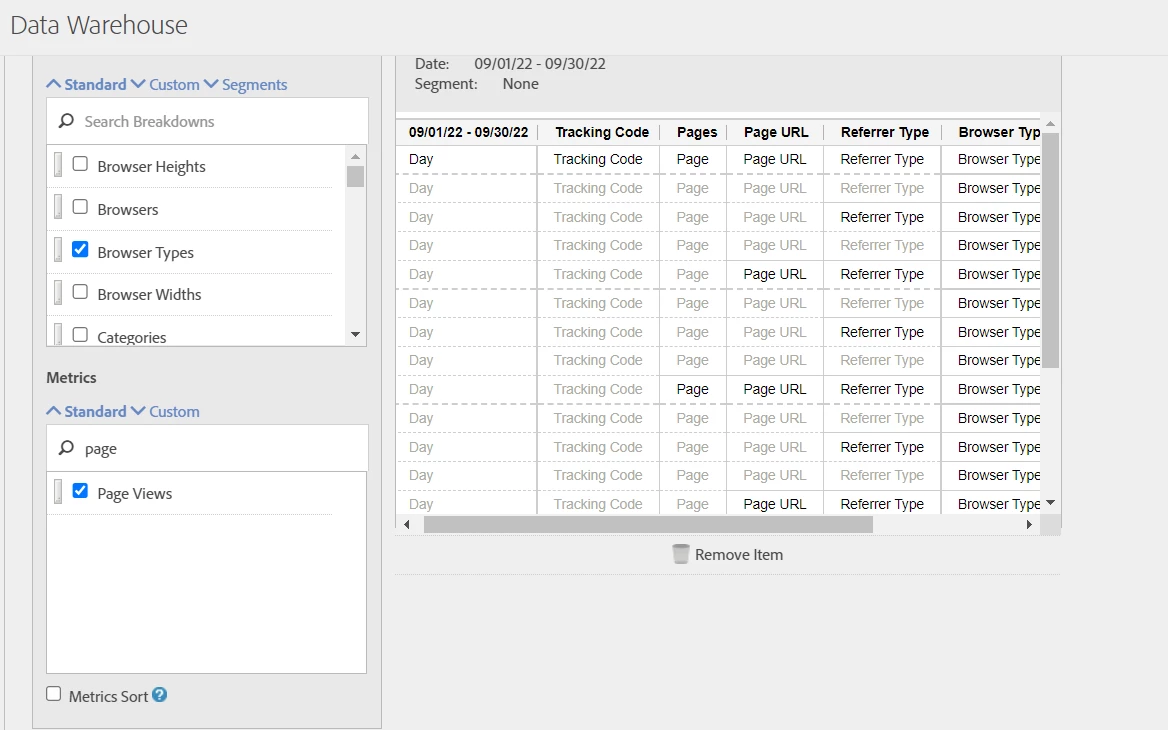
You should be able to add as many dimensions as you want with Data Warehouse, or with the Adobe API.


Data Warehouse:


API: https://adobedocs.github.io/analytics-2.0-apis/?urls.primaryName=Analytics%202.0%20APIs 


FYI, there is also a debugger mode in Workspace that will allow you to grab a pre-built API format for the dimensions you want to pull, which will make creating the API call a lot easier if you decide to do that method.


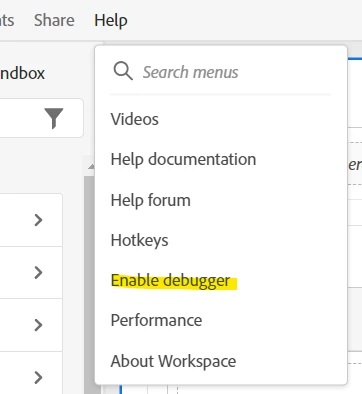
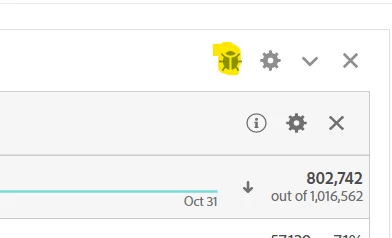
To enable debugger mode:


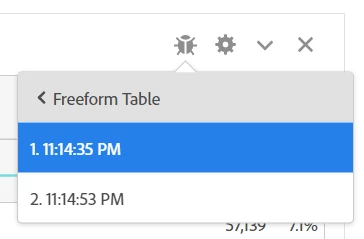
It will show you what calls are involved, depending on your pulls there may be several that need to be run in order:


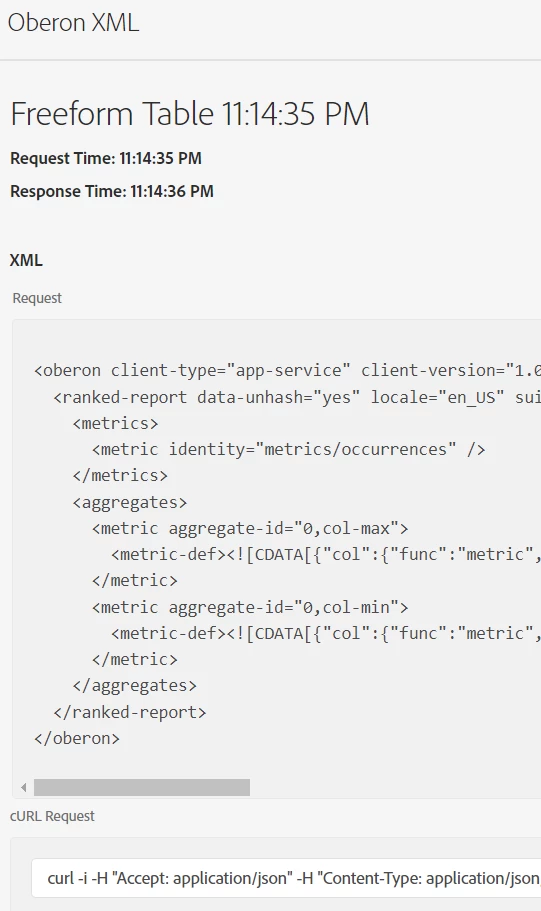
The XML request/response, cURL request and JSON request/response are all shown on the page, giving you either the pull you need, or at the very least a base to build from.


1 commentaire

Jennifer_Dungan
Community Advisor and Adobe Champion
October 8, 2022

You should be able to add as many dimensions as you want with Data Warehouse, or with the Adobe API.


Data Warehouse:


API: https://adobedocs.github.io/analytics-2.0-apis/?urls.primaryName=Analytics%202.0%20APIs 


FYI, there is also a debugger mode in Workspace that will allow you to grab a pre-built API format for the dimensions you want to pull, which will make creating the API call a lot easier if you decide to do that method.


To enable debugger mode:


It will show you what calls are involved, depending on your pulls there may be several that need to be run in order:


The XML request/response, cURL request and JSON request/response are all shown on the page, giving you either the pull you need, or at the very least a base to build from.


Jennifer_Dungan
Community Advisor and Adobe Champion
October 8, 2022

There is also a raw data feed, but that data needs a lot more processing, since it includes extra rows of data which are excluded in Workspace... unless you are ready to dig in and learn the ins and outs of processing the raw data, I would stick with the Data Warehouse or API for now, as those should both represent the processed data.

October 14, 2022

Can we use multiple dimensions in Data Warehouse? we faced issue where data was not matching between workspace and warehouse report when we applied multiple dimensions. We reached out to client support and the answer was:


1. Using more than one breakdown in DWH will deduplicate the data in DWH and it's not recommended to match with Workspace projects.

2. Workspace and DWH both tools are designed to pull data for different purposes and not to compare the numbers.