Incorrect Attribution in Marketing Channels | Community
Skip to main content
Level 2
October 9, 2024
Question

Incorrect Attribution in Marketing Channels

  • October 9, 2024
  • 2 replies
  • 1493 views

Hello Adobe,

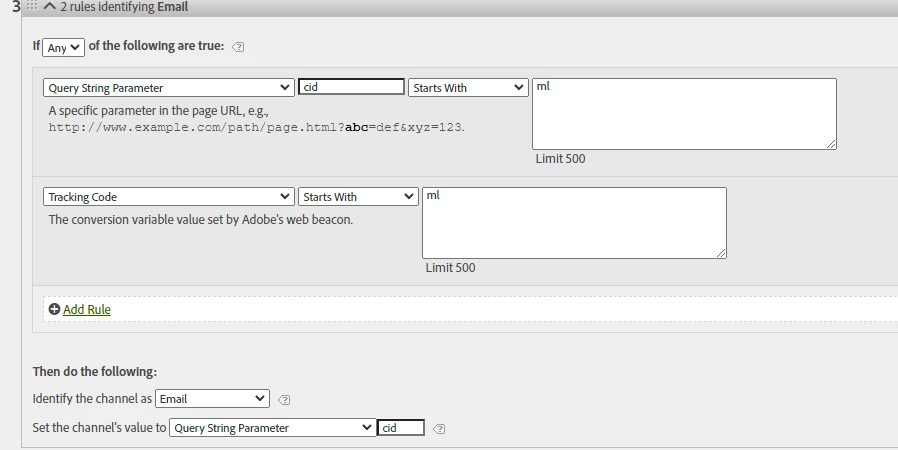
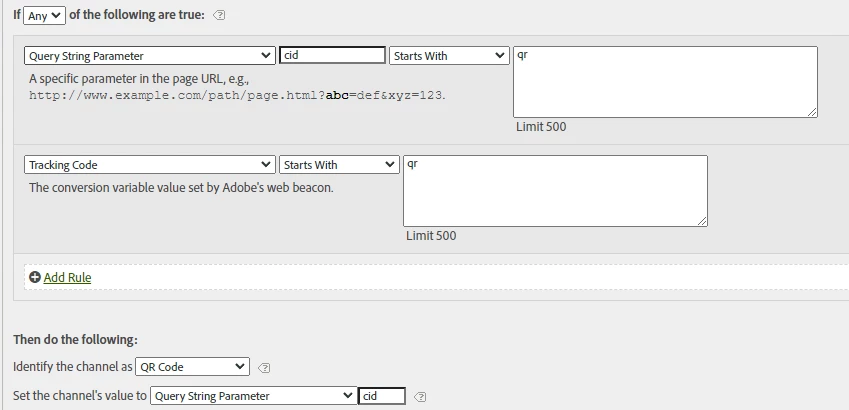
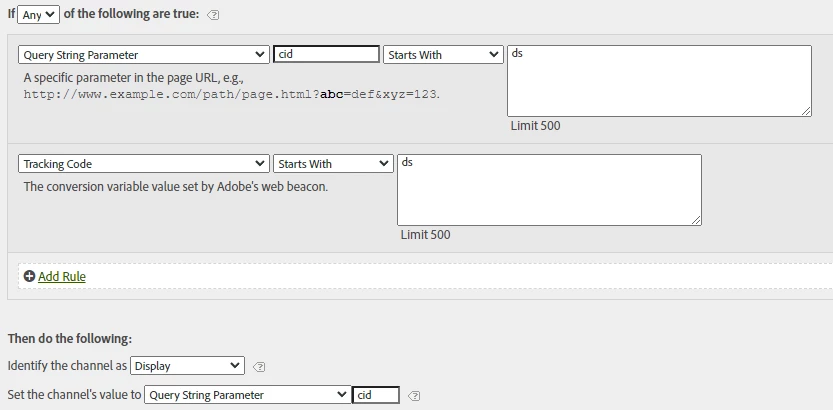
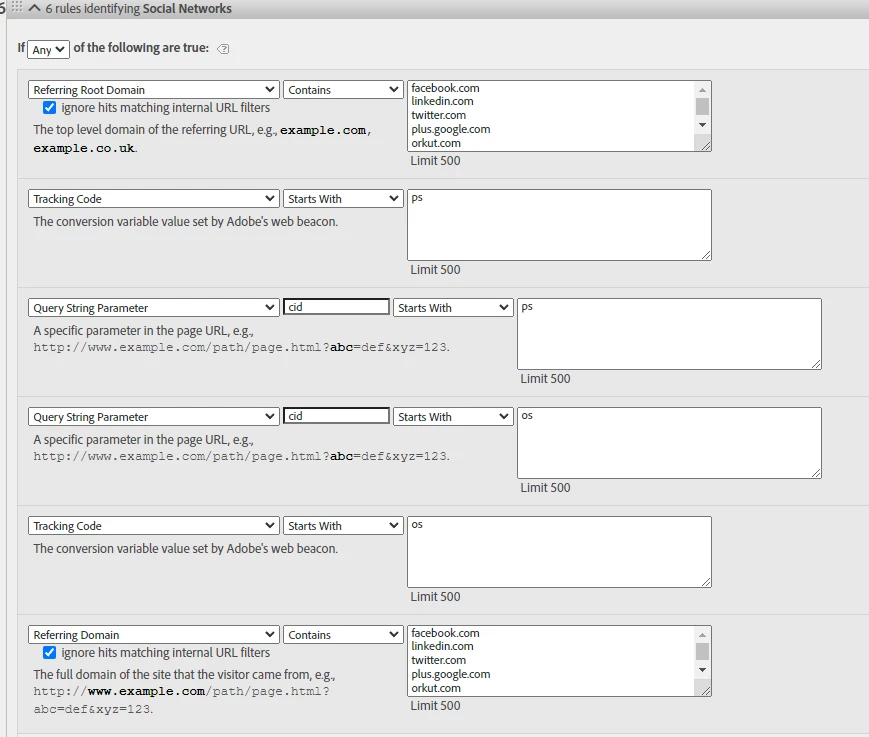
I’m facing an issue with marketing channels where the tracking codes are not being attributed correctly. I have reviewed the configuration multiple times and cannot find anything wrong. All configurations are set within the "Classification Rule Builder," the channels are defined in the "Marketing Channel Manager," and the rules are within the "Marketing Channel Processing Rules."

The correct attribution for each of the channels should start with the following tracking codes:

  • Paid Social → ps
  • Organic Social → os
  • Paid Search → sem
  • Display → ds
  • Email → ml
  • QR Code → qr

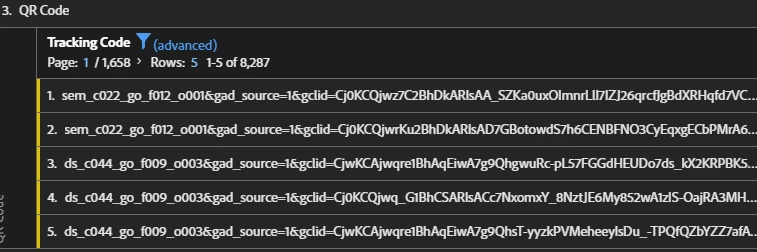
As shown in Image 1, the attribution is failing, and we’d like to understand why.

I hope you can help me with this.


This post is no longer active and is closed to new replies. Need help? Start a new post to ask your question.

2 replies

Martinej
Level 2
October 10, 2024

Hi Krozi,

Marketing channels use visitor engagement for attribution (typically 30 days by default), while tracking codes depend on the lifespan of the campaign variable (which can vary), this difference can create misalignment between the two. As an example, if a user returns within 30 days but without a new tracking code, the Marketing Channel might still credit the original channel, while the tracking code may no longer be valid. 

Also "Marketing channels processing rules higher up in the list can prevent hits from attributing to your Tracking Codes marketing channel". Personally I wouldn't really use tracking code on top of marketing channels in a table as there are these fundamental differences in their setup.


That is how I interpret it. So it is not necessarily wrong as it follows the logic of marketing channels processing rules and attribution window whereas the tracking code dimension uses its own attribution window. I how this makes sense

KroziAuthor
Level 2
October 10, 2024

I understand what you're saying. Is there a way within the Adobe Analytics report suite configuration for marketing channels to modify the default 30-day attribution window to a custom value that I can assign?

Jennifer_Dungan
Community Advisor and Adobe Champion
October 10, 2024

Yes, while the default Marketing Channel Attribution is 30 days, we have ours set to 7 Days.


I still try to avoid mixing Marketing Channels and Tracking Code though, since they don't always start from the same point and definitely do not share the same logic, even if they have the same expiry (tracking code only looks at campaigns, where as marketing channels are pulling in referrers, search engine detection, direct traffic, etc).


But you can change the expiry for Marketing Channels by going to:

Admin > Report Suites > (choose the suite) > Edit Settings > Marketing Channels > Marketing Channel Expiration


Jennifer_Dungan
Community Advisor and Adobe Champion
October 10, 2024

In addition to what has been said, you might have multiple entries within the same visit that could be causing some confusion on the data. Particularly if you Tracking Code is set to First Value, instead of Most Recent....


KroziAuthor
Level 2
October 10, 2024

So what I’m experiencing isn’t a configuration issue, but rather the way we are viewing the data. If we look at traffic, it’s normal for tracking codes to overlap due to the visit expiration time. However, if we look at a conversion, such as purchase orders, and apply a specific attribution model, the tracking codes are accurate. Am I right in what I’m saying?


Jennifer_Dungan
Community Advisor and Adobe Champion
October 10, 2024

I think that made sense!


Basically, I try to encourage people to correlate the Marketing Channel with the Marketing Channel Details (those are set in parallel with each other by the processing rule)... 


"Set the Channel's value to" is actually the "Channel Detail" (so they are set by the same rule, share the same attribution and share the same expiry.


For you orders, since you already have a 30 day or 7 day, etc attribution... you shouldn't even need a custom attribution in your report...  unless of course you are using a set attribution like 7 Days, and want to increase to 30, etc....