Editing Percent Change Column | Community
Skip to main content
November 27, 2017

Editing Percent Change Column

  • November 27, 2017
  • 2 replies
  • 4586 views

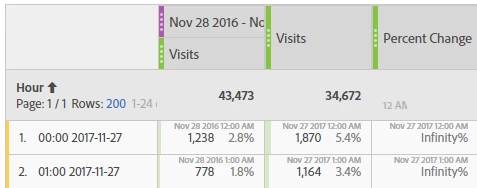
When comparing a YoY hourly trend and selecting "Row Settings - Date Comparisons: Align dates from each column to all start on the same row (applies to entire table).

I get an infinity%. Unsure of how to fix this.
This post is no longer active and is closed to new replies. Need help? Start a new post to ask your question.

2 replies

PratheepArunRaj
Community Advisor and Adobe Champion
November 28, 2017

Dear Nichole,

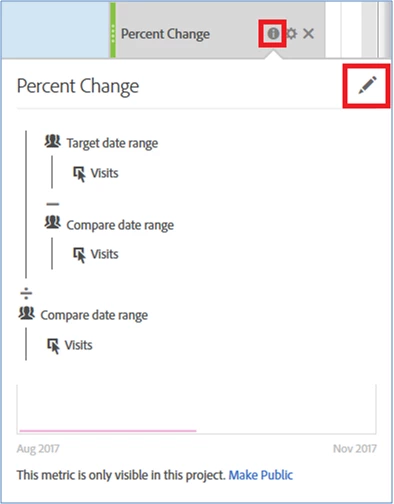
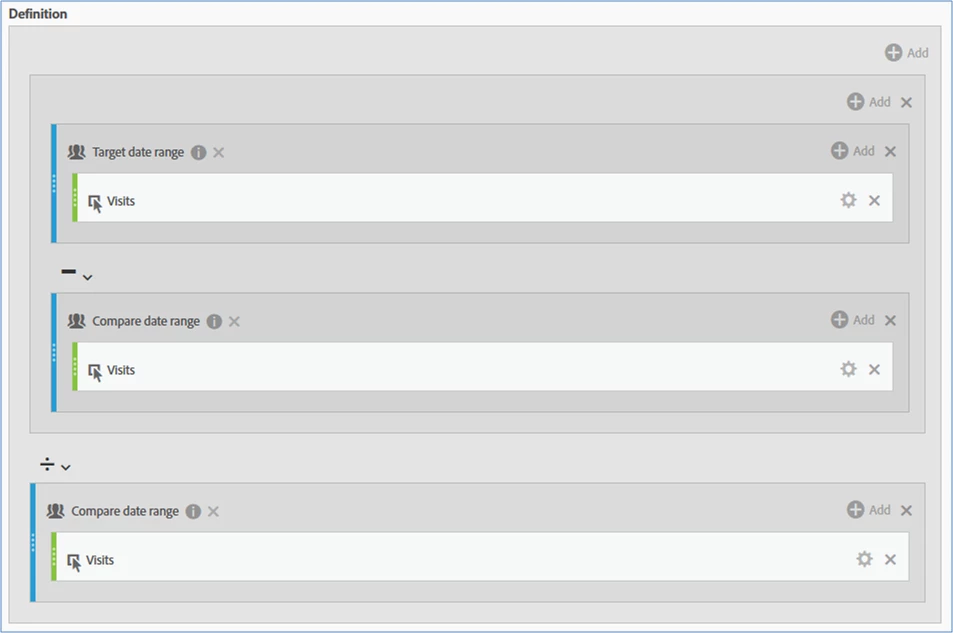
Can you click on the information icon of "Percent Change" and see whether the formula is correct as below :

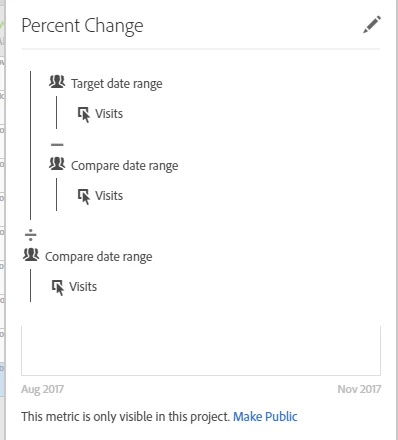
If not please edit to use the same. Formula below :

Hope this helps.

Thank You!

Arun

Thank You, Pratheep Arun Raj B (Arun) | Xerago | Terryn Winter Analytics
November 28, 2017

Hi Arun,

That is the formula used.

I'm using the standard "compare time period" functionality when you right click on a metric.

Gigazelle
Adobe Employee
Adobe Employee
September 19, 2018

This seems like the metric was having trouble getting the target date range. Is it still an issue?

November 27, 2019

I'm having this same issue and I don't see a solution out here.