Default Report Suite | Community
Skip to main content
March 4, 2025
Solved

Default Report Suite

  • March 4, 2025
  • 2 replies
  • 604 views

How do you change the default report suite for all users?

This post is no longer active and is closed to new replies. Need help? Start a new post to ask your question.
Best answer by FarazHusain

Hey @jennifercl3, you need to go to edit preferences:
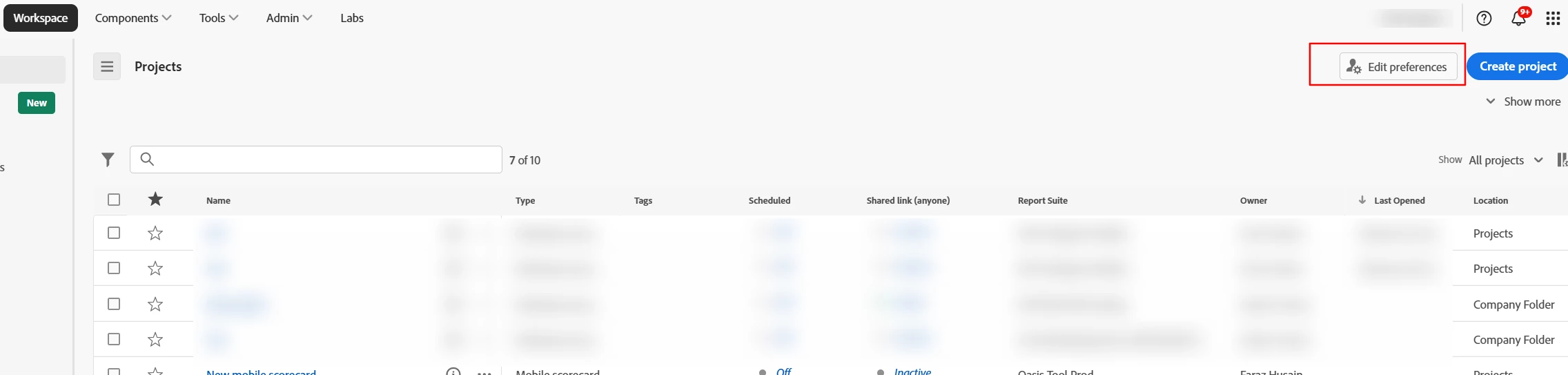
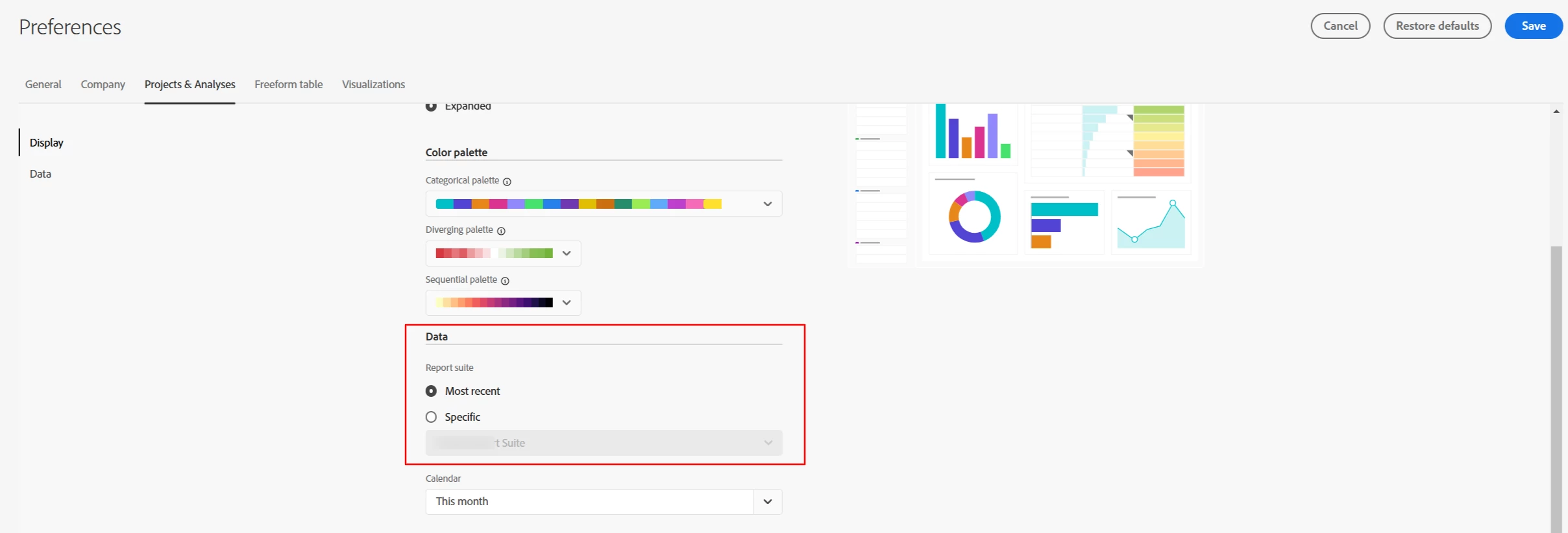
Under Project -> Data Section, you can change the default option:


2 replies

FarazHusain
Adobe Employee
FarazHusainAdobe EmployeeAccepted solution
Adobe Employee
March 4, 2025

Hey @jennifercl3, you need to go to edit preferences:

Under Project -> Data Section, you can change the default option:


Jennifer_Dungan
Community Advisor and Adobe Champion
March 5, 2025

Note, this is a setting that needs to be done per person.. it is not a company wide setting. As in, you cannot control this for "all users"... it is each user's responsibility to change this setting.

manojsingh-tech
Level 2
March 5, 2025

Agree with @jennifer_dungan  as she said that, Adobe don't allow to create any default report suite because you might create a group in your user group, where you an give access to certain reporting suite for certain group and exclude all the other reporting suite, so when ever they try to create a report they will only have one report suite defaulted to.