Custom Event not getting captured after the initial one for SPA | Community
Skip to main content
Adobe Employee
February 16, 2023
Solved

Custom Event not getting captured after the initial one for SPA

  • February 16, 2023
  • 1 reply
  • 3254 views

I'm trying to capture route changes as page views for a react SPA.  I have the Adobe Analytics extension installed, and


1. Added custom code in my app that dispatches an event named `analytics` every time the route changes. It's set on the window object. I've verified this works.

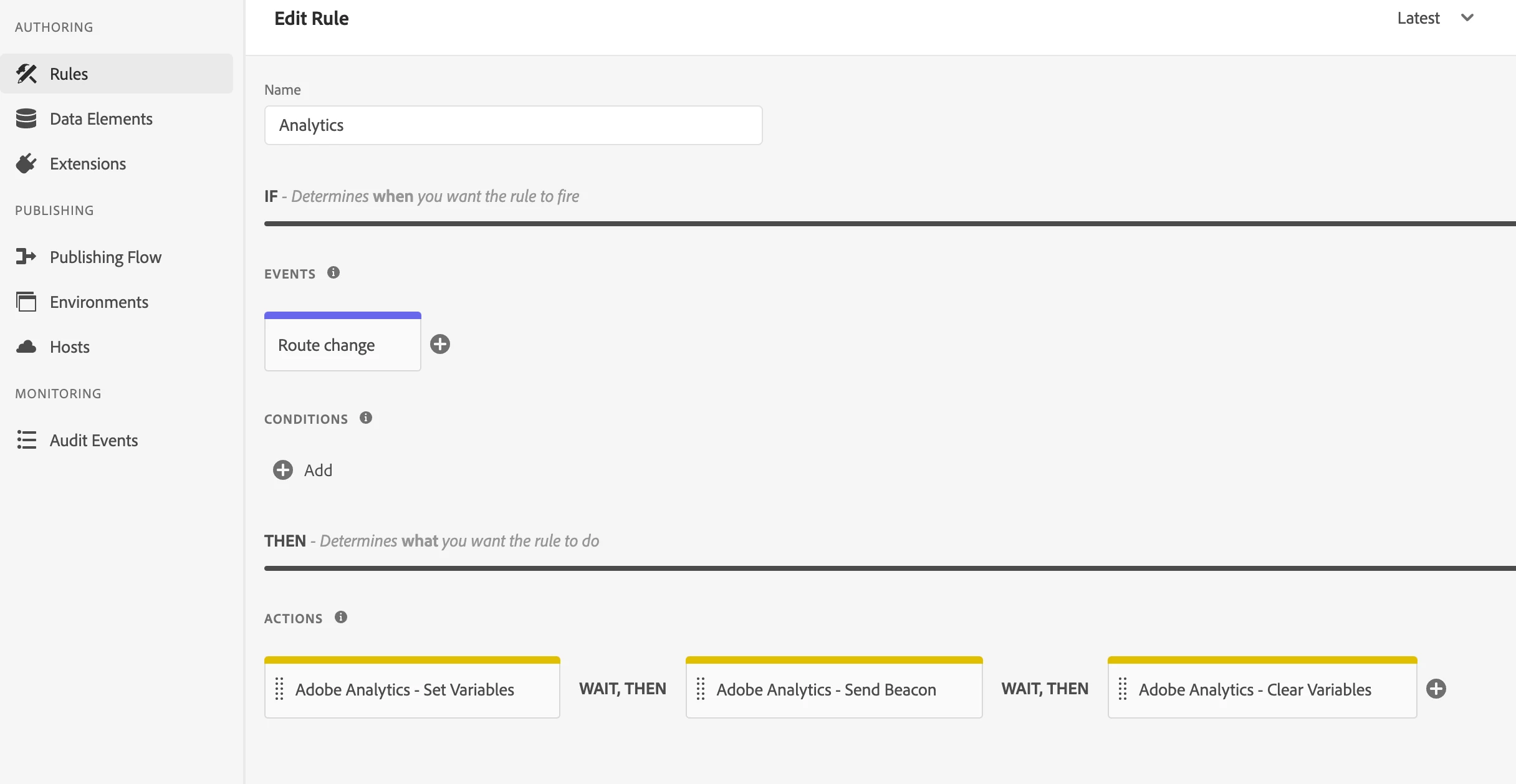
2. Set up Rules with Event: Core - Custom Event, Actions: Set Variables, Send Beacon, Clear Variables. 

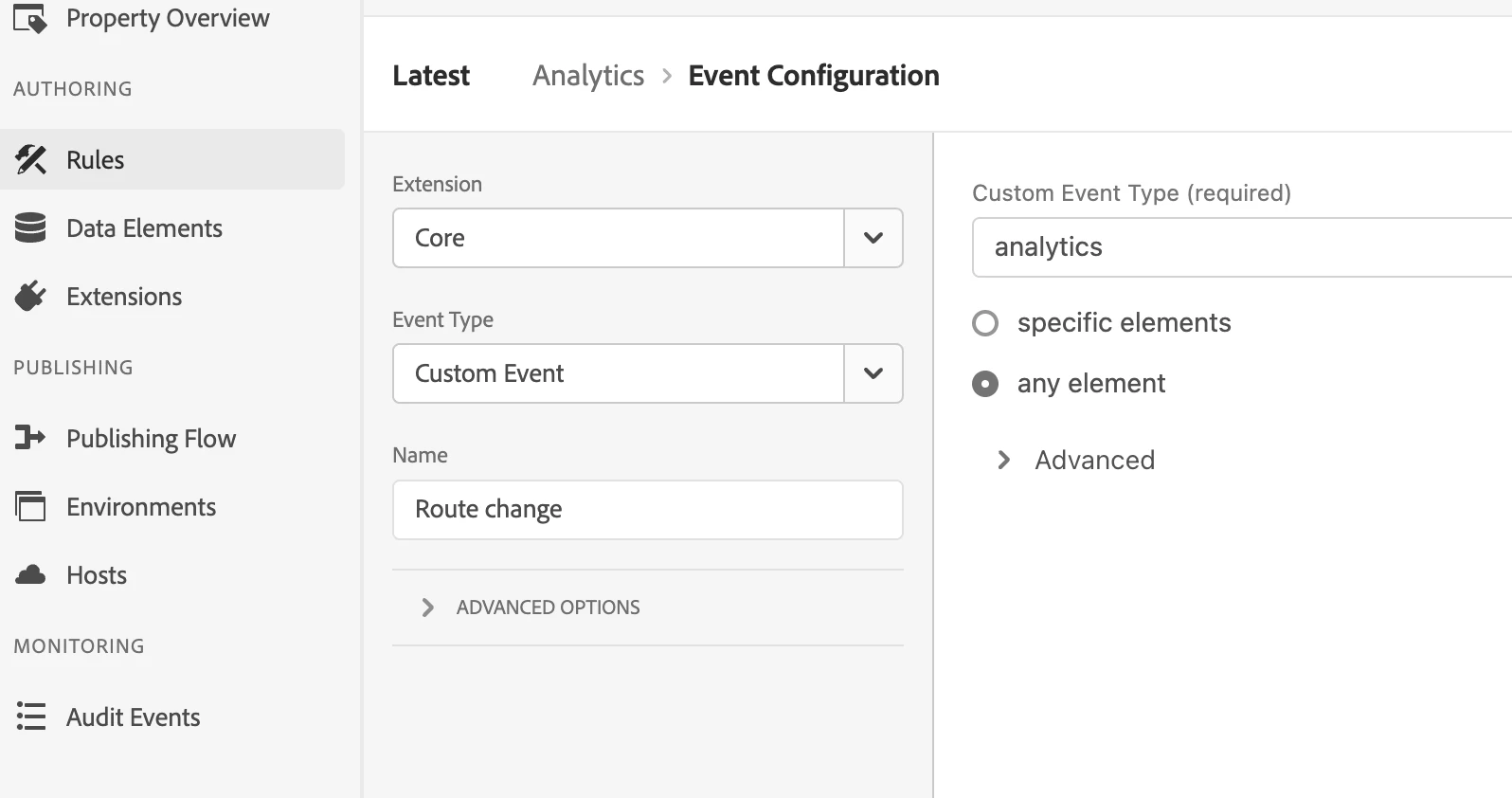
3. In Rules - Event - Custom Event, the Event Type input is `analytics` (the same as #1) for any element.

4. In Rules - Set Variables, I have Page URL set in the Additional Settings.

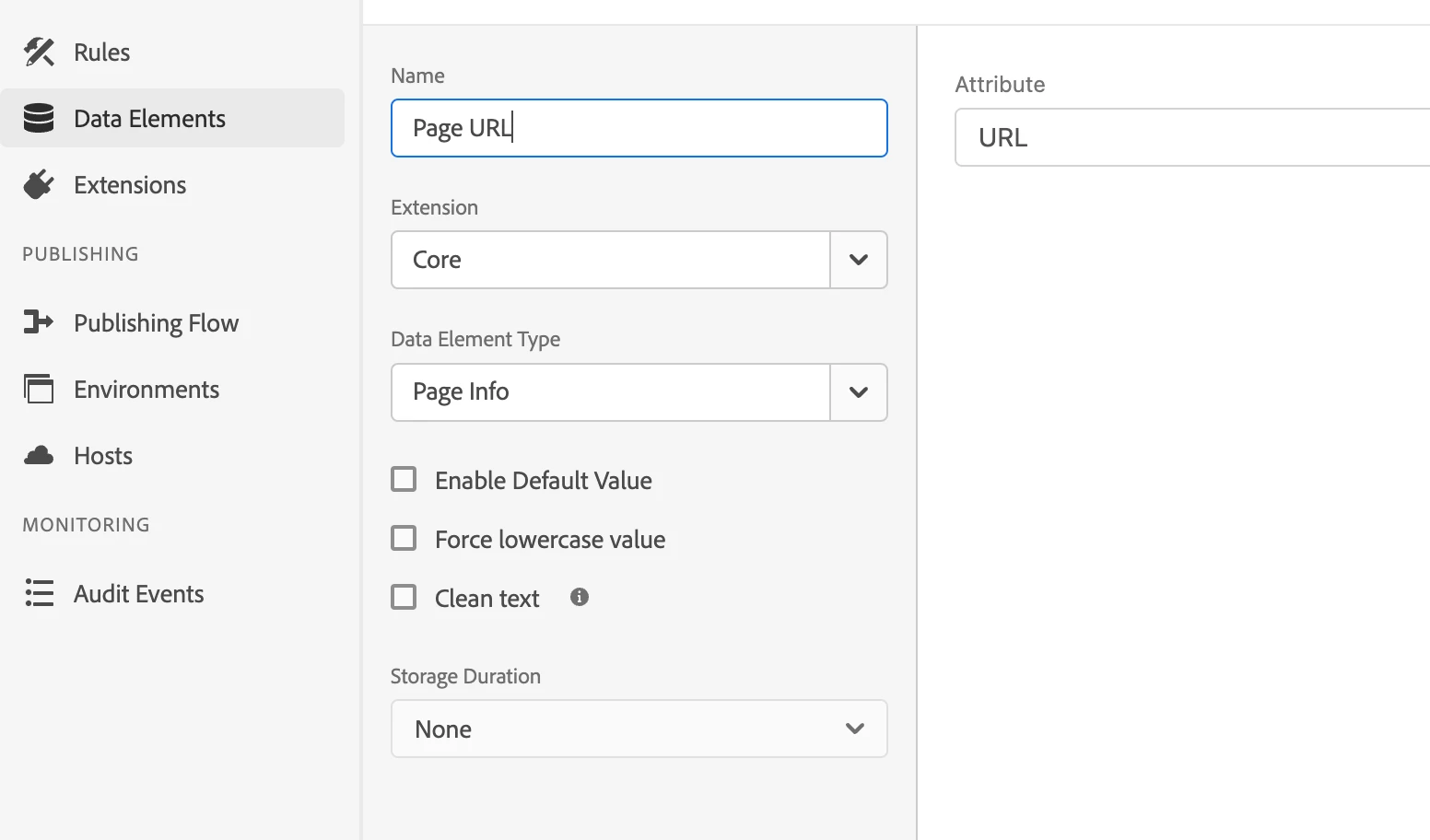
5. I also have a Data Element, with Core extension and Data Element Type as Page info - URL attribute.


When I check the network tab in Chrome, I see `s` getting sent only on the initial page load, but not when the route changes. Also, when I check what `s.pageURL` is set to be in the console, it's always the initial URL even when it has changed. I've attached screenshots.
 

This post is no longer active and is closed to new replies. Need help? Start a new post to ask your question.
Best answer by Jennifer_Dungan

Is the "analytics" event you mentioned, more like a custom JavaScript event that your developers are firing?


window.dispatchEvent(analytics)


If so, I am using similar code, and the built-in custom event trigger doesn't work for me... I had to use custom code to add my own EventListener:


document.addEventListener('analytics', function (e) { trigger(); }, false);


The trigger(); part of this is what makes the rule fire, so its wrapped inside an event listener looking for the specific event to be fired.

1 reply

Jennifer_Dungan
Community Advisor and Adobe Champion
Jennifer_DunganCommunity Advisor and Adobe ChampionAccepted solution
Community Advisor and Adobe Champion
February 16, 2023

Is the "analytics" event you mentioned, more like a custom JavaScript event that your developers are firing?


window.dispatchEvent(analytics)


If so, I am using similar code, and the built-in custom event trigger doesn't work for me... I had to use custom code to add my own EventListener:


document.addEventListener('analytics', function (e) { trigger(); }, false);


The trigger(); part of this is what makes the rule fire, so its wrapped inside an event listener looking for the specific event to be fired.

jladobeAdobe EmployeeAuthor
Adobe Employee
February 16, 2023

So `dispatchEvent` alone didn't work for you but adding `trigger` on top of it did?


This is what I currently have:


In index.html

window.analyticsEvent = new Event('analytics');


In a react tsx file

React.useEffect(() => { window.dispatchEvent(window.analyticsEvent); }, [location.pathname]);
jladobeAdobe EmployeeAuthor
Adobe Employee
February 16, 2023

"dispatchEvent" is fired by our developers... this is the event to tell me it's ready to track.


Using Adobe's "Custom Event" built-in trigger didn't work (I tried listening for our custom event, but the rule never triggered)... creating a custom listener did.


I haven't tried using Adobe's Custom Event trigger for years... but it sounds like it still may not work.


That is assuming that is the type of event you are talking about... if you are talking about more like an "event" being triggered in the Adobe Data Layer (similar to how GTM "fires events") then you need a different rule for that.


The EventListener code that I provided is used to listen for JS events.


Oh, one more thing.. I think in my copy / paste above, I accidentally mixed the scopes... the event is either on the window or the document object, you need to listen for it in the same scope!


Yes, I mean Adobe's Custom Event. 


I think I didn't understand your first comment correctly because I didn't realize you meant the Custom Code event type of Core extension (I'm pretty new to the AA).


Also what is `trigger` function?