CJA to POWER BI non-exparing credentials connection | Community
Skip to main content
New Member
February 18, 2025
Solved

CJA to POWER BI non-exparing credentials connection

  • February 18, 2025
  • 1 reply
  • 643 views

Hi,


I am able to connect ADOBE CJA to Power BI using expiring credentials. However, I do not understand how to use the JSON Token to connect with non-expiring credentials.

Where or how do I need to use or add the JSON Token in POWER BI? Can someone provide step-by-step instructions as to how to create such a connection?


Notes: The documentation (https://experienceleague.adobe.com/en/docs/analytics-platform/using/cja-dataviews/bi-extension) explains how to connect with the expiring credentials but misses the steps for the non-expiring: 

Expiring credentials instructions in Power Bi: 

  1. Look up the details of your PostgresSQL credentials in Adobe Experience Platform:

    1. Select Queries from the left rail (under DATA MANAGEMENT).

    2. Select Credentials from the top bar.

    3. Select the cja database for your sandbox from the list of databases in the Database dropdown menu. For example prod:cja.

    4. Use "copy icon" to copy each of the Postgres credentials parameters (Host, Port, Database, Username, and others) when needed in Power BI

       
This post is no longer active and is closed to new replies. Need help? Start a new post to ask your question.
Best answer by Harveer_SinghGi1

Hi @denisesp 

You need to follow the same steps as expiring credentials with a change in the password that you'll use; if you’re using expiring credentials, this can be found under Password within the EXPIRING CREDENTIALS section and if you’re using non-expiring credentials, this value is the concatenated arguments from the technicalAccountID and the credential taken from the configuration JSON file. The password value takes the form: {technicalAccountId}:{credential}.

So, assuming you see below credentials in expiring credentials,

  • Server/Host = acme.platform.adobe.io
  • Port = 80
  • Database = prod:cja
  • Username =  ECBB80245ECFC73E8A095EC9@AdobeOrg
  • Password = {password}

and the contents of the JSON file for non-expiring credentials have information as below,

  • technicalAccountName = 9F0A21EE-B8F3-4165-9871-846D3C8BC49E@TECHACCT.ADOBE.COM
  • credential = 3d184fa9e0b94f33a7781905c05203ee
  • technicalAccountId = 4F2611B8613AA3670A495E55

You can connect to these credentials as below,


You can get detailed instructions in Credentials guide documentation.

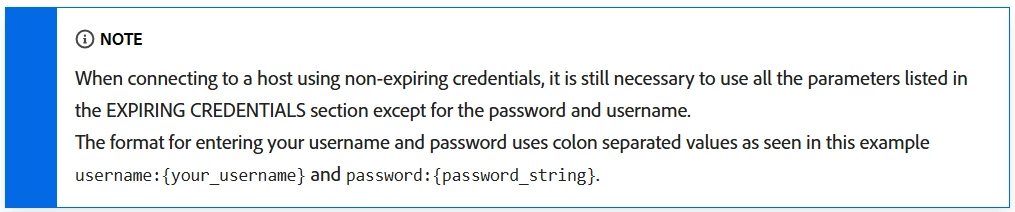
Based on below note from the credentials guide documentation you may need to append username and password values for non-expiring credentials and set them as username:ECBB80245ECFC73E8A095EC9@AdobeOrg and password:4F2611B8613AA3670A495E55:3d184fa9e0b94f33a7781905c05203ee respectively. Use the format that work either without or with these prefixes,

Cheers!

1 reply

Harveer_SinghGi1
Community Advisor
Harveer_SinghGi1Community AdvisorAccepted solution
Community Advisor
February 19, 2025

Hi @denisesp 

You need to follow the same steps as expiring credentials with a change in the password that you'll use; if you’re using expiring credentials, this can be found under Password within the EXPIRING CREDENTIALS section and if you’re using non-expiring credentials, this value is the concatenated arguments from the technicalAccountID and the credential taken from the configuration JSON file. The password value takes the form: {technicalAccountId}:{credential}.

So, assuming you see below credentials in expiring credentials,

  • Server/Host = acme.platform.adobe.io
  • Port = 80
  • Database = prod:cja
  • Username =  ECBB80245ECFC73E8A095EC9@AdobeOrg
  • Password = {password}

and the contents of the JSON file for non-expiring credentials have information as below,

  • technicalAccountName = 9F0A21EE-B8F3-4165-9871-846D3C8BC49E@TECHACCT.ADOBE.COM
  • credential = 3d184fa9e0b94f33a7781905c05203ee
  • technicalAccountId = 4F2611B8613AA3670A495E55

You can connect to these credentials as below,


You can get detailed instructions in Credentials guide documentation.

Based on below note from the credentials guide documentation you may need to append username and password values for non-expiring credentials and set them as username:ECBB80245ECFC73E8A095EC9@AdobeOrg and password:4F2611B8613AA3670A495E55:3d184fa9e0b94f33a7781905c05203ee respectively. Use the format that work either without or with these prefixes,

Cheers!

DeniseSpAuthor
New Member
March 3, 2025

Thank you so much. When generating the non-expiring credentials, it is necessary to assign them to a user (in an email form). Is the set user any member of the organization? Or do I need to create a new user?