Can't sign in into Report Builder | Community
Skip to main content
Level 2
June 19, 2025
Question

Can't sign in into Report Builder

  • June 19, 2025
  • 3 replies
  • 1095 views

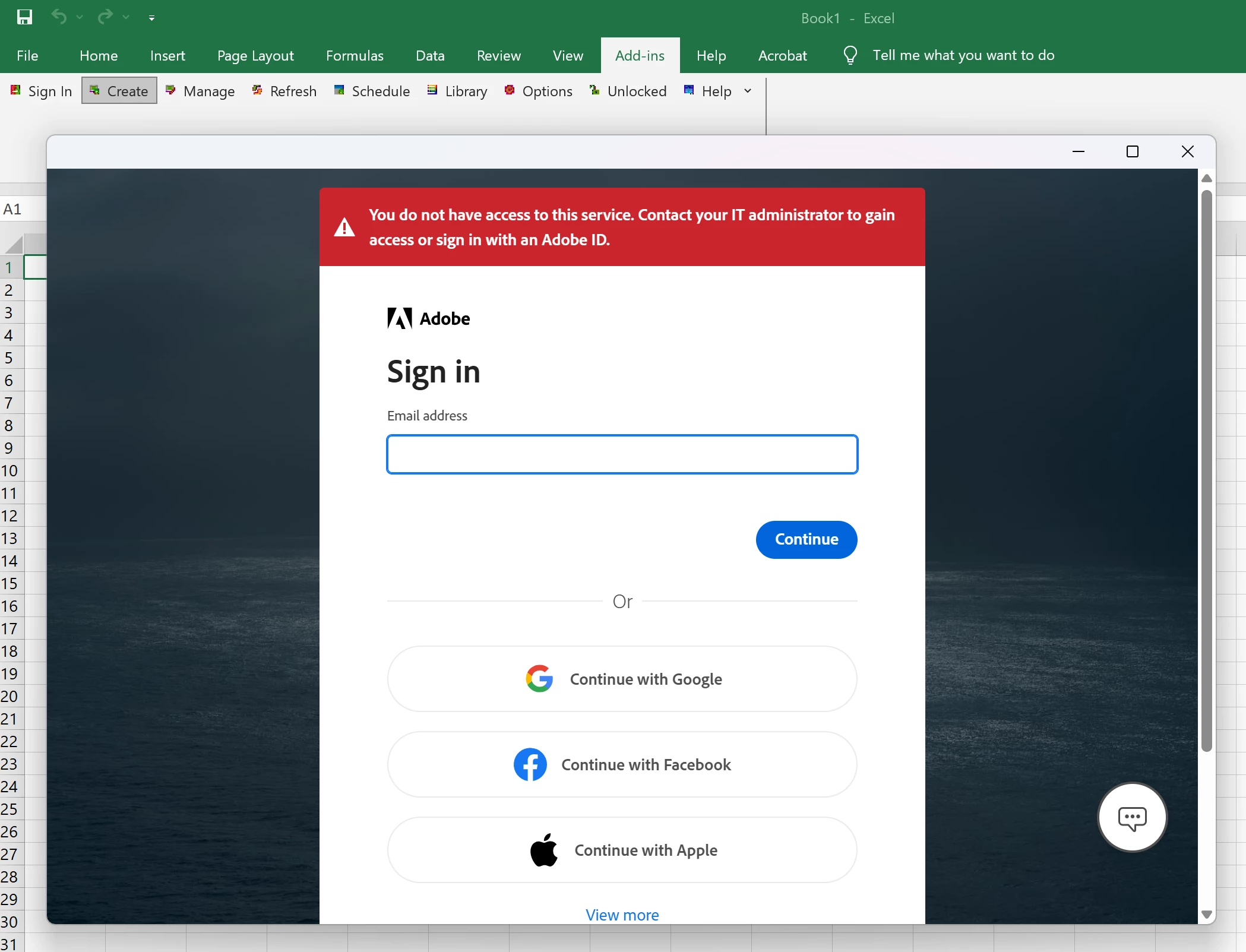
Hello! I am trying to create a Report Builder request and I am experiencing some issues when trying to sign in into my Adobe Analytics account. I get this error that I don't have access to this service. A month ago I was able to sign in and to create request in Report Builder, but now, for some reason I can't. I have tried with another account (my colleague account) and it is the same situation, even though he can sign in into his account from his laptop.

So why from one laptop I can't sign in anymore, but on another laptop everything works just fine. Does anybody encounter this issue and how to solve this? 
 

3 replies

Imbalakumar
June 19, 2025

Hi @elinamirin 


I have experienced the similar issue in the past, may be try these below two things if you have the eligible licenses to use report builder, check the licence and details in Adobe Admin Console.


1. Download the correct version by verify your Excel version by going to File > Account > About Excel. Your excel might have updated so it wont support the 32 bit, My excel version support 64 bit, refer the below screen,

2. If the 1st point is good, re-install the report builder by downloading the new file from the below screen shot location,

3. Refer this document for debugging this issue if both of the above not works - About Legacy Report Builder for Adobe Analytics | Adobe Analytics


Thanks,

Bala

Level 2
June 19, 2025

Hi @elinamirin 


Troubleshooting Step


1. Check Excel and Report Builder Versions: Ensure you have the correct (64-bit or 32-bit) version of Report Builder matching your Excel version. Download and install the latest Report Builder from the Adobe Analytics Tools section.


2. Try to Reinstall Report Builder: Uninstall and reinstall the add-in to clear any corrupted files or settings.


Check Permissions: Verify in the Adobe Admin Console that your user account has Report Builder access. If not, contact your admin.


3. Try to logout from the excel account (  company account ) and try to login then and guest user and then try login to report builder using your adobe account.


If none of these resolve the issue, contact your IT team to check for recent changes to your laptop or network, and consider reaching out to Adobe Support for deeper troubleshooting.


Cheers😊

Jennifer_Dungan
Community Advisor and Adobe Champion
June 20, 2025

I suspect this is a permission issue from the console... if it were an issue with 32 vs 64-bit version, I would have expected the installation to fail outright... the fact that the plugin is loading and bringing up the login screen should mean the installation is fine... 

gautham_madala
Level 5
June 28, 2025

Is it just happening for you or everyone in your org?
if its working for someone else mirror their permissions to yours in admin console. 
Mostly likely someone has to grant you Report builder and API access I guess. 
Let me know if it works.

Level 2
June 28, 2025

I have opened a ticket with Adobe.

kautuk_sahni
Community Manager
Community Manager
June 30, 2025

@elinamirin Just checking in — were you able to resolve your issue?
We’d love to hear how things worked out. If the suggestions above helped, marking a response as correct can guide others with similar questions. And if you found another solution, feel free to share it — your insights could really benefit the community. Thanks again for being part of the conversation!

Kautuk Sahni
Level 2
June 30, 2025

@kautuk_sahni no, I haven't found a solution yet. I've opened a ticket with Adobe. Will let you know the resolution once I receive updates from them. Thanks.