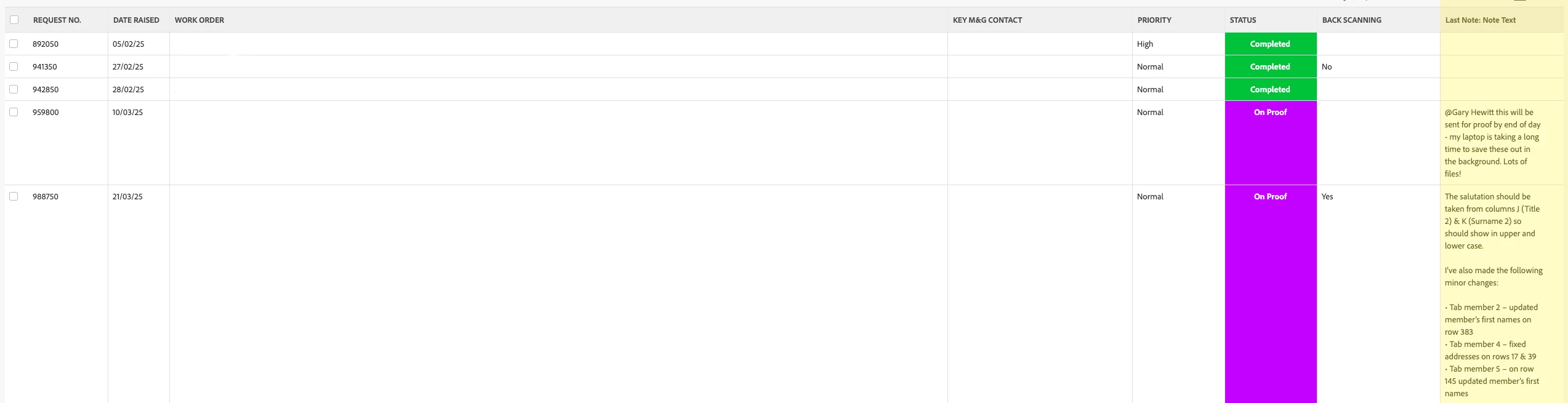
Hi @michelleb526471 - kinda.
In text mode we can put in some HTML. Sadly there is no way to set CSS for example on hover: we're limited to putting inline styles on tags.
Options:
- truncated shows 2 lines - however much fits
- scrolling lets you scroll the value
In my report i have columns 6,7,8 = truncated, 9,10,11 = scrolling
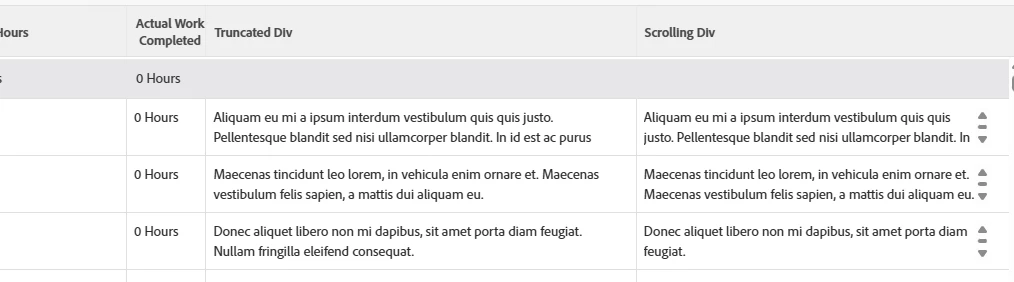
Code for truncated - make sure you adjust numbering (1st col = 0)
column.5.valueexpression='<div style="height: 2.5rem; overflow:hidden;">'
column.5.textmode=true
column.5.sharecol=true
column.5.displayname=Truncated  Div
column.5.valueformat=HTML
column.6.valueexpression={task}.{lastNote}.{noteText}
column.6.valueformat=HTML
column.6.textmode=true
column.6.displayname=Last Note Text
column.6.sharecol=true
column.7.displayname=end div
column.7.value=</div>
column.7.valueformat=HTML
column.7.textmode=true
Code for scrolling
column.8.valueexpression='<div style="height: 2.5rem;overflow-y: auto">'
column.8.valueformat=HTML
column.8.displayname=Scrolling Div
column.8.sharecol=true
column.8.textmode=true
column.9.sharecol=true
column.9.textmode=true
column.9.valueformat=HTML
column.9.displayname=Last Note Text
column.9.valueexpression={task}.{lastNote}.{noteText}
column.10.valueformat=HTML
column.10.displayname=end div
column.10.value=</div>
column.10.textmode=true
I want to caution you that this is pretty experimental and not officially support ... and Adobe could stop supporting this sort of chicanery anytime. Instead you could maybe use a valueexpression with SUBSTR({lastNote.{noteText},200)?
Or, something like {lateNote}.{entryDate} to show that when the last note was added.
Explanation
- WF accepts HTML via value and valueexpression
- Mixing a field with HTML doesn't always work as intended, hence 3 columns
- Adding a style attribute is - touchy. Workfront strips some tags and attributes (because they could affect the rest of the UI)
- height must be set - otherwise the height is driven by the amount of text
- overflow tells the browser how to handle the case when the text is longer than the box it's in: scrolling, or just hide it