Local File Upload for User Event Data in Adobe RTCDP | Community
Skip to main content
Level 2
February 26, 2024
Solved

Local File Upload for User Event Data in Adobe RTCDP

  • February 26, 2024
  • 1 reply
  • 2463 views

Hi all,


I'm seeking guidance on uploading user event data via local file upload in Adobe RTCDP. Here's what I've done so far:

  1. I've created an Event class schema along with a corresponding dataset.
  2. I've successfully ingested this dataset using a local .csv file through the "local file upload" source.

However, the issue arises when I attempt to view the updated user profile. Despite the successful data ingestion, the user's latest event record doesn't appear to be reflected in their profile.

I've included some screenshots to provide more context. Could someone please advise on what might be going wrong?


Screenshots:
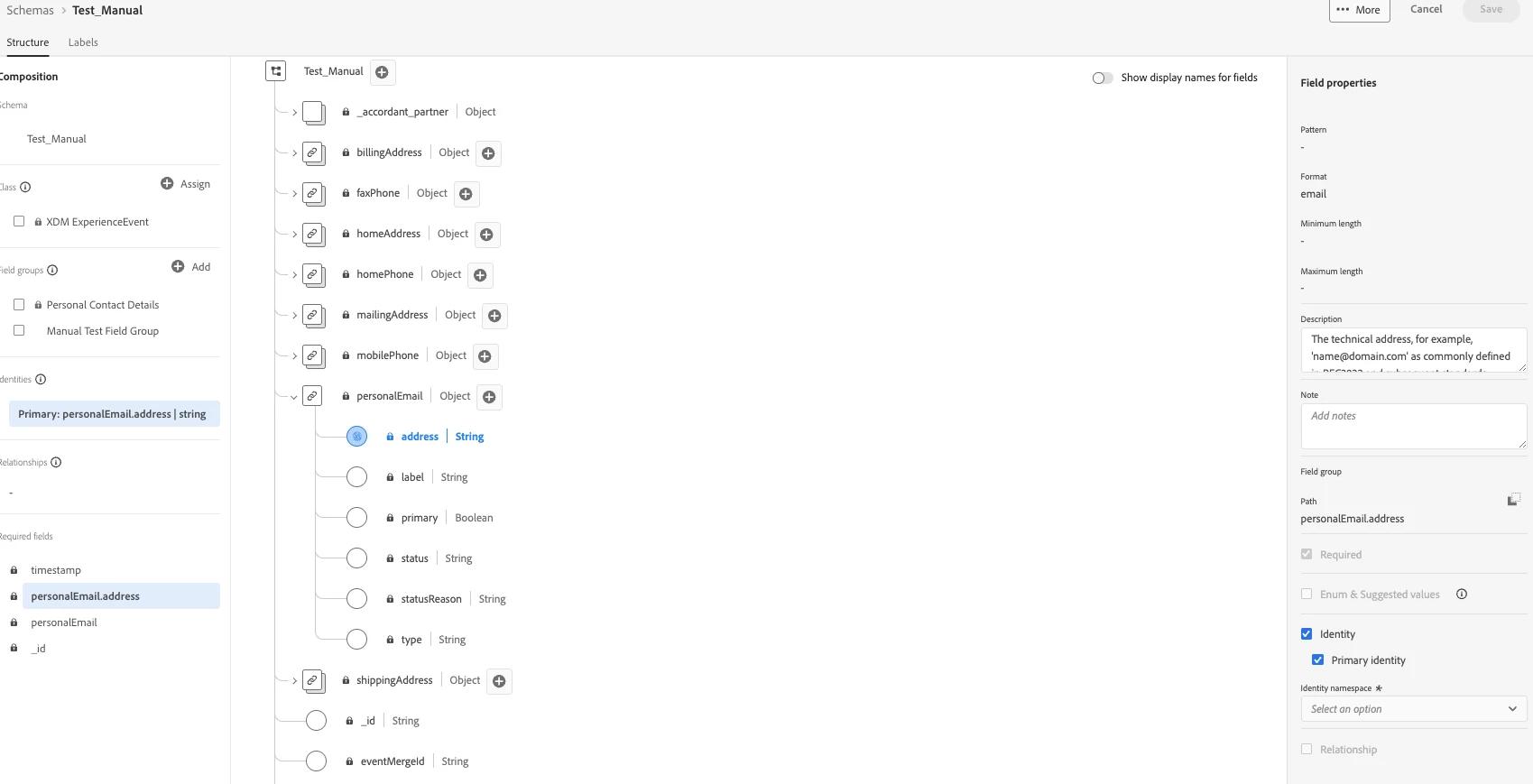
1) In event schema, I have selected personalEmail using namespace "Email"
 

2) Map data to XDM fields
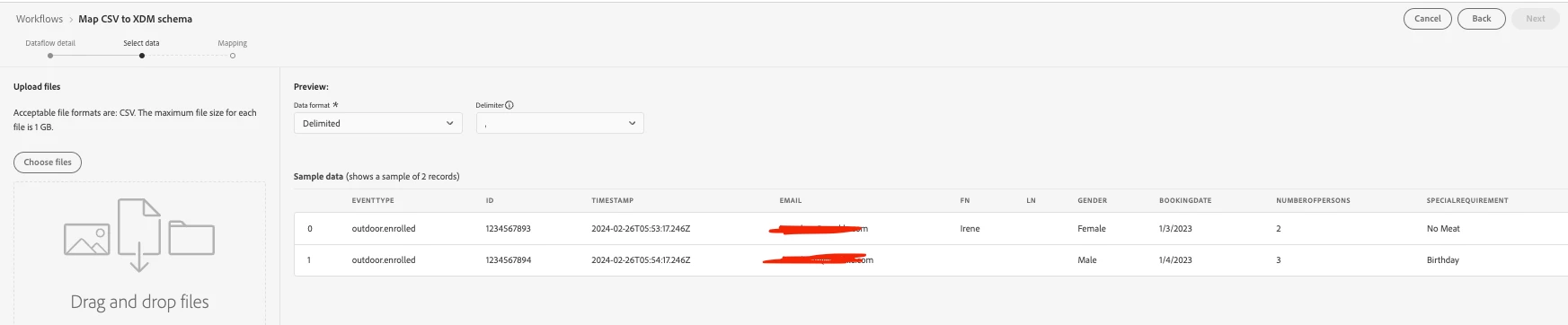
 

3) Map data to XDM field as follow:
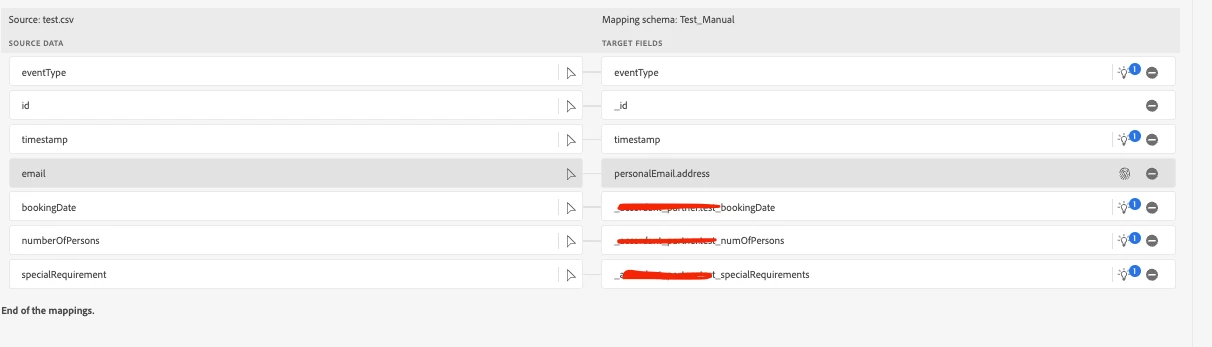
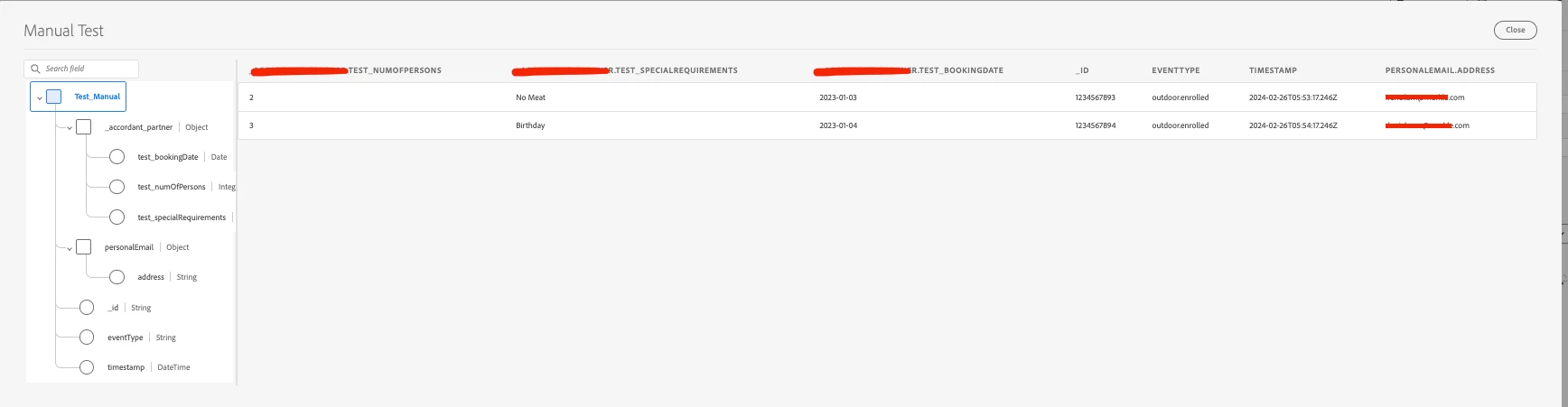
4) Data ingested to dataset successfully

5) Unable to find the user records under "Profiles"
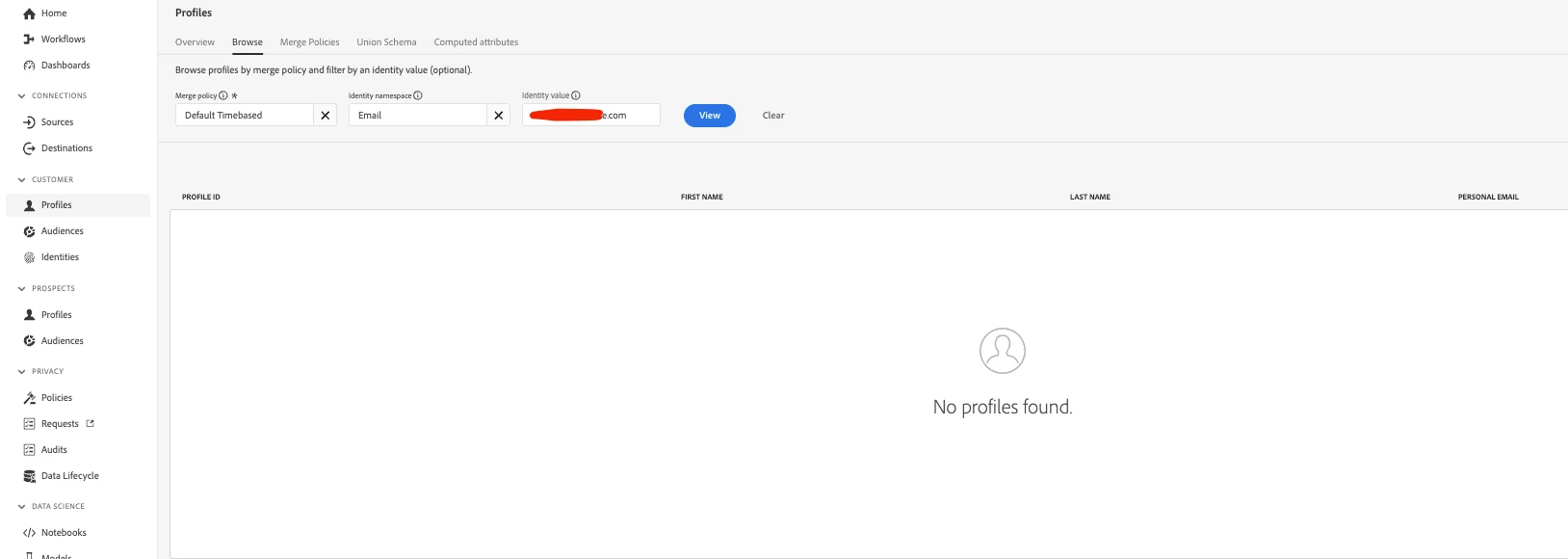
 

Again, any suggestion on how to fix this is super welcome!


Thanks,

Rap
This post is no longer active and is closed to new replies. Need help? Start a new post to ask your question.
Best answer by brekrut

Hi @brekrut,


Thanks a ton for your support!

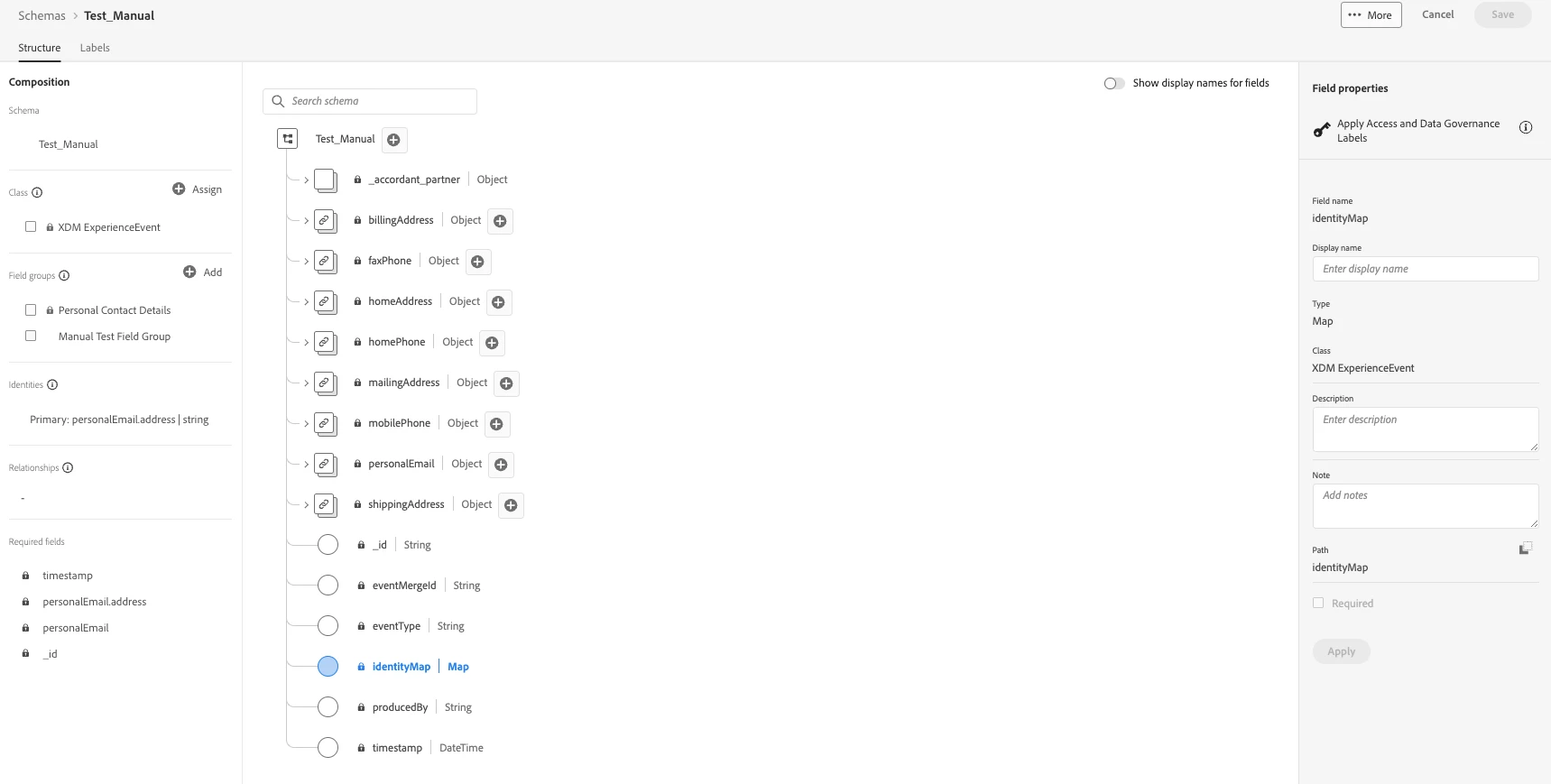
I've noticed that the identityMap seems to pop up by default in my schema, and I can't quite figure out how to exclude it. Just to clarify, we haven't mapped anything to the identityMap object directly. Instead, we've been working with a different field named "address" that's part of the "personalEmail" object.


As for the JSON part, I'm a bit puzzled about how to proceed since our workflow requires us to use the "Local File Upload" source for .csv files.


Would anyone be willing to whip up a simple example .csv file for me? (Super simply one will do) I could use it to test and see what's different compared to my current file. I'm starting to think there might be a formatting issue with the file I'm uploading.


Thanks a bunch in advance for any help you can provide!


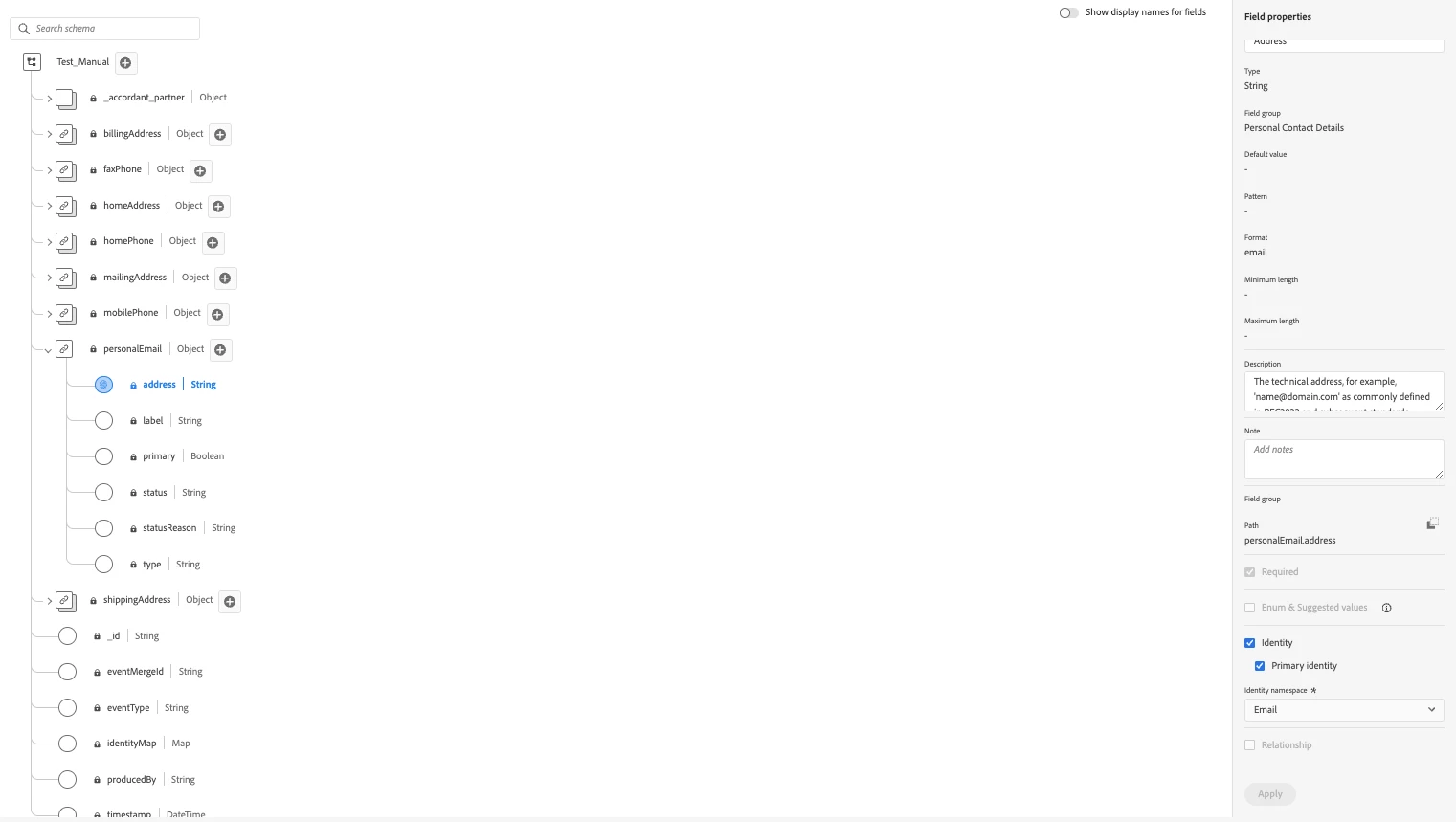
Here's the screencap for identityMap object, which we didn't mapped anything directly.

Here's the screencap for personalEmail object and we are using the field "Address" for identity.


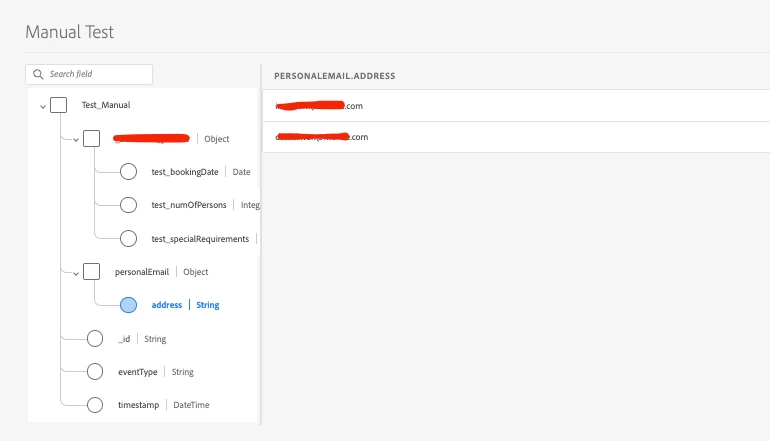
By the way it look under the dataset review mode, the data is successfully ingested.


Thanks,

Rap


The identity map is an object which is setup by default when a time base schema is established.  The schema may have been setup and enabled for profile without a primary identity field defined.


It may make sense to create a new time series schema and only enable the email address field.

1 reply

Sneha-Parmar
Community Advisor
Community Advisor
February 26, 2024

@yesraptors12 

Is the dataset profile enabled ?

Level 2
February 27, 2024

Hi @sneha-parmar ,


Yes, both Schema and Dataset is checked for Profile enabled.


Thanks,

Rap

Neelabh_
Level 2
February 27, 2024

Hi Rap,


May not be a solution to your problem but a couple of pointers that may help you to figure out this issue.

01. For any non production sandbox, sometimes I have observed a delay in data being reflected in profile search UI when data is uploaded through offline file upload.

02. Try searching the record through other identities (if available in the record, like mobile number or record id) . If you can see the record, you can verify if email is present as an attribute to the same record. 

03. If above point works, try checking identity graph for same profile through other identities. Scroll through timeframe option on identity graph to see the identities as they we added to record through different ingestion time.

04.  Alternately point 02 & 03 can also be checked through query service. Try checking the record in dataset through any attribute. If found try checking for the same record in profile snapshot dataset to see the identities that are tied up with the particular record. A simple select query with table name (present in dataset) and attribute name = attribute value in where condition (where accordant_partner.test_specialrequirement=birthday) would suffice.


Hope this helps.

Thanks

Neelabh