
Customizing Text Styles in Universal Editor for Edge Delivery Service: Adding Alignment Options | Community
Skip to main content
VenkateshPai
New Member
November 18, 2025
Question

Customizing Text Styles in Universal Editor for Edge Delivery Service: Adding Alignment Options

  • November 18, 2025
  • 2 replies
  • 152 views

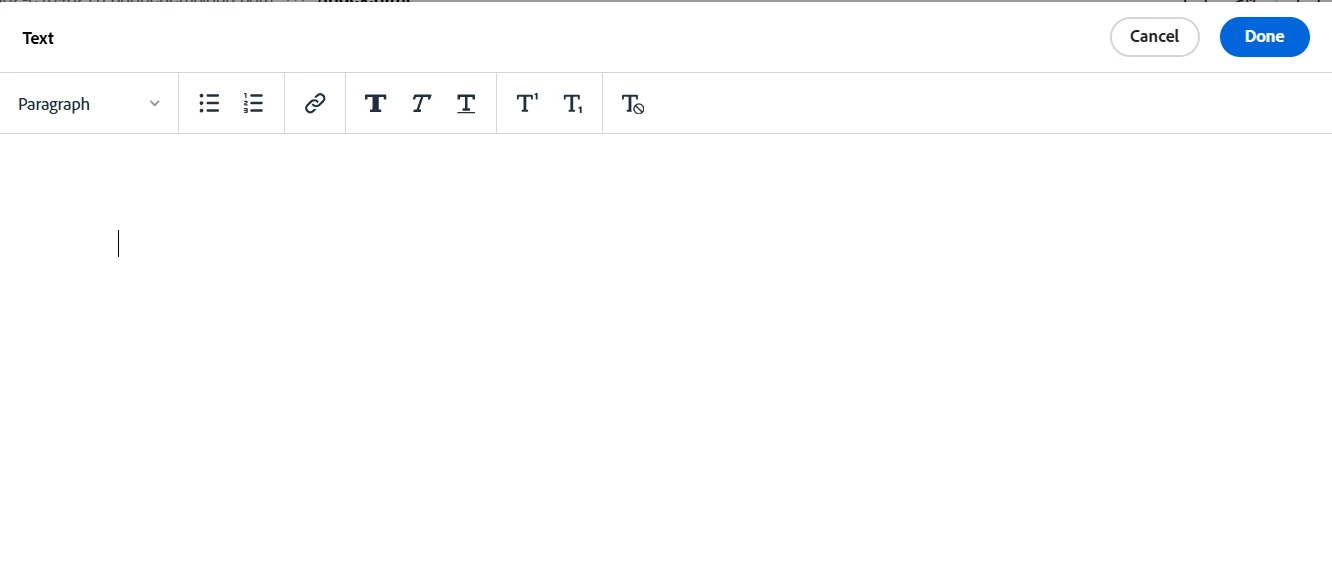
We are using Universal Editor with Edge Delivery Service, I would like to know how to customise the OOTB text styles available in Text Default content type. For this particular example I would like to add more options to add alignments. 


It's not possible to apply any customisations inside RTE fields through the json model.

Could you advise on the problem?
2 replies

muskaanchandwani
Adobe Employee
Adobe Employee
November 21, 2025

Hello @venkateshpai 

Based on the current Universal Editor + Edge Delivery Services capabilities, the RTE supports enabling or disabling only the formatting options that Edge Delivery already allows - such as headings, bold, italic, lists, and links.

Adding custom styles or introducing new alignment buttons is not supported.

Edge Delivery enforces strict semantic HTML, and custom styling via the RTE is intentionally not allowed.

Reference:
Supported HTML for EDS: https://www.aem.live/developer/markup-reference

There is also a new, more configurable RTE for Universal Editor in the coming weeks :
https://experienceleague.adobe.com/en/docs/experience-manager-cloud-service/content/implementing/developing/universal-editor/configure-rte


Level 1
March 26, 2026

Hello ​@muskaanchandwani/ ​@VenkateshPai

We’re trying to customize the Text RTE, but the JSON model doesn’t allow custom changes inside RTE fields.
Do you have any suggestions on how to handle this? For example, we need to add new options such as:

Text Alignment Options

  1. Align text left (default)
  2. Align text center
  3. Align text right
  4. Justify

Hyperlink Options

  1. Target (default if selected)
  2. Path selector
  3. Alternative text
  4. Link behavior
  5. Open in same tab
  6. Open in new tab
AmitVishwakarma
Community Advisor
Community Advisor
March 26, 2026

Hi ​@VenkateshPai 

You can't extend the Text Default RTE in Universal Editor for an Edge Delivery Services site to add new inline options like alignment. In EDS projects the Universal Editor RTE is intentionally limited to the HTML that Edge Delivery supports and anything beyond that is stripped or ignored.

That's why:

  • The RTE alignment config you see in the docs (alignment: ["left","center","right","justify"]) is only honored when the backend supports those features.
  • For EDS / Crosswalk specifically, text alignment in the RTE is not supported, and trying to enable it via JSON config is "not supported" even if the buttons appear.

For EDS, the recommended approach is to control alignment via block/section classes, not via RTE buttons:

  • Expose alignment as a block option in your model (e.g. component-definition.json):
    {
    "models": [
    {
    "id": "text-default",
    "fields": [
    {
    "component": "richtext",
    "name": "text",
    "label": "Text",
    "valueType": "string"
    },
    {
    "component": "select",
    "name": "classes",
    "label": "Alignment",
    "options": [
    { "label": "Left", "value": "text-left" },
    { "label": "Center", "value": "text-center" },
    { "label": "Right", "value": "text-right" }
    ]
    }
    ]
    }
    ]
    }
  • Style those classes in CSS so they control text alignment for the whole text block:
    .text-left  { text-align: left; }
    .text-center{ text-align: center; }
    .text-right { text-align: right; }
  • In Universal Editor, authors pick Left / Center / Right from the block options; the RTE remains purely semantic (paragraphs, lists, emphasis), and Edge Delivery renders the alignment via CSS classes on the block.
  • Block options are the supported way to handle layout/styling variations in EDS: https://experienceleague.adobe.com/en/docs/experience-manager-learn/sites/edge-delivery-services/developing/universal-editor/how-to/block-options
Amit Vishwakarma - Adobe Commerce Champion 2025 | 16x Adobe certified | 4x Adobe SME