Where can I find my tenant name, bearer token and api token in Target? | Community
Skip to main content
zhengquanz32073
Level 3
April 11, 2018
Solved

Where can I find my tenant name, bearer token and api token in Target?

  • April 11, 2018
  • 5 replies
  • 8886 views

Hi guys,

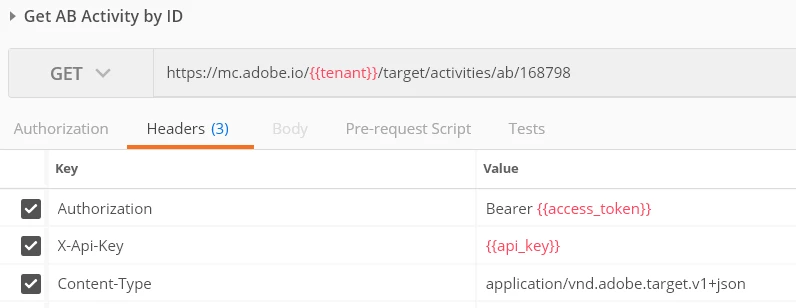
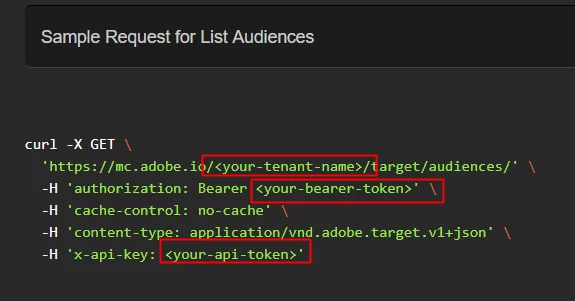
Where can I find my tenant name, bearer token and api token in Target?

Can you please help me TanmayM
thanks,

Zhengquan

Best answer by Rajneesh_Gautam_

Hi Zhengquan,

1. tenant-name is first part of the URL when you log into Experience Cloud. So abc is teant name in following URL:

https://abc.marketing.adobe.com

2. api-token is generated for each integration that you create using Adobe I/O Console .

3. bearer-token needs to be generated with help of JWT. This process is explained in detail in Adobe documentation.

4. For generating Public Keys and Private keys, teh fastest way is to use Self-Signed Certificate Generator . With a sibgle click, it generates 2 files:

.key - this is your private key

.cert - this is your public key (rename the file to have extension as .crt before you use it while creating integration.

Hope this helps,

Rajneesh

5 replies

Adobe Employee
April 11, 2018

Hi Zhengquan,

Did you register at Adobe I/O Console and create integrations at the interface?

Best,

Rohit

zhengquanz32073
Level 3
April 11, 2018

Hi Rohit,

what's public keys certificates? Do I need buy them even though I'm provisioned for Target?

thanks,

Zhengquan

Adobe Employee
April 11, 2018

No, you can generate them online using openssl.

Best,

Rohit

Rajneesh_Gautam_
Community Advisor
Rajneesh_Gautam_Community AdvisorAccepted solution
Community Advisor
April 11, 2018

Hi Zhengquan,

1. tenant-name is first part of the URL when you log into Experience Cloud. So abc is teant name in following URL:

https://abc.marketing.adobe.com

2. api-token is generated for each integration that you create using Adobe I/O Console .

3. bearer-token needs to be generated with help of JWT. This process is explained in detail in Adobe documentation.

4. For generating Public Keys and Private keys, teh fastest way is to use Self-Signed Certificate Generator . With a sibgle click, it generates 2 files:

.key - this is your private key

.cert - this is your public key (rename the file to have extension as .crt before you use it while creating integration.

Hope this helps,

Rajneesh

May 26, 2020

Hello Adobe team,

We have got a request stating that we need to change the tenant name of the Prod environment, Where and how could it be changed...!! Can I please let us know?. Fast replies will be appreciated.


Thanks,

Revanth