
Form appearing twice when I QA activity | Community
Skip to main content
ErShields
February 16, 2022
Solved

Form appearing twice when I QA activity

  • February 16, 2022
  • 1 reply
  • 638 views

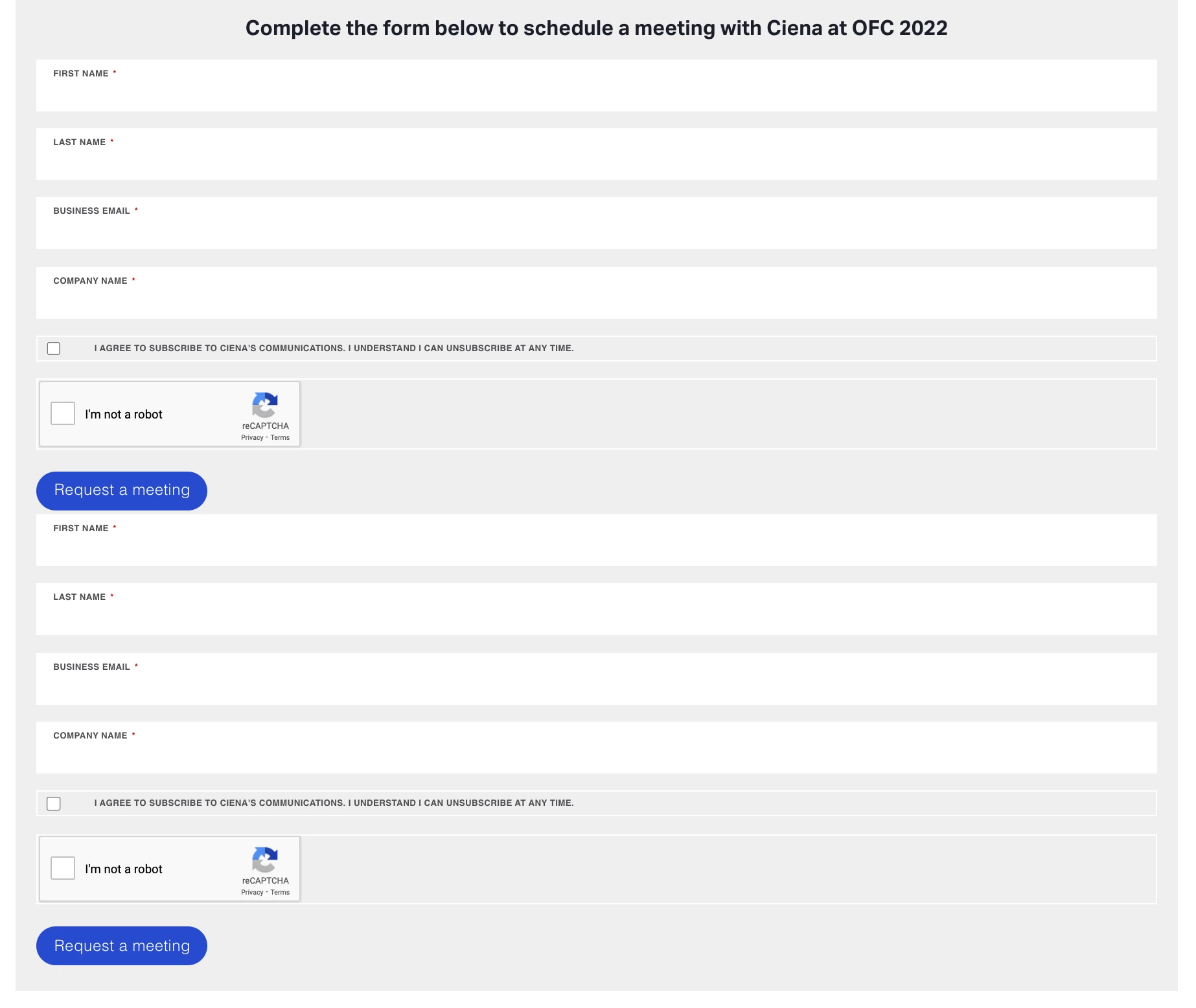
I am trying to set up an A/B activity to move a form higher on the page. I am selecting the section with the form -> layout -> rearrange and moving it to the new position. Everything looks good in the Experience editor, but when I go to QA, the form shows up twice in the new location (screengrab below.) Has anyone experienced a similar issue and been able to fix it?


I have tried using the move tool and adding the form code to the page, but both have the same issue.


Thanks,

Erin
 

This post is no longer active and is closed to new replies. Need help? Start a new post to ask your question.
Best answer by alexbishop

I'd suggest applying a QA segment to the activity (e.g. URL query param contains qa=true), activating the test, and then going to the URL (e.g. www.mytest.com/testpage?qa=true) to see if the issue still persists. The QA URLs work very well most of the time but occasionally can throw up issues that only occur when the QA URL is used  

1 reply

alexbishop
Adobe Employee
alexbishopAdobe EmployeeAccepted solution
Adobe Employee
March 23, 2023

I'd suggest applying a QA segment to the activity (e.g. URL query param contains qa=true), activating the test, and then going to the URL (e.g. www.mytest.com/testpage?qa=true) to see if the issue still persists. The QA URLs work very well most of the time but occasionally can throw up issues that only occur when the QA URL is used