AEP Web SDK Extension Update Variable command for Data type Variable only shows up to 250 events in the UI | Community
Skip to main content
Level 2
July 10, 2024
Solved

AEP Web SDK Extension Update Variable command for Data type Variable only shows up to 250 events in the UI

  • July 10, 2024
  • 2 replies
  • 1709 views

Hi,

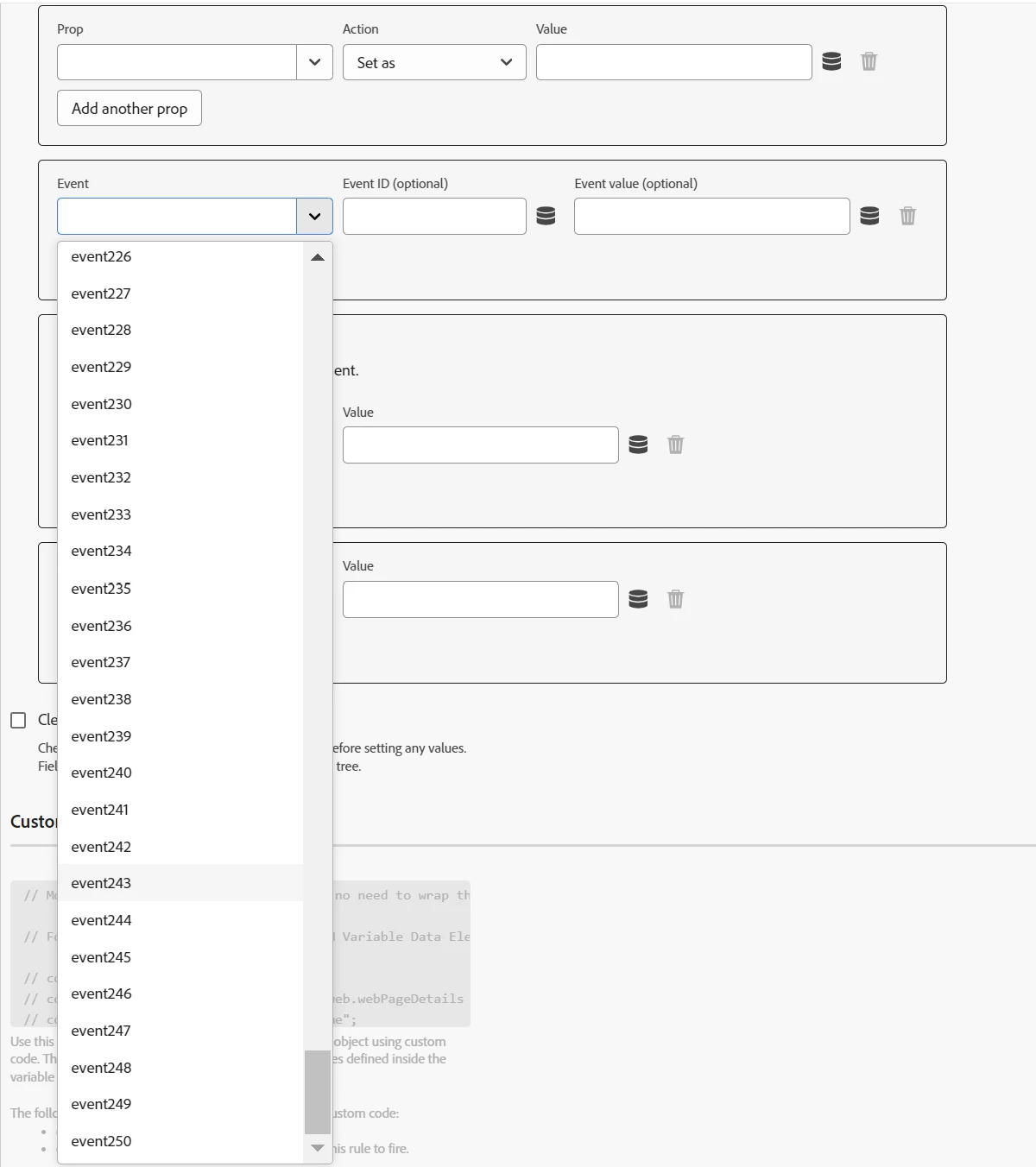
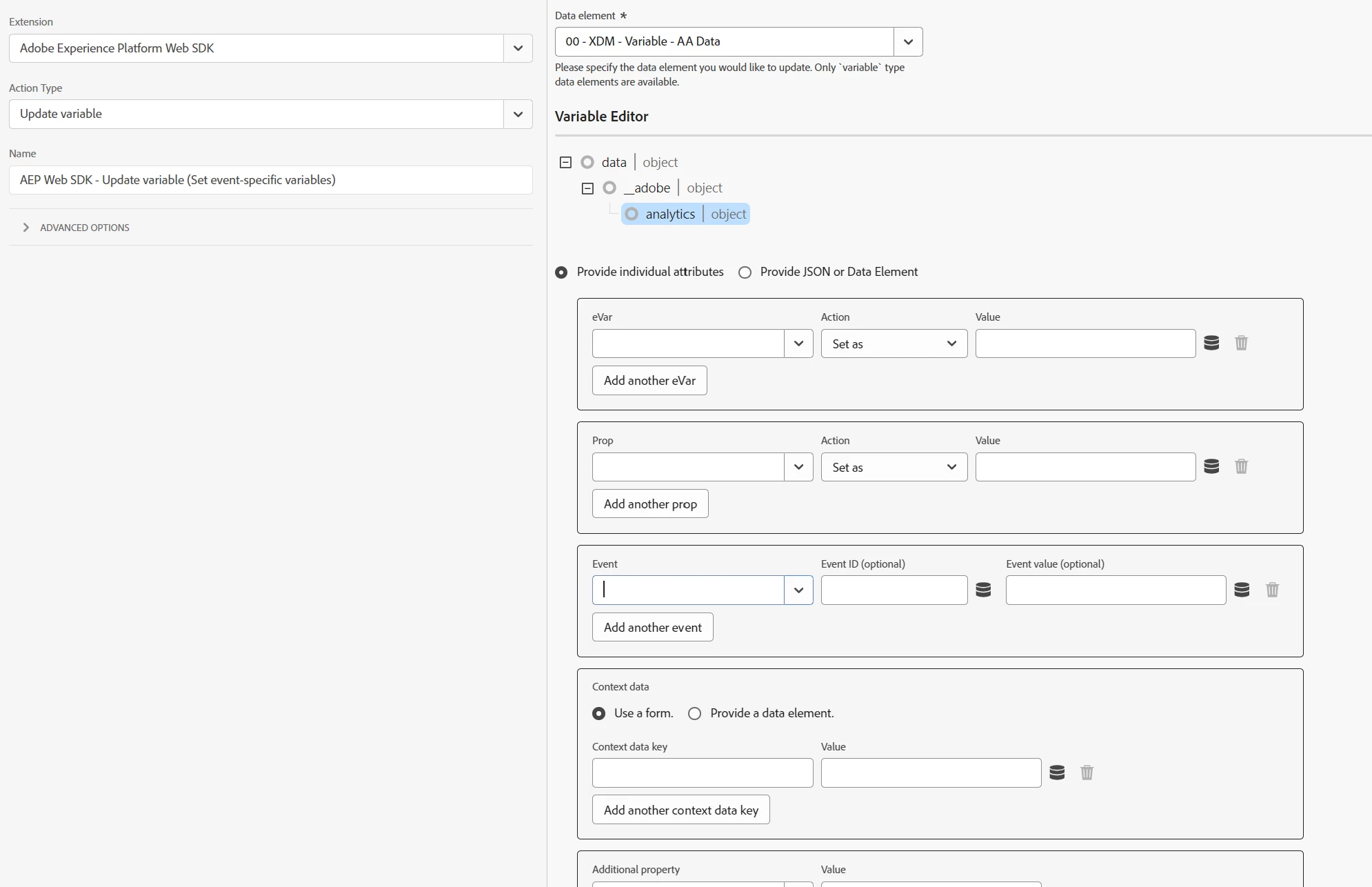
when I am configuring the Update Variable command for the Data type Variable (instead of XDM), there seems to be a problem with the available events. The list only shows up to 250 events, though we have 1000 available. Additionally, it's not possible to manually fill in the value because a "not found" error appears. I know I can possibly set the events in the custom code or by providing a JSON, but that kind of defeats the purpose of the UI fields.

Is anyone else experiencing this issue?


This post is no longer active and is closed to new replies. Need help? Start a new post to ask your question.
Best answer by bjoern__koth

Yeah guess it is just presenting you the possible values that are part of the dropdown 😄

In your case, you would want a free-form input field (which afaik was also not available in AppMeasurement).


Anyway, it may take a while before this is fixed. I would go with the custom code above for the moment.

2 replies

bjoern__koth
Community Advisor and Adobe Champion
July 10, 2024

Hi @janjav 

I can confirm. As a workaround, you should be able to add your events > 250 as part of the custom code block.


content.__adobe = content.__adobe || { }; content.__adobe.analytics = content.__adobe.analytics || { }; let s = content.__adobe.analytics; const newEvents = ["event251", "event999"].join(","); s.events = s.events ? s.events + "," + newEvents : newEvents; // alternatively, if you have the apl plugin installed, you can use it instead


I would open a product idea if I were you. Obviously, this would end up in a super long dropdown.


Cheers

Cheers from Switzerland!
JanJavAuthor
Level 2
July 10, 2024

Thanks for the swift answer!

So it seems that it is necessary to resort to custom code for now. It would be great if at least the search field worked for events above 250...

bjoern__koth
Community Advisor and Adobe Champion
bjoern__kothCommunity Advisor and Adobe ChampionAccepted solution
Community Advisor and Adobe Champion
July 10, 2024

Yeah guess it is just presenting you the possible values that are part of the dropdown 😄

In your case, you would want a free-form input field (which afaik was also not available in AppMeasurement).


Anyway, it may take a while before this is fixed. I would go with the custom code above for the moment.

Cheers from Switzerland!
samhollingshead
Level 2
November 7, 2024

You may be aware but this has now been resolved in newer versions of the SDK extension

JanJavAuthor
Level 2
November 7, 2024

Yes, it has actually been fixed not so long after I posted the question.