Preview of image is not available | Community
Skip to main content
manohar139535
Level 2
December 28, 2018
Solved

Preview of image is not available

  • December 28, 2018
  • 7 replies
  • 4805 views

Hi, Team, I am facing issue with getting the preview of my image. For your reference, I am attaching the image associated with it.
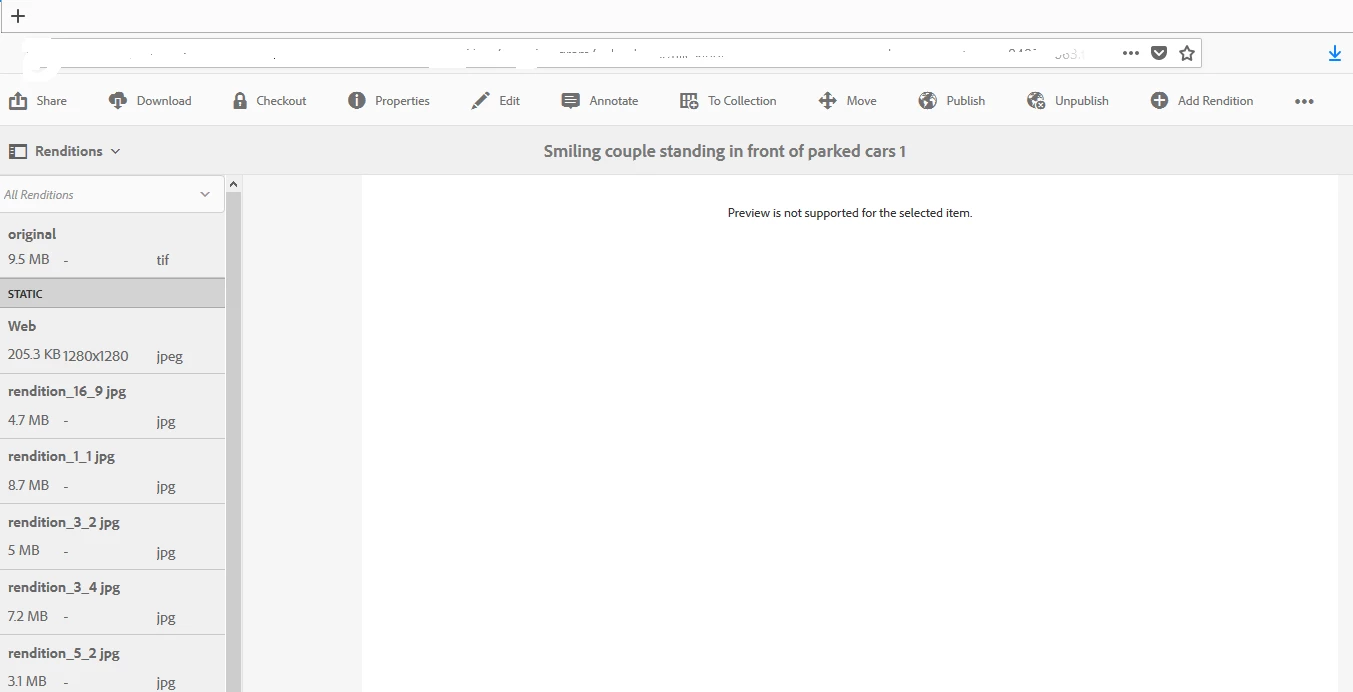
Since I am new to AEM and having only basic knowledge with Asset management could you please help to figure out this.

Also, I tried to upload the same image from the asset and the image there could be seen.

Many Thanks.

Regards,

Manohar.

This post is no longer active and is closed to new replies. Need help? Start a new post to ask your question.
Best answer by manohar139535

Thanks for your help and team. The problem has been resolved as the tiff extension is not supported in preview mode but the image can be used in the page and can be seen there. These are my findings.

Regards,

Manohar

7 replies

Gaurav-Behl
Level 10
December 28, 2018
manohar139535
Level 2
December 28, 2018

gauravb10066713 as per your reference I went to the discussion but I am able to preview other image in my local. I am attachig

screen shot for your reference.

Thanks and Regards,

Manohar

VeenaVikraman
Community Advisor
Community Advisor
December 28, 2018

Are u sure the image rendition creation has happened properly for this image ? Could you try the same in any of your colleagues server and see if the image is generating a preview for them. If the other images are generating one and only this is not , there should be some issue with the image it self . Also is this Publish or author ?

manohar139535
Level 2
December 28, 2018

This is the author and for testing purpose, I just downloaded the image and uploaded in my local instance at "Digital assets" and uploaded the image. From there I am able to view it. Now my question is

1. As shared in above-mentioned article that "tif" extension is not supported by browser but here I am able to view it.

2. "tif" extension cannot be viewed only for renditions image.

kautuk_sahni
Community Manager
Community Manager
January 3, 2019

This should help you:- Tiffs with ZIP Compression do not get renditions generated

//

1.Go to http://aem-host:port/workflow.

2. Open the DAM Update Asset workflow model.

3. Double click the EPS thumbnails (powered by ImageMagick) step.

4. Select the Arguments tab.

5. Add image/tiff to the list of Mime Types

6. Click OK.

7. Click Save on the top left of the workflow model page to save.

Kautuk Sahni
manohar139535
manohar139535AuthorAccepted solution
Level 2
January 6, 2019

Thanks for your help and team. The problem has been resolved as the tiff extension is not supported in preview mode but the image can be used in the page and can be seen there. These are my findings.

Regards,

Manohar

joshwand1
November 7, 2019

Why is it called a "preview" when it's actually downloading the entirety of the asset, in its original format?