Level 2
Nov 27, 2021 2:17 AM UTC
Solved

Connected Asset Configuration User Group for RemoteDAM

Hi All,

I am trying to oob basic setup between Site Experience Manager to Asset Experience Manager using Connected Assets in 6.5 environment.

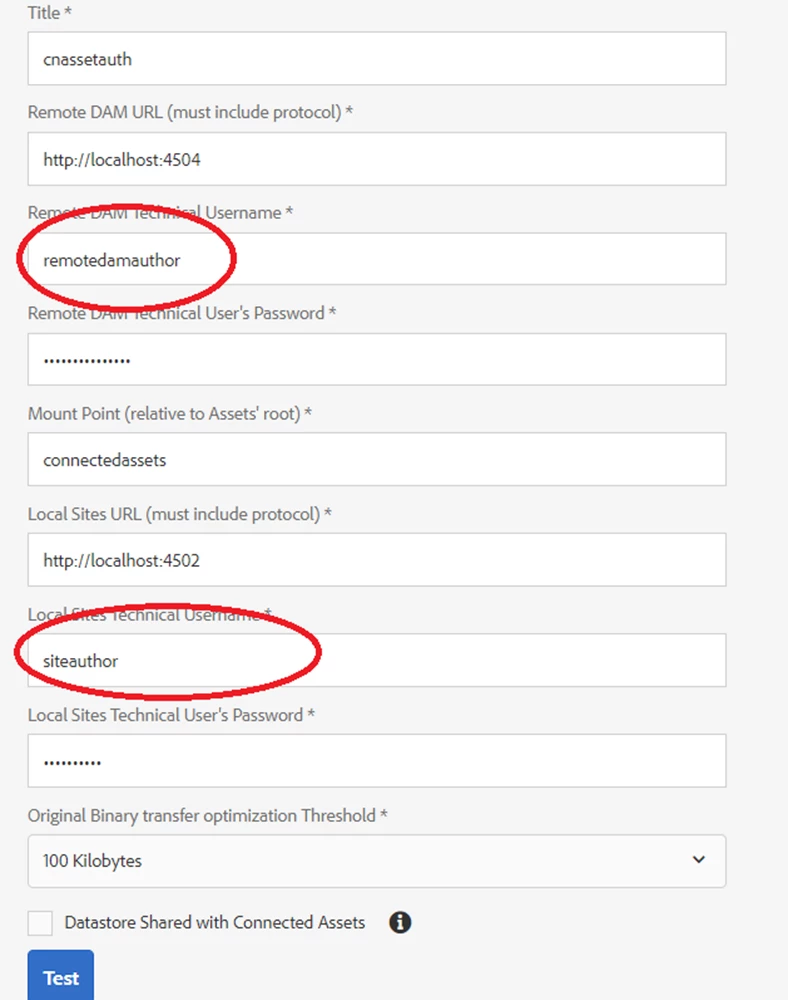
In the below screen for remote i created a new user remotedamuser in asset instance and provided author access as defined in https://experienceleague.adobe.com/docs/experience-manager-65/assets/using/use-assets-across-connected-assets-instances.html?lang=en

and for local user i had created a sites user "siteauthor" with author and dam user access as mentioned in above adobe site.


When i test connection its failing. Whereas when i change the remote user access with administrator it works.I tried adding even "dam user" group for remote user"remotedamauthor" but still same issue only when i add administrator group to this user it works.
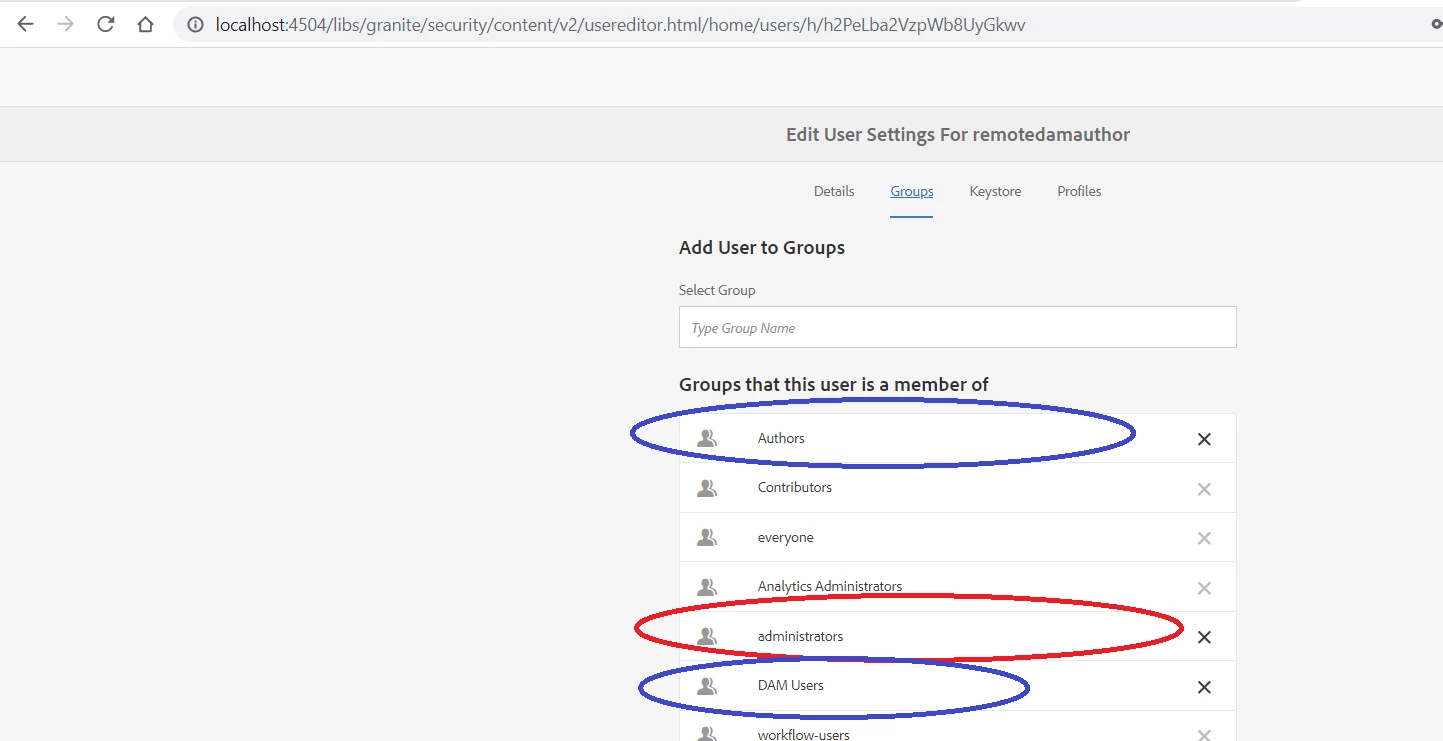


Please suggest does the remote asset user need to be part of administrator group?

This post is no longer active and is closed to new replies. Need help? Start a new post to ask your question.
lukasz-m
lukasz-mAccepted solution
Community Advisor
Nov 27, 2021 5:03 PM UTC

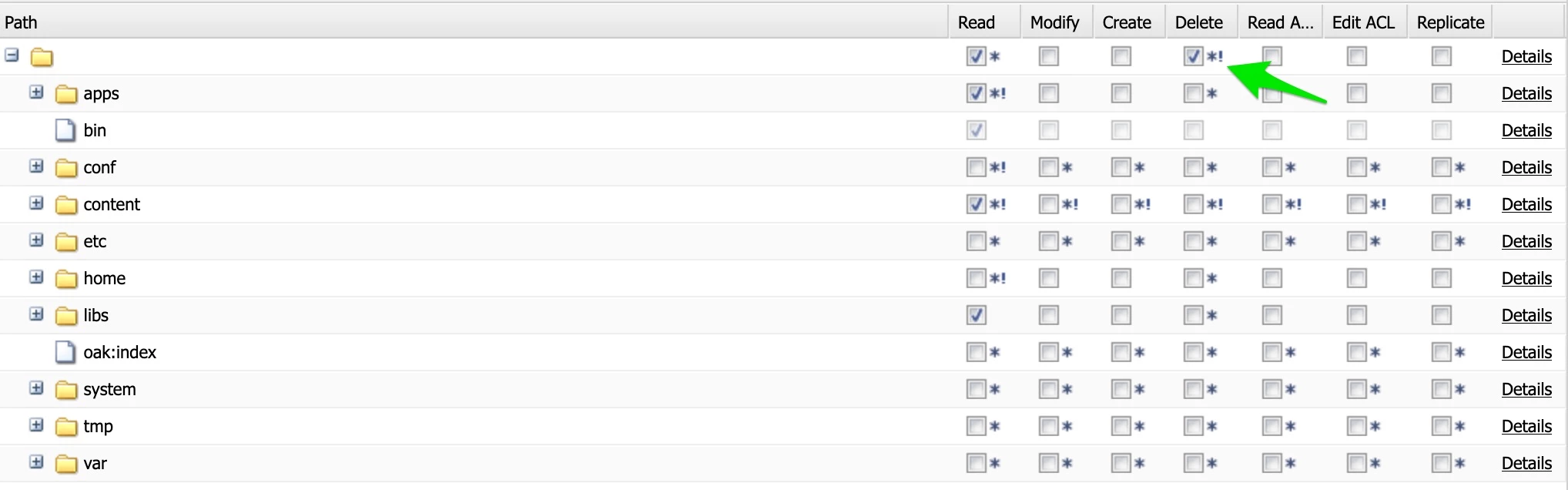
Hi @rajaram33, I am not sure if you are using any SP on your AEM 6.5. I did some tests on AEM 6.5 with SP10, and I have following observation that I hope will help you. In general the key part for the user you are using, is to make sure that he has jcr:read and jcr:write permission to root / location of the repository. I've prepared simple group with read only access to main folder (apps, content, libs) and with jcr:write permission to /, and it works.

Please have a look on below screen shot that shows details of my group under /useradmin view.

The column name is a bit misleading as it said Delete however it is connect with jcr:write permission.

Looking on the OOTB AEM group probably only administrators group has more privileges to / location, this is why it also works for administrators group members. But in general if you will follow above rule you should be able to successfully use other group not only administrators.

5 replies

lukasz-m
Community Advisor
lukasz-mCommunity AdvisorAccepted solution
Community Advisor
Nov 27, 2021 5:03 PM UTC

Hi @rajaram33, I am not sure if you are using any SP on your AEM 6.5. I did some tests on AEM 6.5 with SP10, and I have following observation that I hope will help you. In general the key part for the user you are using, is to make sure that he has jcr:read and jcr:write permission to root / location of the repository. I've prepared simple group with read only access to main folder (apps, content, libs) and with jcr:write permission to /, and it works.

Please have a look on below screen shot that shows details of my group under /useradmin view.

The column name is a bit misleading as it said Delete however it is connect with jcr:write permission.

Looking on the OOTB AEM group probably only administrators group has more privileges to / location, this is why it also works for administrators group members. But in general if you will follow above rule you should be able to successfully use other group not only administrators.

Translate
rajaram33Author
Level 2
Nov 27, 2021 6:48 PM UTC

Hi @lukasz-m  I hope this is a bug with permissions. I am using 6.5.9 version even when we allocate dam user group connected asset test is failing.In addition to dam user only when we provide modify permission on Lib /dam folder it works. As shown below


Translate
arunpatidar
Community Advisor
Community Advisor
Nov 27, 2021 7:20 PM UTC
rajaram33Author
Level 2
Nov 28, 2021 2:29 AM UTC

Hi @arunpatidar  i had tried the same as mentioned in the document(i had stated the same in my above thread) .If you observe in this link they had asked to add remote user to author group.I dont see anything other than that for remote dam instance. It doesnt works with that unless we add modify for /libs/dam permission.

Translate
arunpatidar
Community Advisor
Community Advisor
Nov 28, 2021 1:07 PM UTC

Hi,

There will be 2 admin users on

1. AEM sites

2. Remote DAM


Sites administratorLocalExperience Manager administratorsadminSet up Experience Manager and configure integration with the remote Assets deployment.
Assets administratorRemoteExperience Manager administratorsadmin on remote Experience ManagerConfigure Cross-Origin Resource Sharing (CORS).


I would suggest to use both admin user for connection

Translate
Arun Patidar