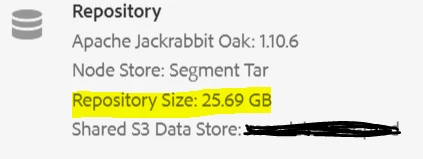
Version purge would help in reducing the repository size. You can plan and schedule offline compaction once a month/fortnight if the downtime is affordable. To add more into this, there are many things that can cause unusual increases in disk utilization. Some potential causes:
- Proper maintenance hasn't been run on the system. See [0] article for details on various system maintenance activities.
- Since the tar storage in Oak operates in an append-only mode, repeated saving of nodes further contributes to excessive repository growth.
- Very large file(s) have been uploaded to AEM Assets or package manager.
- Debug or Trace logging was left enabled.
If AEM is still running then we can enable a debug logger to tell us which repository paths are being written to. To enable this logger, follow these steps:
- Go to http://aemhost:port/system/console/slinglog
- Click Add new logger
- Configure a logger: Log File: logs/repgrowth.log, Log Level: trace, Loggers: org.apache.jackrabbit.oak.jcr.operations.writes
Note: The log includes information regarding all writes and session details. If you use this logger then make sure you have sufficient disk space.
You can also leverage the Disk Usage report http://host:port/etc/reports/diskusage.html. This report displays the disk space used by repository path. The report is drillable, allowing you to view subtrees as well.
After using the repgrowth.log to get some idea of what data is being written, you can get information about what code is writing that data by capturing thread dumps and running CPU profiling.
[0]: https://helpx.adobe.com/in/experience-manager/6-4/sites/deploying/using/revision-cleanup.html