Can't edit a layout when connect in a private session | Community
Skip to main content
Level 2
April 18, 2016
Solved

Can't edit a layout when connect in a private session

  • April 18, 2016
  • 2 replies
  • 2330 views

Hi,

he took me some times to understand and reproduce the issue.

I had some trouble that sometime, using the On Demand portal, I could not access the Layout of my project ending with that:
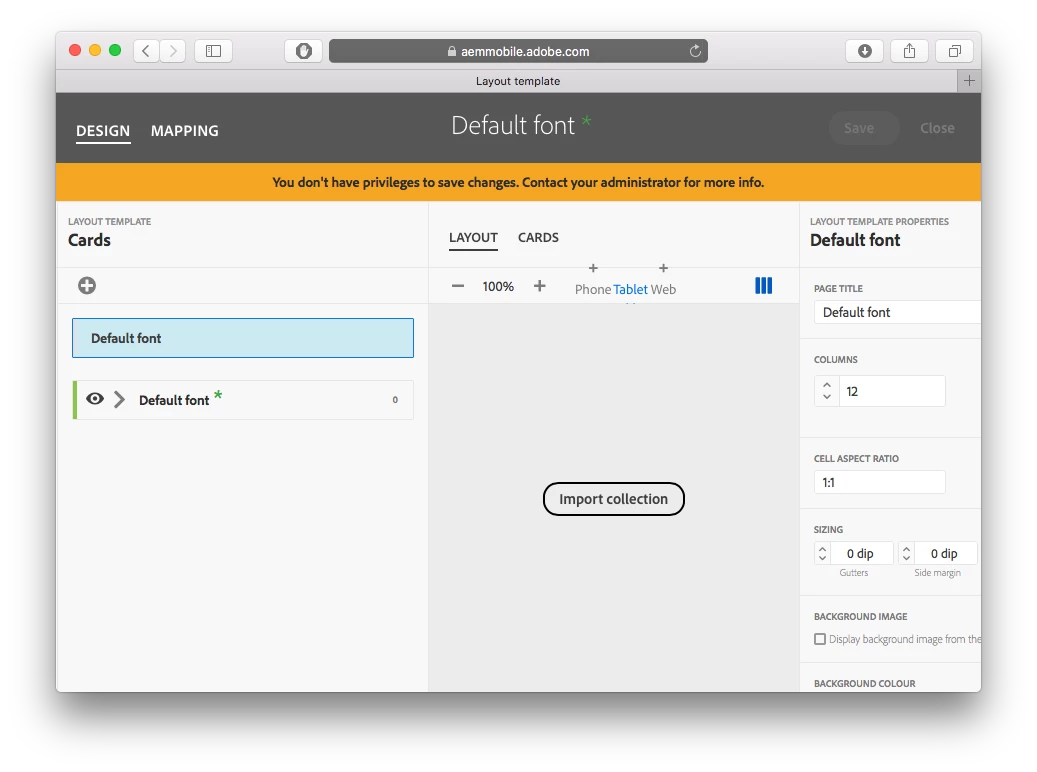
But we check twice witch my admin, and there was no issue on the permissions, all was properly setup.

Then I realized that this appears only when I use Safari of Chrome using a private session to navigate to the page.

Is this a known issue/behaviour made on purpose, or a possible fix to add in an upcoming update?

I'm use to connect to private session, in order to not kill other session I have open with different Adobe ID. (like in forums)

This post is no longer active and is closed to new replies. Need help? Start a new post to ask your question.
Best answer by Colin_Fleming

Hey Benoit;

I've developed a habit of using Chrome when working in the AEMMobile Portal. I started doing this way back in the beta period nearly a year ago when Safari didn't display some things well. I've kept on using Chrome for the portal since then, this includes using incognito browser pages so that I can log into the portal with different accounts/projects at the same time.

HTH

2 replies

Colin_Fleming
Colin_FlemingAccepted solution
Level 6
April 18, 2016

Hey Benoit;

I've developed a habit of using Chrome when working in the AEMMobile Portal. I started doing this way back in the beta period nearly a year ago when Safari didn't display some things well. I've kept on using Chrome for the portal since then, this includes using incognito browser pages so that I can log into the portal with different accounts/projects at the same time.

HTH

Level 2
April 19, 2016

Thanks Colin, So I'll take a new habit and use Chrome.