app showing different layout on iOS and android | Community
Skip to main content
Level 2
August 26, 2015
Solved

app showing different layout on iOS and android

  • August 26, 2015
  • 9 replies
  • 3161 views

Hi have a project and create one app for iOS and one for android, both based on the same layout and cards, but the result are different for each platform.

I just rebuild the apps with the latest version 2015.3

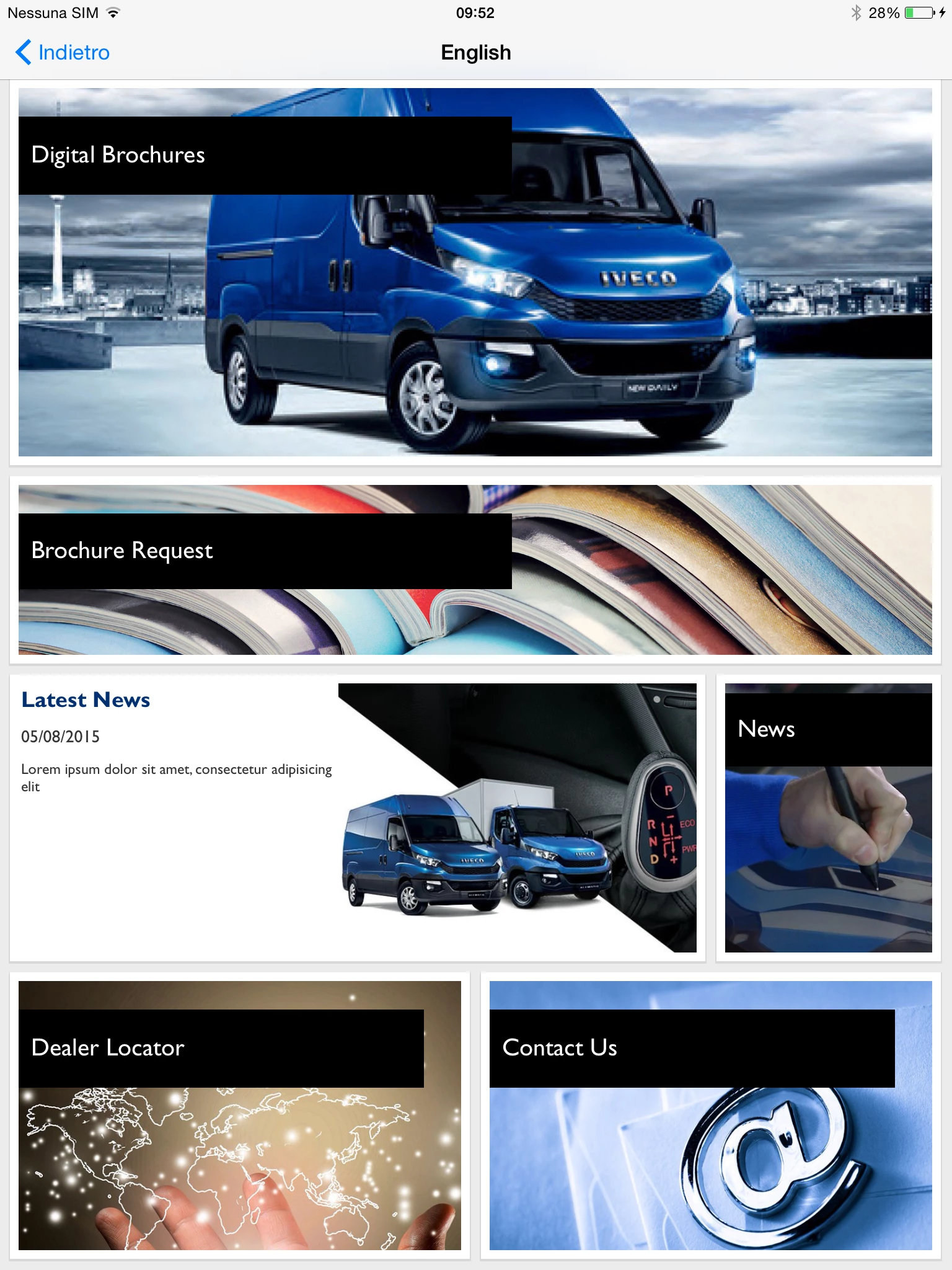
this is the way it looks in iOS
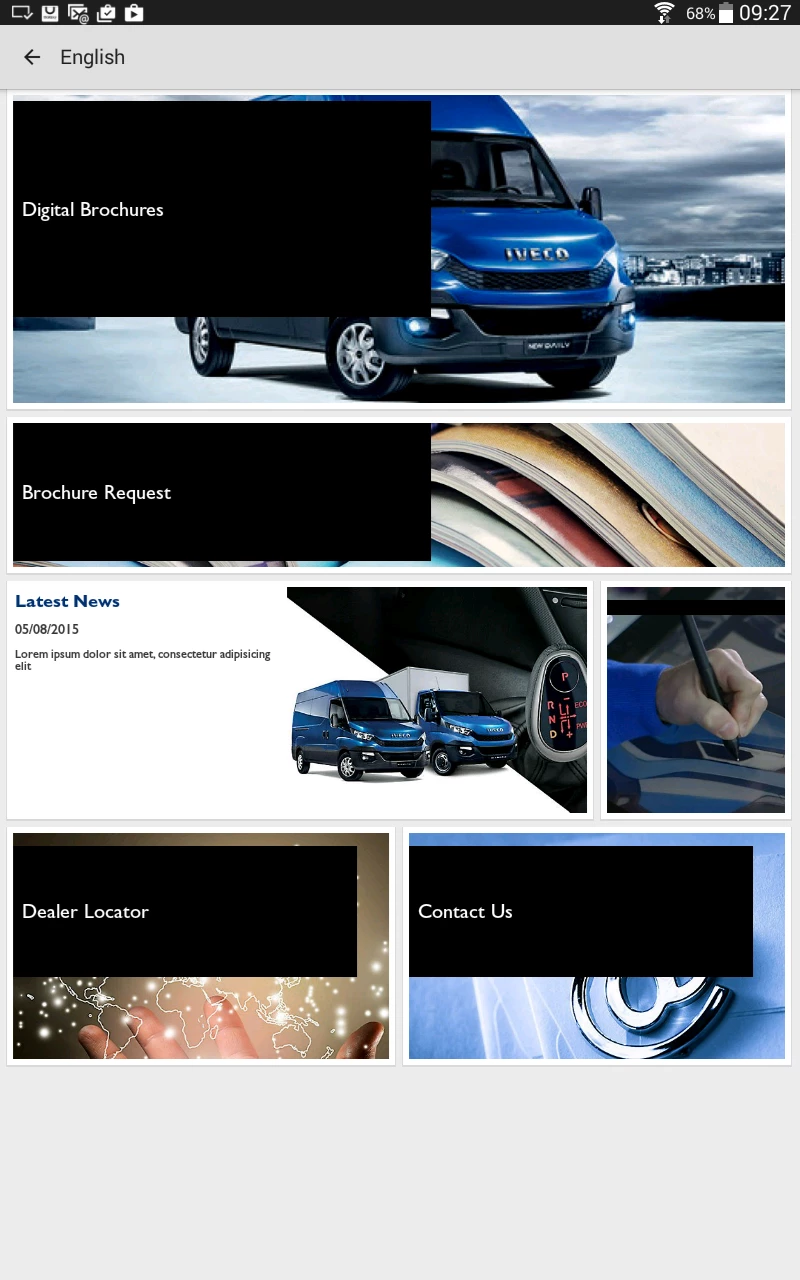
and this is the way it looks in android
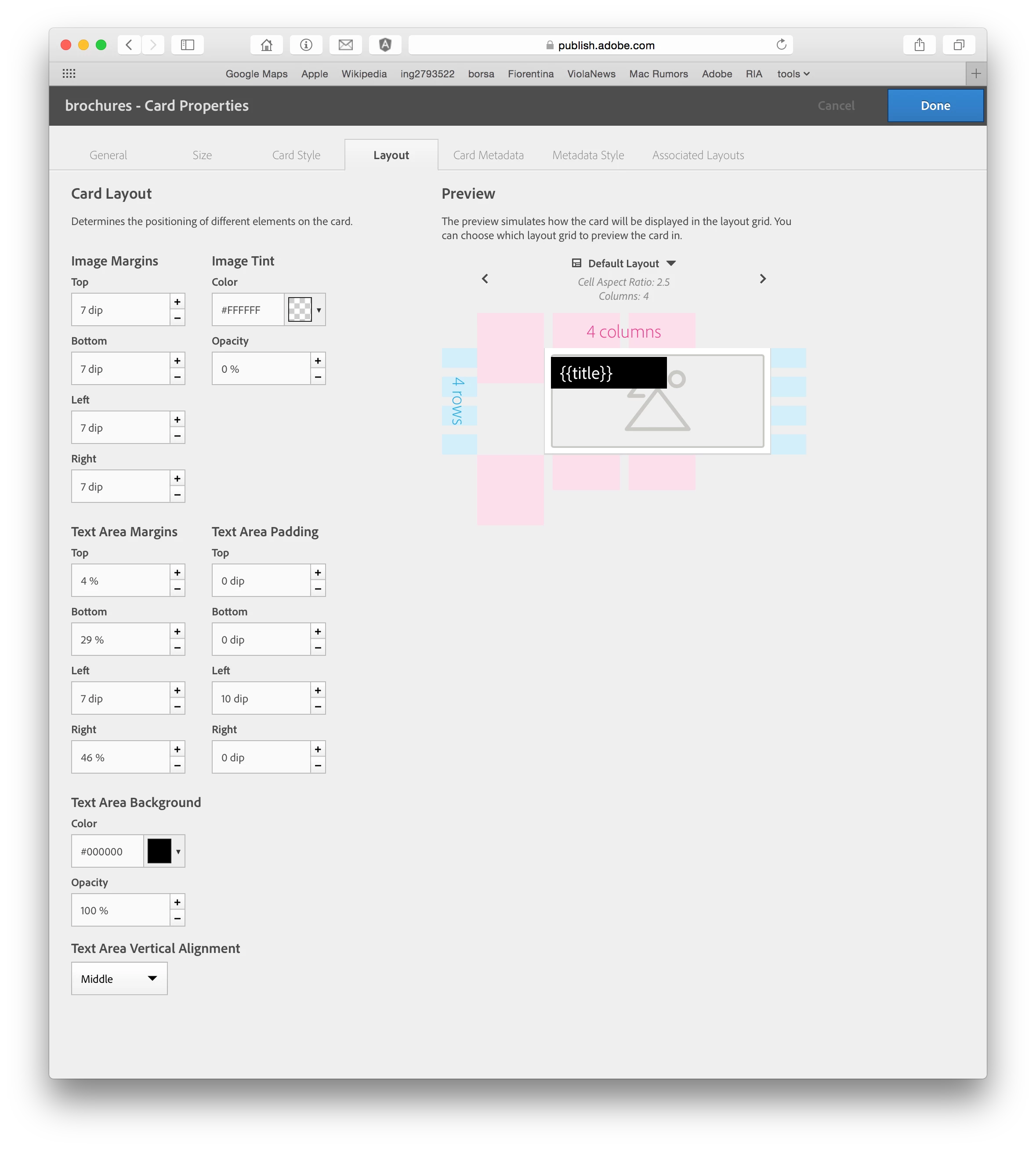
this are the setting for the top card on the layout
This post is no longer active and is closed to new replies. Need help? Start a new post to ask your question.
Best answer by paolo_Bernardin

Hi Andrei,

I have updated to the latest release and confirm that the layout now, is the same in iOS and android devices.

But the dps web dashboard, where you create the cards, it still preview the wrong layout, it similar to the wrong iOS version.  So it is difficult to design your card layout, because the preview is wrong.

9 replies

Tof_Jossic
Adobe Employee
Adobe Employee
August 26, 2015

Hi Paolo,

you seem to be using a mix of different values (dip and %) in the Text Area Margins.

Using the Preview feature, can you put everything to 'dip' and publish again to see if that makes a difference ?

Level 2
August 26, 2015

Hi Christophe,

If I use dip my phone layout gets screwed, because the proportion to the font size is different on phones

Tof_Jossic
Adobe Employee
Adobe Employee
August 26, 2015

I see the problem, it looks like one card layout doesn't seem to adapt to different devices + from what I can see on your screenshot, the aspect of the card layout you see in the preview is not maintained on device.

Neil Enns - Adobe‌ Have you seen this behaviour before?

Neil_Enns_-_Ado
Adobe Employee
Adobe Employee
August 26, 2015

Andrei is the expert in this stuff and he's on vacation at the moment. When he's back I'm sure he'll jump on this thread to provide guidance.

Neil

andreig1004688
Adobe Employee
Adobe Employee
August 27, 2015

Hi Paolo,

Based on the settings you show, it actually seems that Android is rendering things correctly and there may be a bug in rendering this on iOS - specifically how the app handles percentages.

I will discuss with the iOS development team and get back to you.

Thanks,

Andrei

Level 2
August 27, 2015

Hi Andrei,

I agree with you, android seams to respect the percentage that I'v set on the manager, but also the manager show a preview more similar to the iOS render, so probably there are some bug there too.

andreig1004688
Adobe Employee
Adobe Employee
September 4, 2015

Hi Paolo,

There was a bug that has been solved on the iOS viewer and a fix will be included in the next version scheduled to ship in a bit more than a week.

Regards,
Andrei

paolo_BernardinAuthorAccepted solution
Level 2
September 15, 2015

Hi Andrei,

I have updated to the latest release and confirm that the layout now, is the same in iOS and android devices.

But the dps web dashboard, where you create the cards, it still preview the wrong layout, it similar to the wrong iOS version.  So it is difficult to design your card layout, because the preview is wrong.

andreig1004688
Adobe Employee
Adobe Employee
September 15, 2015

Hi paolo,

Great! We're also updating the dashboard soon.

Thanks,