Style icon missing for component in targeting mode | Community
Skip to main content
Level 2
March 25, 2024
Question

Style icon missing for component in targeting mode

  • March 25, 2024
  • 1 reply
  • 720 views

I am working on AEM 6.5, enabled contextHub for my site.

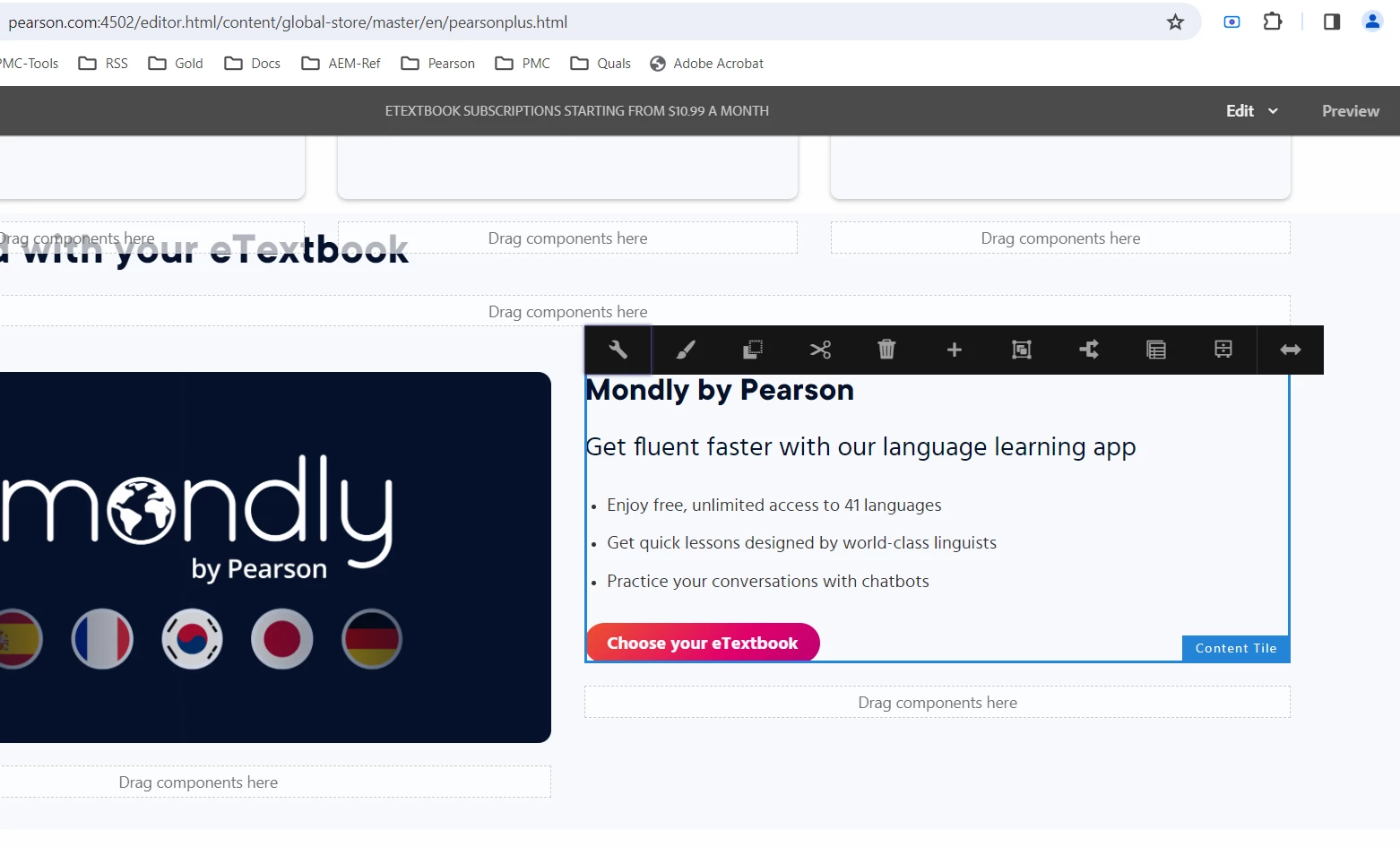
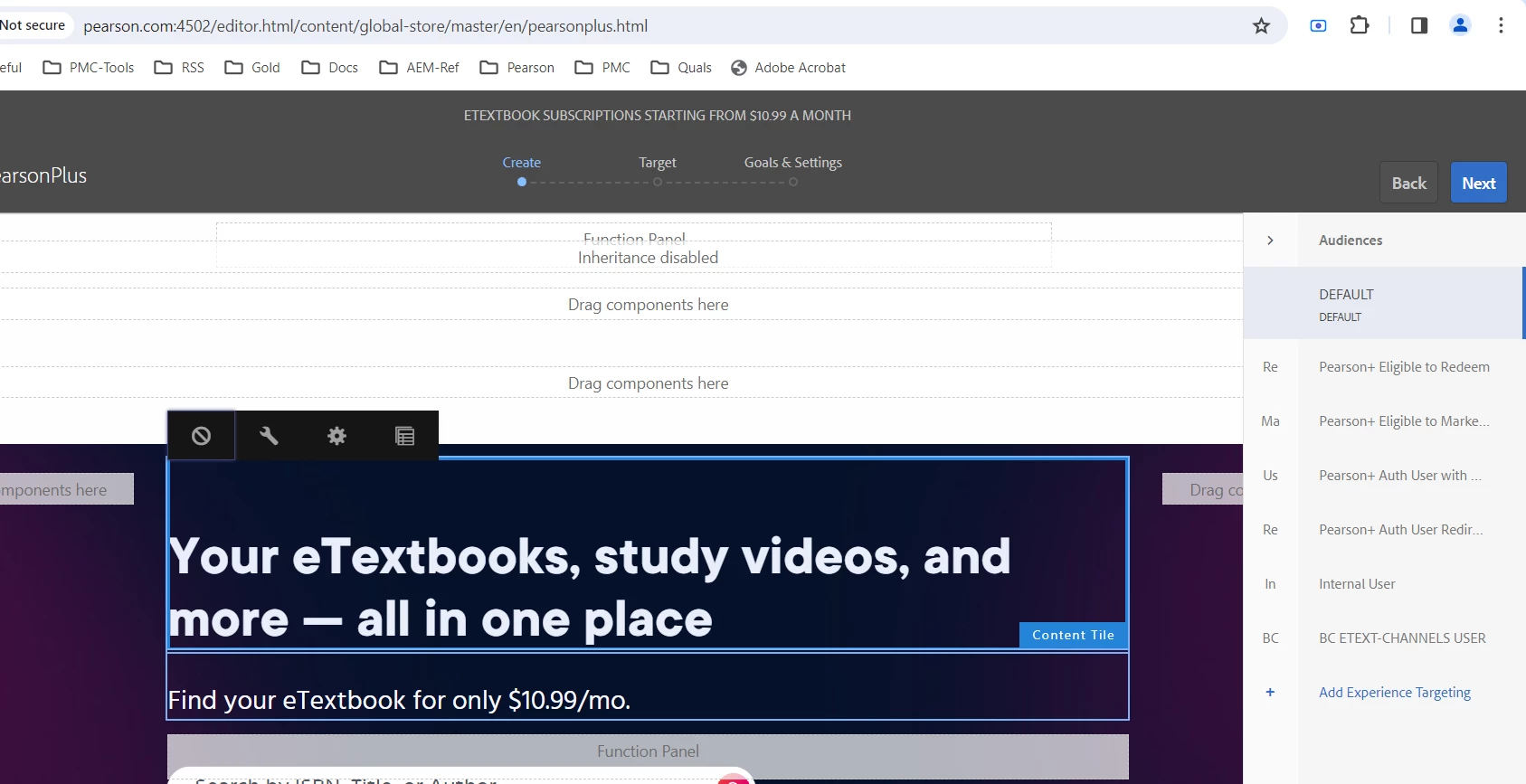
Styles icon appear in Edit mode and can change styles in Edit mode, but in Targeting mode I do not see the styles icon(paint brush). Attached screenshot for reference.
Can someone guide me to understand this issue. Is this a known issue or do we have a solution for this.
Edit mode:
Targeting mode:
 

This post is no longer active and is closed to new replies. Need help? Start a new post to ask your question.

1 reply

Level 2
March 25, 2024

The two screenshots are different but the same content-tile component.
Styles icon was appearing before I targeted that component. Styles applied in Edit mode applies to the component for default audience in Targeting mode, but the same styles does not apply for different audience.