Setting up OAuth 2.0 key | Community
Skip to main content
September 16, 2021
Question

Setting up OAuth 2.0 key

  • September 16, 2021
  • 1 reply
  • 1818 views

I am having issues setting up a "OAuth 2.0" key for API calls on a local nodeJS server:

https://adobeioruntime.net/api/v1/web/io-solutions/adobe-oauth-playground/oauth.html


When i go to use the "Creative Cloud" I see this message:

"requires Adbobe review"
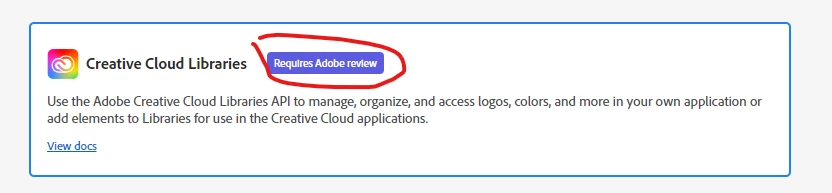


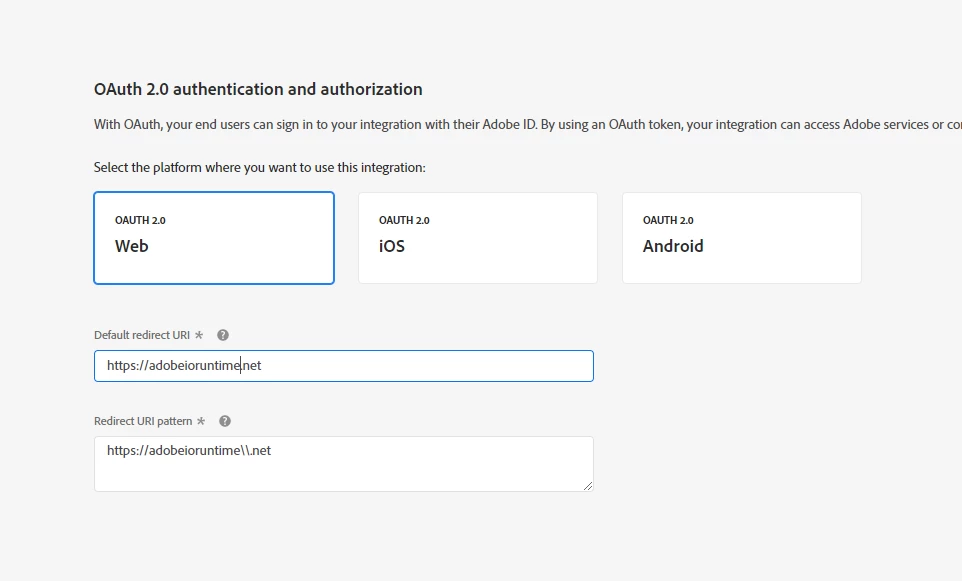
Within the developer console I try these settings:
 

I then use these setting on the OAuth playground:
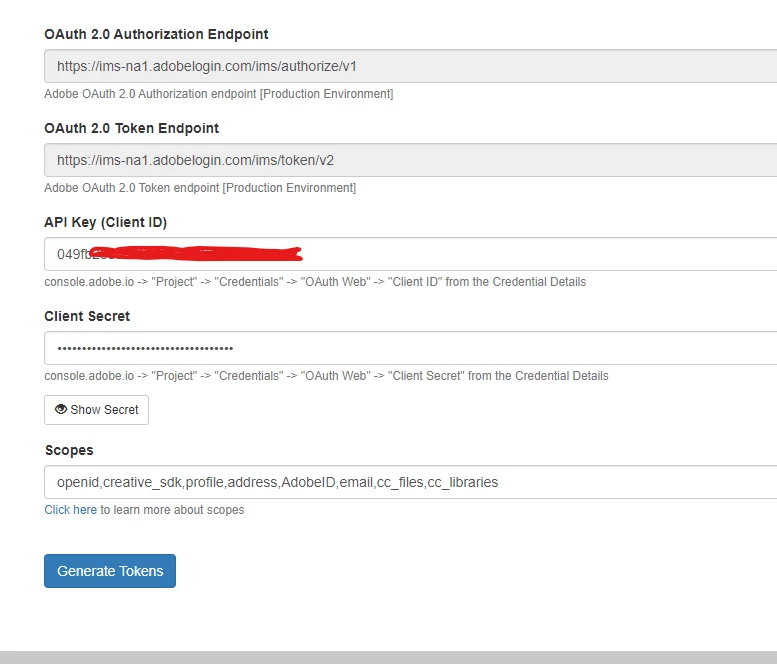
 

When i try to use the API token i receive on my nodeJS local server I receive the following error:

{ error_code: '403003', message: 'Api Key is invalid' }


I am not sure if i a missing any steps?


This post is no longer active and is closed to new replies. Need help? Start a new post to ask your question.

1 reply

Adobe Employee
September 17, 2021

Hi @ginux123 - the OAuth playground you are using is hosted on IO Runtime, but it was written by a user "io-solutions". Not sure where you got it from, but you could contact the team / person giving the reference as well as verify Creative Cloud Libs access with your IMS org's admin.

ginux123Author
September 17, 2021

I am simply trying to follow this guide within adobe's documenation:

https://www.adobe.io/creative-cloud-libraries/docs/integrate/setup/oauth/


Overall i am just trying to do some test calls, but there does not seem to be a straight forward solution with authenticating. Would there be certain guides i should be following to setup OAuth Web for Creative Cloud?


My overall goal is to retrieve a listing of all available files in a creative cloud library. But I am not sure if i am on the right track.