Need help for writing unit test case for exceltojson servlet | Community
Skip to main content
October 13, 2024
Solved

Need help for writing unit test case for exceltojson servlet

  • October 13, 2024
  • 2 replies
  • 522 views


  • Creating an Asset: I want to create an asset using AemContext without using InjectMocks. Could anyone provide a sample code snippet or guidelines on how to achieve this?

  • Handling Excel Files in Tests: I need to place an Excel file in the test resources of my IntelliJ project and load it in my test cases. What’s the best way to do this? Any recommendations on file placement and loading mechanisms would be appreciated.

Example excel file is attached below
 

This post is no longer active and is closed to new replies. Need help? Start a new post to ask your question.
Best answer by EstebanBustamante

Hi, 


1. For creating an Asset you could use something like this:

Asset asset = context.create().asset("/content/dam/myImage.jpg", 1600, 900, "image/jpeg", "dc:title", "title metadata for image");

Here is another example: https://experienceleaguecommunities.adobe.com/t5/adobe-experience-manager/junit-for-dam-asset/m-p/598251 


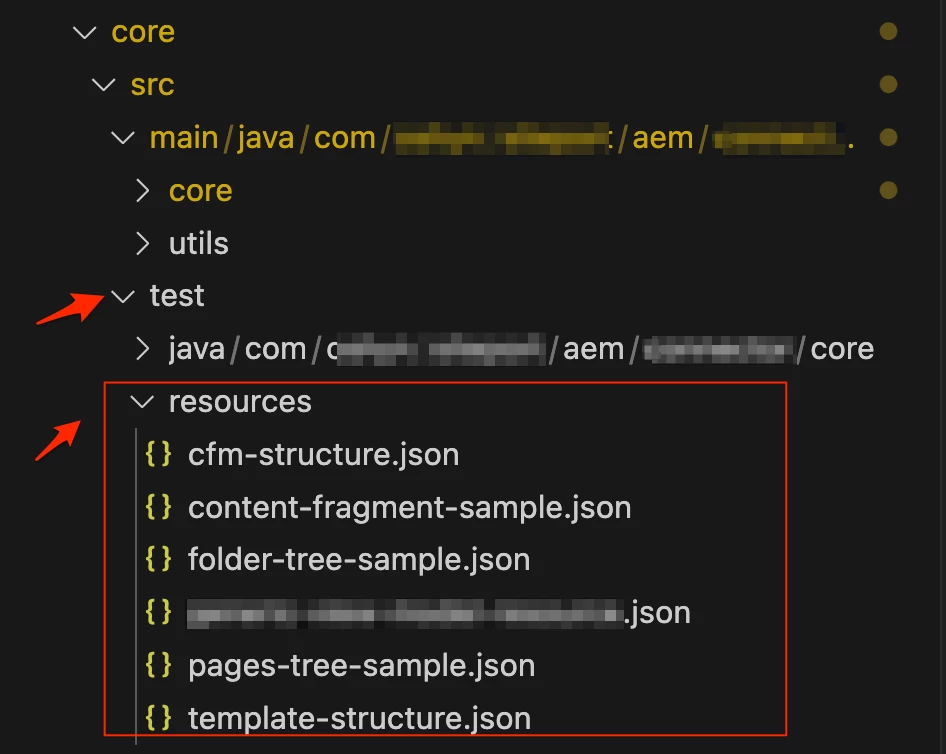
2. You can create a "resources" folder under your test folder, something similar to this:

This will be available in your classPath if you use context().load() https://wcm.io/testing/aem-mock/usage-content-loader-builder.html, otherwise you can check this: https://stackoverflow.com/questions/28673651/how-to-get-the-path-of-src-test-resources-directory-in-junit 


Hope this helps

2 replies

EstebanBustamante
Community Advisor and Adobe Champion
EstebanBustamanteCommunity Advisor and Adobe ChampionAccepted solution
Community Advisor and Adobe Champion
October 14, 2024

Hi, 


1. For creating an Asset you could use something like this:

Asset asset = context.create().asset("/content/dam/myImage.jpg", 1600, 900, "image/jpeg", "dc:title", "title metadata for image");

Here is another example: https://experienceleaguecommunities.adobe.com/t5/adobe-experience-manager/junit-for-dam-asset/m-p/598251 


2. You can create a "resources" folder under your test folder, something similar to this:

This will be available in your classPath if you use context().load() https://wcm.io/testing/aem-mock/usage-content-loader-builder.html, otherwise you can check this: https://stackoverflow.com/questions/28673651/how-to-get-the-path-of-src-test-resources-directory-in-junit 


Hope this helps

Esteban Bustamante
kautuk_sahni
Community Manager
Community Manager
October 16, 2024

@likhithass Did you find the suggestion helpful? Please let us know if you require more information. Otherwise, please mark the answer as correct for posterity. If you've discovered a solution yourself, we would appreciate it if you could share it with the community. Thank you!

Kautuk Sahni

