Migrating from Service Account (JWT) credential to OAuth Server-to-Server credential | Community
Skip to main content
May 22, 2024
Solved

Migrating from Service Account (JWT) credential to OAuth Server-to-Server credential

  • May 22, 2024
  • 1 reply
  • 2201 views

Hi. We current are using Service Account (JWT) with Adobe Sync Tool setup on a local server that syncs users based on the user-sync-config.yml and connector mapi file as per below:
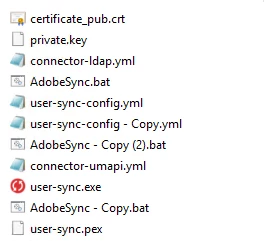


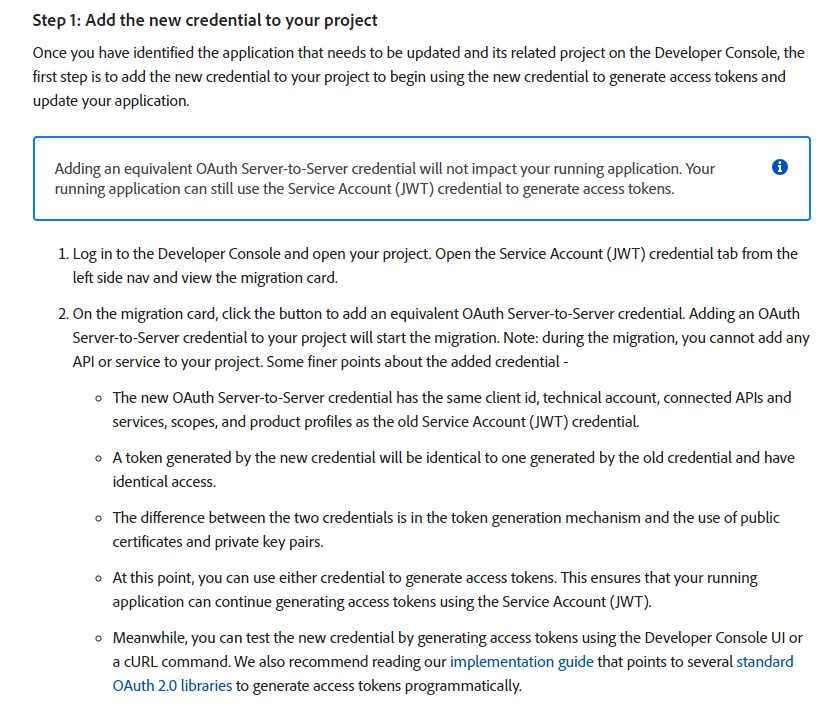
I assume from the instructions below that i just complete the First Step and automatically expect the API connections to work as per normal?


Please correct me if i am wrong.


This post is no longer active and is closed to new replies. Need help? Start a new post to ask your question.
Best answer by EstebanBustamante

Hi, 


The JWT is a way of authenticating with your Adobe app. I assume your API connections will first authenticate and then proceed with their tasks. So, in reality, you will be updating only the first step of how these APIs work.


Hope this helps!

1 reply

EstebanBustamante
Community Advisor and Adobe Champion
EstebanBustamanteCommunity Advisor and Adobe ChampionAccepted solution
Community Advisor and Adobe Champion
May 23, 2024

Hi, 


The JWT is a way of authenticating with your Adobe app. I assume your API connections will first authenticate and then proceed with their tasks. So, in reality, you will be updating only the first step of how these APIs work.


Hope this helps!

Esteban Bustamante
RobinLa1Author
May 23, 2024

Hi


Thanks for your reply.That’s what i anticipated that we have to do the first step and after migration everything should just work via the new oauth rather than the JWT.

Adobe Employee
May 27, 2024

Unfortunately it's not sufficient just to add OAuth to the existing project.

If you have a UST version <2.9.0 you'll also need to update your local script file (download the latest from Github and then modify the connector-umapi.yml file to look like this.

Run the tool in TEST MODE and verify it connects successfully using OAuth (you see the summary at the end and the results are what you usually see).

Contact enterprise support from Admin Console support tab for any incoherence or error you get.

Also, I'd backup my old UST folder before all this.

If all checks out, only then review and delete the JWT method from the project, so that notifications would stop.