Jwt to oAuth migration for Adobe Target IMS Integration | Community
Skip to main content
Level 2
August 12, 2024
Solved

Jwt to oAuth migration for Adobe Target IMS Integration

  • August 12, 2024
  • 1 reply
  • 2038 views

Hi team,


In developer console, I am getting waring "Your Service Account (JWT) credential has been deprecated" for my Adobe Target IMS Integration project.
 How can I migrate this to oAuth ?

This post is no longer active and is closed to new replies. Need help? Start a new post to ask your question.
Best answer by EstebanBustamante

thanks, I gone through the article and I also referred 
 https://experienceleague.adobe.com/en/docs/experience-manager-cloud-service/content/security/setting-up-ims-integrations-for-aem-as-a-cloud-service


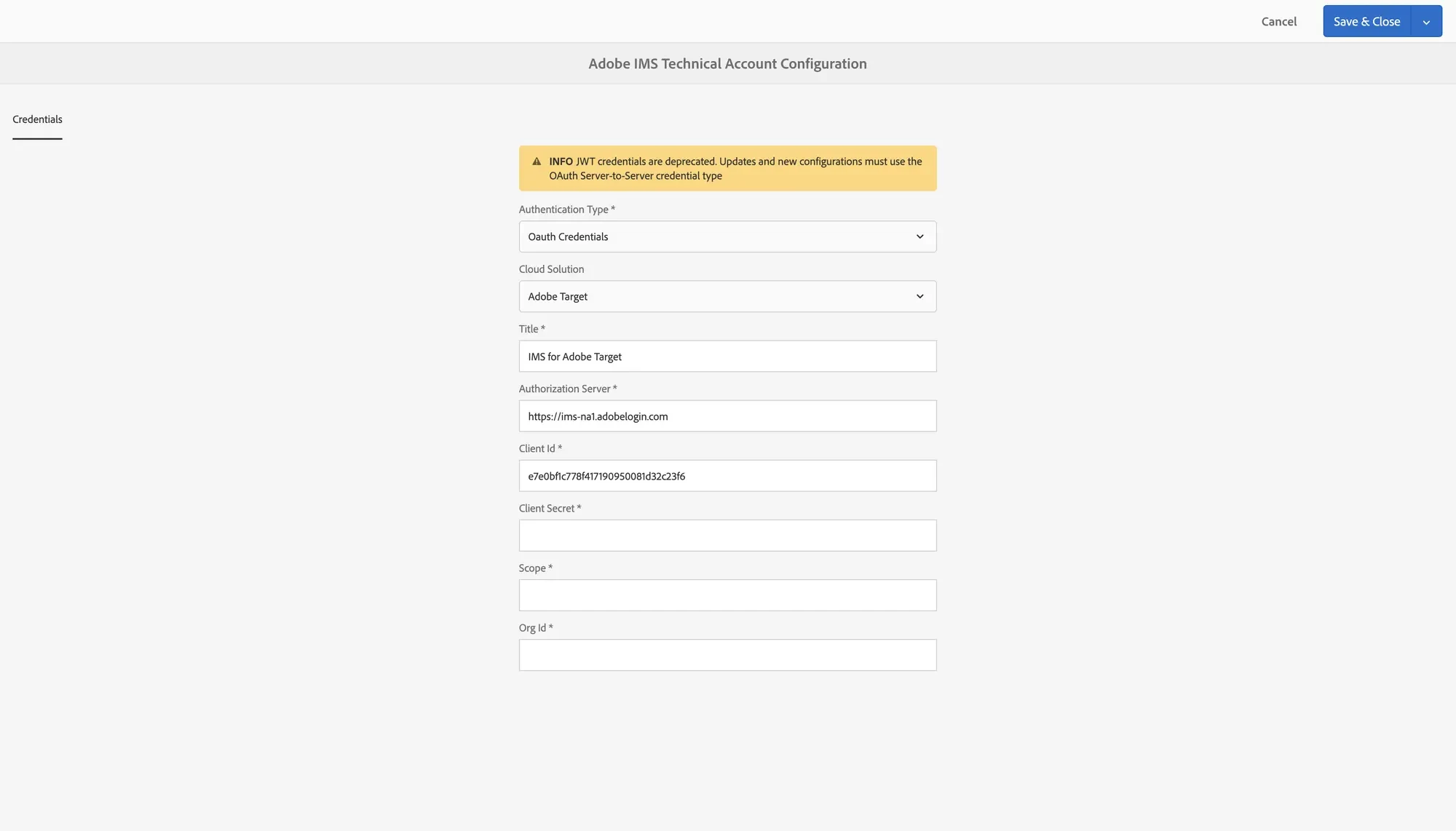
On its point-6, I am getting confused like from where we get the details to fill for oAuth,  when in developer console there are details of jwt token only.


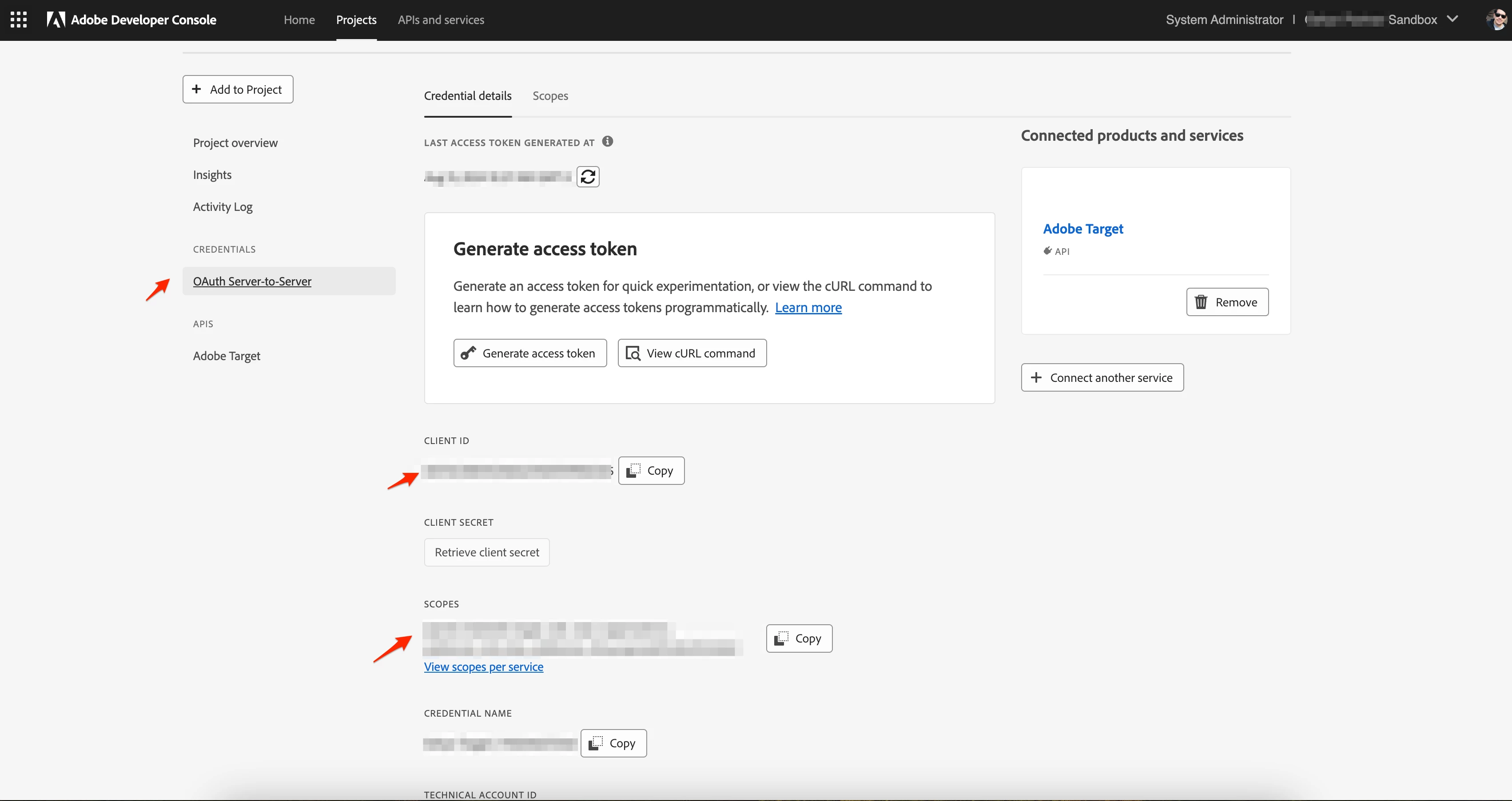
@akshayswamiii The details for OAuth should be present in the new configuration you created as part of the migration process in the Adobe Developer Console[1]. From there, you can retrieve those values and set up the new IMS configuration.


Once that is done, you need to use this newly created IMS configuration with your "Target Cloud Service" configuration[2]—that’s all.

You will notice that the JWT token is no longer used in your Adobe Developer Console, allowing you to delete the JWT configuration confidently.


[1]. Adobe Developer Console -> Your Project -> Oauth Creds
[2]. Cloud Services -> Target Config


Hope this helps

1 reply

tmj
Adobe Employee
Adobe Employee
August 12, 2024

Hello, have you read our migration guide and FAQs?

Level 2
August 13, 2024

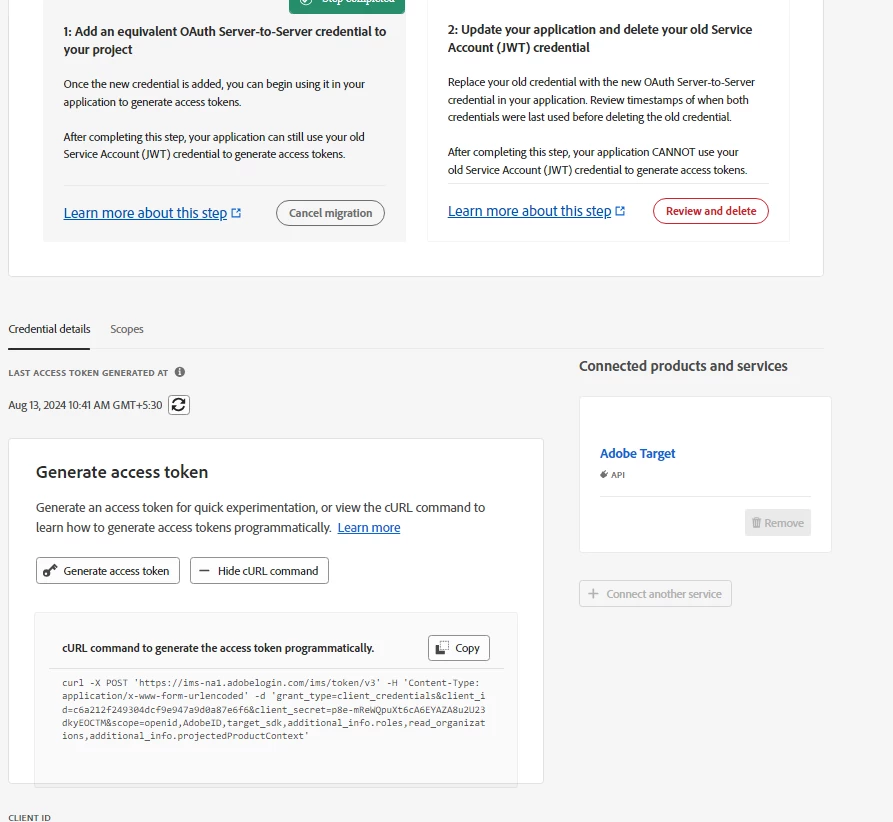
yes, like i have added an equivalent OAuth Server-to-Server credential, then how to use cURL command when there is already a token and cURL command which is used by jwt and that is not editable ?


Level 2
August 14, 2024

@akshayswamiii The details for OAuth should be present in the new configuration you created as part of the migration process in the Adobe Developer Console[1]. From there, you can retrieve those values and set up the new IMS configuration.


Once that is done, you need to use this newly created IMS configuration with your "Target Cloud Service" configuration[2]—that’s all.

You will notice that the JWT token is no longer used in your Adobe Developer Console, allowing you to delete the JWT configuration confidently.


[1]. Adobe Developer Console -> Your Project -> Oauth Creds

[2]. Cloud Services -> Target Config


Hope this helps


Hi @estebanbustamante,

Now, I have one confusion after creating similar oAuth credentials, I found that for both jwt and oAuth the information are same.

So, can I use this detail to fill Cloud Services -> Target Config ?