Invoke the headless app custom action as soon as app deploy | Community
Skip to main content
brijesht4727374
Level 2
October 29, 2020
Solved

Invoke the headless app custom action as soon as app deploy

  • October 29, 2020
  • 9 replies
  • 3164 views

Hi Team,

Our use case is mentioned below.
The client is having an existing third-party system where Audience details are created and stored. The third-party system has APIs for sharing the Audience Data. We want to import this Audience Data from this third-party system using their APIs into Target for a personalized experience of imported Audience.

For our use case, we have to invoke our custom action as soon as the app deploys. I tried to invoke the app as soon as app deploy by following the below link "https://adobeio-codelabs-alarms-adobedocs.project-helix.page/?src=/lessons/lesson2.html" but not able to achieve it.

Can anyone please look into the attached file and suggest the fix.


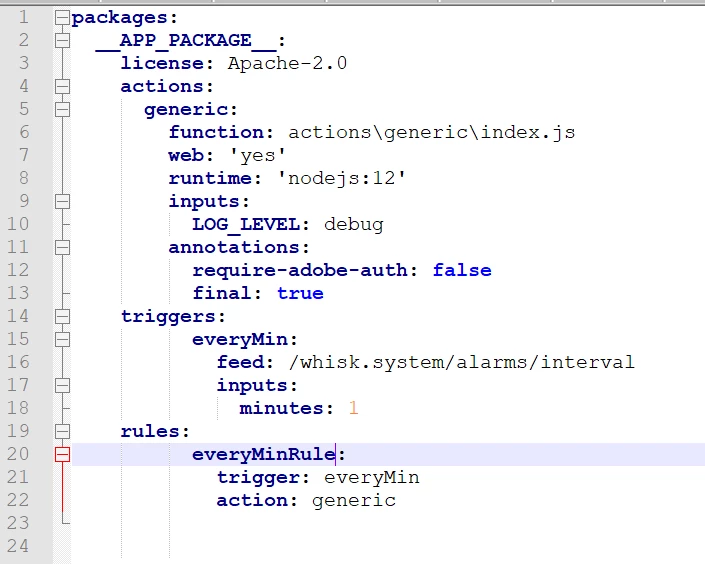
Attaching the manifest.yml file for reference. I have just change the generic > index.js file to return a message and logging. In manifest.yml file, I have made changes and added triggers to run the generic > index.js action every minute. I tested it by using the command aio rt activation list but it didn't show that the action triggers every minute.


packages:
__APP_PACKAGE__:
license: Apache-2.0
actions:
generic:
function: actions\generic\index.js
web: 'yes'
runtime: 'nodejs:12'
inputs:
LOG_LEVEL: debug
annotations:
require-adobe-auth: false
final: true
triggers:
everyMin:
feed: /whisk.system/alarms/interval
inputs:
minutes: 1
rules:
everyMinRule:
trigger: everyMin
action: generic


This post is no longer active and is closed to new replies. Need help? Start a new post to ask your question.
Best answer by brijesht4727374

Hi All,

The details provide by @duynguyen_adobe was very helpful. The issue was that if we setup a trigger and remove it later it is goto inactive mode. If we try again the trigger rule and deploy after that the rule is not getting active. The command  "aio runtime rule enable everyMinRule" provided by @duynguyen_adobe solve the issue.


9 replies

Adobe Employee
October 29, 2020
Hi @brijesht4727374 - could you try this command `aio runtime list` to verify that all your actions, triggers and rules were deployed correctly? and that the rule is active?
brijesht4727374
Level 2
October 29, 2020
Hi duypnguyen,
brijesht4727374
Level 2
October 29, 2020

Hi @duynguyen_adobe ,


I run the command below is the outcome . Attaching the scrrenshot

C:\Capgemini\Nodejs\adobefireflyheadless>aio runtime list

Entities in namespace: packages /34999-sfmctargetheadless-stage/sfmctargetheadless-0.0.1 private actions /34999-sfmctargetheadless-stage/sfmctargetheadless-0.0.1/generic private nodejs:12 triggers /34999-sfmctargetheadless-stage/everyMin private rules /34999-sfmctargetheadless-stage/everyMinRule private inactive

Adobe Employee
October 29, 2020
Ok - it seems your rule is inactive. Could you try this command `aio runtime rule enable 34999-sfmctargetheadless-stage/everyMinRule`, and verify if the trigger runs every minute now?
brijesht4727374
Level 2
October 30, 2020

Hi @duynguyen_adobe,

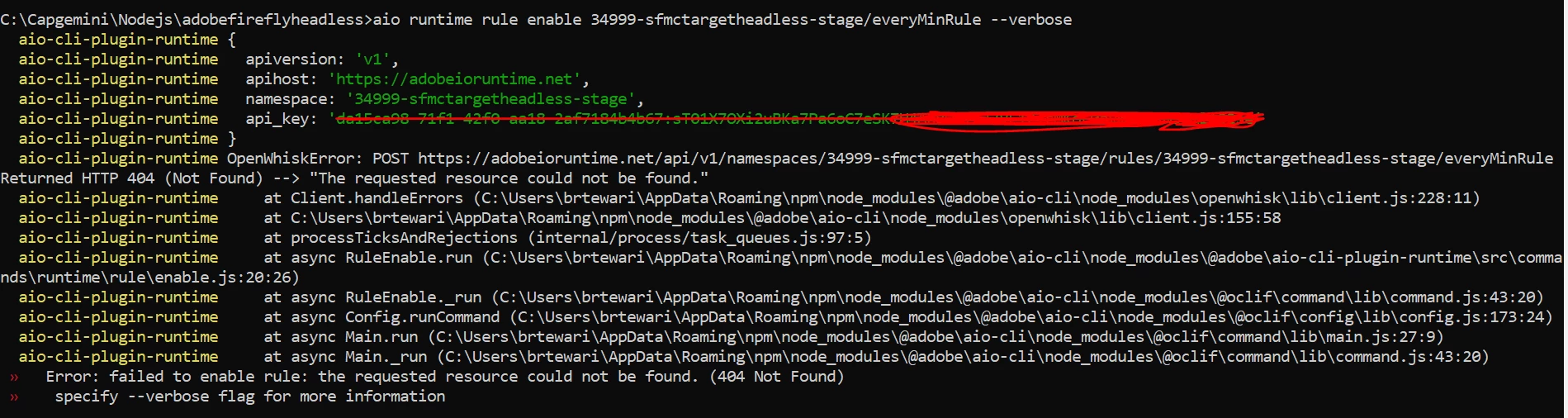
I tried running the command " aio runtime rule enable 34999-sfmctargetheadless-stage/everyMinRule --verbose " but it is giving  Error: failed to enable rule: the requested resource could not be found. (404 Not Found). Kindly let me know what is missing and how to fix it.

Adding manifest.yml file screenshot also for reference.


Adobe Employee
October 30, 2020
@brijesht4727374 - please try `aio runtime rule enable everyMinRule` (shouldn't have added the namespace before the rule name).
brijesht4727374
Level 2
October 30, 2020
Hi @duynguyen_adobe, Now it is active and running every one minute. Thanks for the support. But need to understand that why it is inactive and to make it active I have run the command which you have provided. We don't want any manual intervention. Is there a way that the trigger be active once we deploy the app
brijesht4727374
brijesht4727374AuthorAccepted solution
Level 2
November 2, 2020

Hi All,

The details provide by @duynguyen_adobe was very helpful. The issue was that if we setup a trigger and remove it later it is goto inactive mode. If we try again the trigger rule and deploy after that the rule is not getting active. The command  "aio runtime rule enable everyMinRule" provided by @duynguyen_adobe solve the issue.


Adobe Employee
November 2, 2020
Hi @brijesht4727374 - glad to hear it worked! The rule turning into "inactive" could be a result of continuous failures when you first deployed the scheduled action. Hence it's worth checking if there's no activation after you deploy the triggers and rules.