How to authenticate login form in adobe app builder | Community
Skip to main content
Level 3
October 21, 2024
Question

How to authenticate login form in adobe app builder
  • October 21, 2024
  • 3 replies
  • 736 views

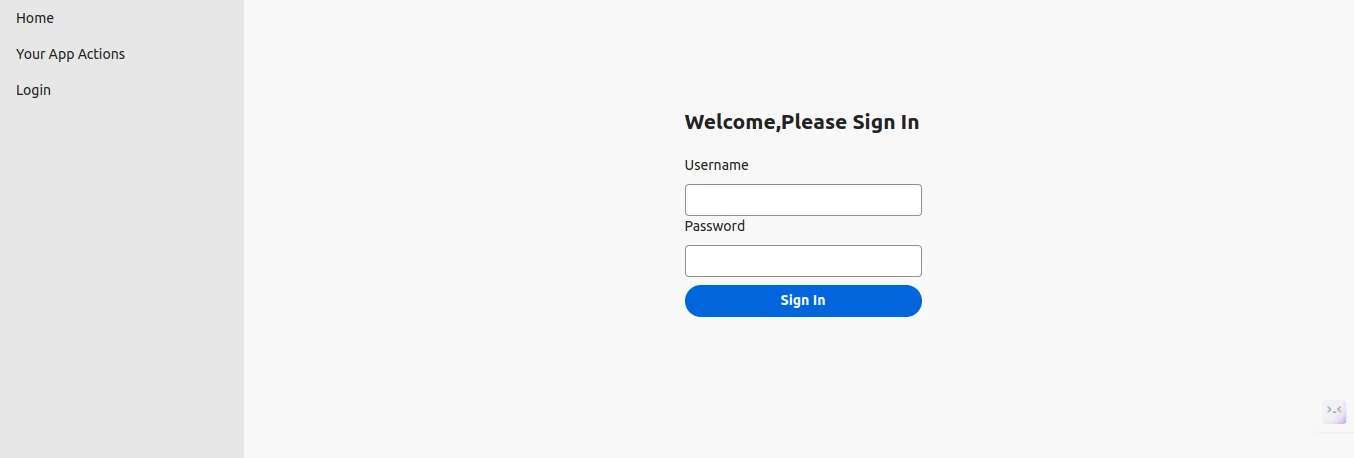
I have no idea how to authenticate the login form. For example, I created an action name brief-save in which I took the user's information as an object, but now I have no idea how to fetch that data from that action on this login page and authenticate it. Or there is another way of doing it

3 replies

Adobe Employee
October 24, 2024

Are you asking how to pass the username/password from the UI input to the action itself and wait for the auth response?

sarav_prakash
Community Advisor
Community Advisor
October 26, 2024

Where are you authenticating user against? Are the users created into Adobe IMS through some batch process? One solution we implemented was using SAML over ADFS. So internal users are part of organization active directory. The homepage of react app running from AppBuilder is proxied at AEM Dispatcher. The Dispatcher sends the initial request to AEM Publisher. AEM has SAML configuration to connect to organization ADFS. So user is taken to office365 login screen. Once logged in, dispatcher proxies the request to AppBuilder and react app is served. We didn't build login screen, instead reused saml login.


If your user accounts are not in active directory, this wont work. 

kautuk_sahni
Community Manager
Community Manager
February 10, 2025

@shubhamag2 Did you find the suggestions helpful? Please let us know if you need more information. If a response worked, kindly mark it as correct for posterity; alternatively, if you found a solution yourself, we’d appreciate it if you could share it with the community. Thank you!

Kautuk Sahni