Hello World App Error - Something Went Wrong | Community
Skip to main content
June 18, 2020
Solved

Hello World App Error - Something Went Wrong

  • June 18, 2020
  • 3 replies
  • 7387 views

When trying to do a hello world of a Firefly app, I am able to install the app using the Adobe I/O CLI, that works fine now.

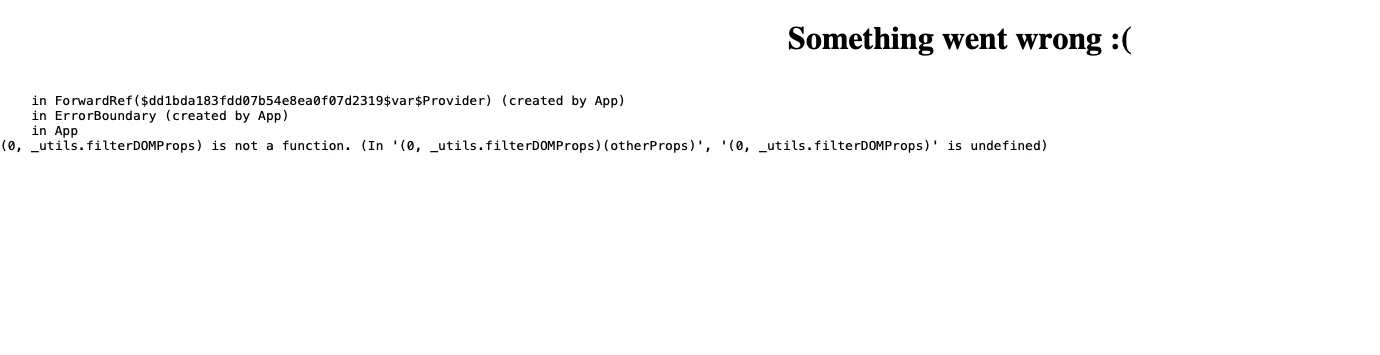
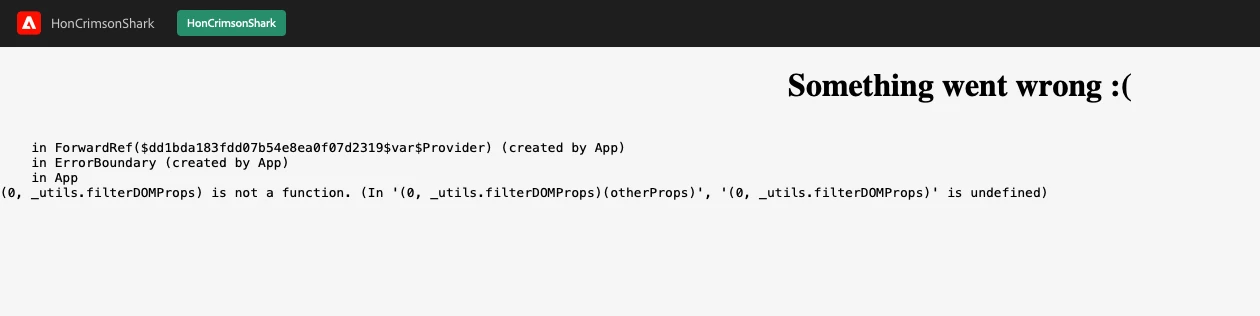
But when I run `aio app run` and open both the localhost URL and the experience cloud URL, I get the following error:


I haven't modified any code.


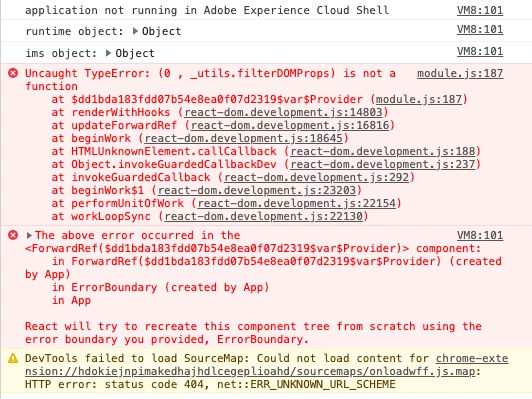
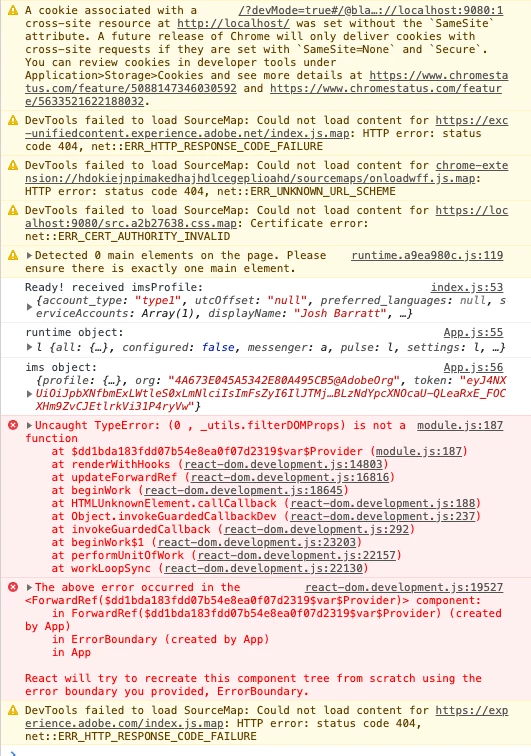
Here are the errors in the browser console:


localhost:

experience cloud:

This post is no longer active and is closed to new replies. Need help? Start a new post to ask your question.
Best answer by Meryll_Blanchet

Hi Josh,

While we are working on a fix (see https://github.com/adobe/aio-cli-plugin-app/issues/263), here's a workaround that you can try locally:


- Clean your browser cache

- Go into your bootstrapped app folder

- rm -rf package-lock.json node_modules


- Edit the package json file and make sure that these dependencies are in with these locked versions:

"regenerator-runtime": "^0.13.5", "@adobe/exc-app": "^0.2.14", "@react-spectrum/button": "3.0.0-rc.3", "@react-spectrum/form": "3.0.0-rc.3", "@react-spectrum/layout": "3.0.0-rc.0", "@react-spectrum/link": "3.0.0-rc.0", "@react-spectrum/picker": "3.0.0-rc.0", "@react-spectrum/progress": "3.0.0-rc.3", "@react-spectrum/provider": "3.0.0-rc.3", "@react-spectrum/text": "3.0.0-rc.0", "@react-spectrum/textfield": "3.0.0-rc.3", "@react-spectrum/theme-default": "3.0.0-rc.3"

- npm i

- aio app deploy


The SPA should deploy and load as expected.


Thanks for reporting this issue and for your patience.


Cheers,


Meryll
3 replies

Adobe Employee
June 18, 2020

Did you change some code from the default template? Could you please share the modified code fragment and what errors you got from the browser console?

June 18, 2020
I haven't modified any code, just done the aio app init and then aio app run.
Adobe Employee
June 18, 2020
confirmed.
Meryll_BlanchetAdobe EmployeeAccepted solution
Adobe Employee
June 18, 2020

Hi Josh,

While we are working on a fix (see https://github.com/adobe/aio-cli-plugin-app/issues/263), here's a workaround that you can try locally:


- Clean your browser cache

- Go into your bootstrapped app folder

- rm -rf package-lock.json node_modules


- Edit the package json file and make sure that these dependencies are in with these locked versions:

"regenerator-runtime": "^0.13.5", "@adobe/exc-app": "^0.2.14", "@react-spectrum/button": "3.0.0-rc.3", "@react-spectrum/form": "3.0.0-rc.3", "@react-spectrum/layout": "3.0.0-rc.0", "@react-spectrum/link": "3.0.0-rc.0", "@react-spectrum/picker": "3.0.0-rc.0", "@react-spectrum/progress": "3.0.0-rc.3", "@react-spectrum/provider": "3.0.0-rc.3", "@react-spectrum/text": "3.0.0-rc.0", "@react-spectrum/textfield": "3.0.0-rc.3", "@react-spectrum/theme-default": "3.0.0-rc.3"

- npm i

- aio app deploy


The SPA should deploy and load as expected.


Thanks for reporting this issue and for your patience.


Cheers,


Meryll
June 23, 2020
Thank you, it's working now.