AEM as Cloud Service -- Pre-filter component list in page parsys or responsive grid based on logged in user | Community
Skip to main content
Level 2
April 22, 2024
Solved

AEM as Cloud Service -- Pre-filter component list in page parsys or responsive grid based on logged in user

  • April 22, 2024
  • 1 reply
  • 697 views
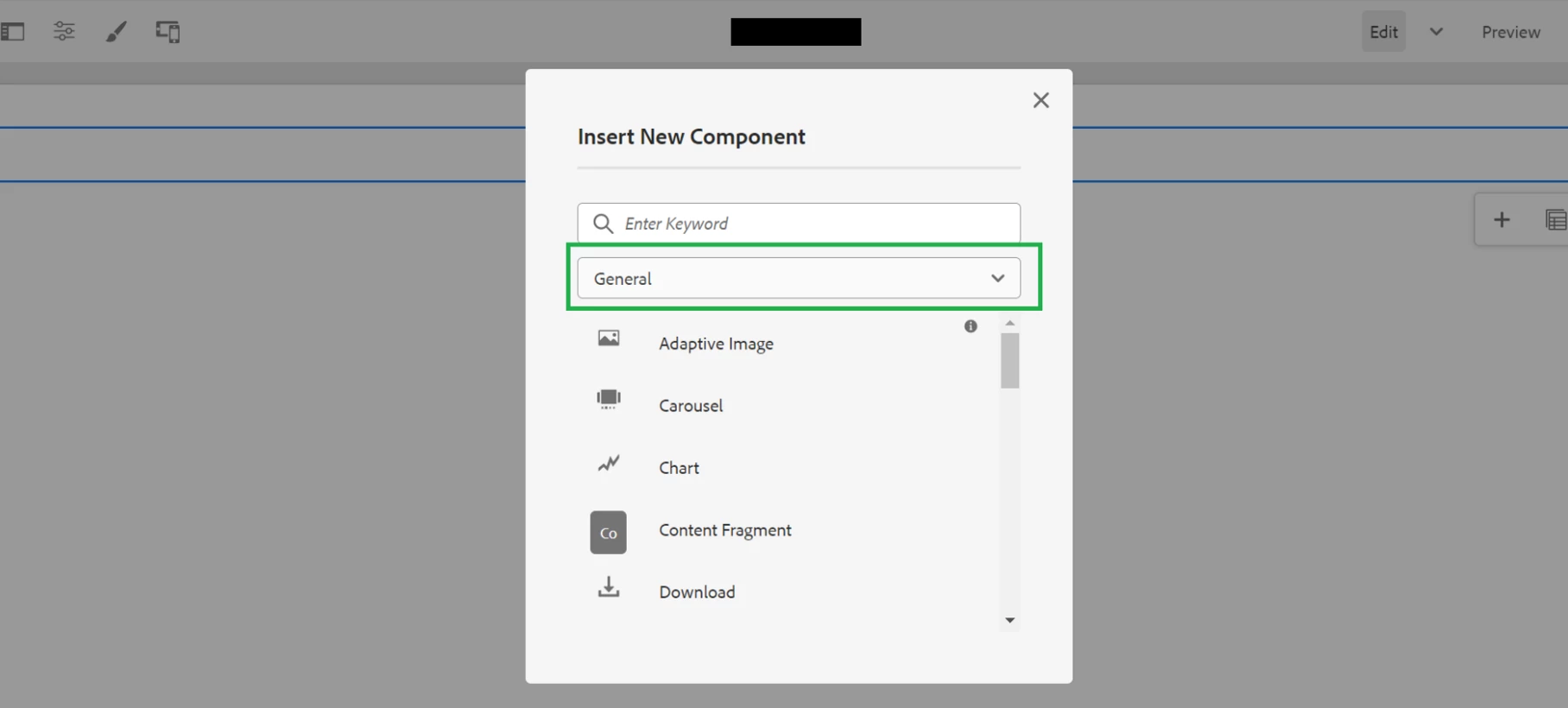
Given that a user is part of project-author group then the component selection window is pre-filtered by the project-component component group, once we click on the Parsys or responsive grid, please find below screenshot, once I log into author instance and open the page, to author and click on parsys to add the component , then need to see project-component group components only in the list, example screenshot I given a sample one showing general group.
 

This post is no longer active and is closed to new replies. Need help? Start a new post to ask your question.
Best answer by EstebanBustamante

Hi, 

You will have to build something custom. Overall, you can create a JavaScript hook which, on the dialog loaded (or ready) event, checks the user role. Then, via JavaScript, you can select whatever group you need.


These resources can you help to build what I've described:

https://sadyrifat.medium.com/show-hide-aem-cq-dialog-fields-based-on-select-field-selection-a-comprehensive-guide-bee591abd24c (Here you just need to update the js to instead of showing a field, you select the element in the dropdown)

https://jimfrenette.com/aem/components/dialog-coral-ui-select-cascade/ 


Hope this helps


1 reply

EstebanBustamante
Community Advisor and Adobe Champion
EstebanBustamanteCommunity Advisor and Adobe ChampionAccepted solution
Community Advisor and Adobe Champion
April 24, 2024

Hi, 

You will have to build something custom. Overall, you can create a JavaScript hook which, on the dialog loaded (or ready) event, checks the user role. Then, via JavaScript, you can select whatever group you need.


These resources can you help to build what I've described:

https://sadyrifat.medium.com/show-hide-aem-cq-dialog-fields-based-on-select-field-selection-a-comprehensive-guide-bee591abd24c (Here you just need to update the js to instead of showing a field, you select the element in the dropdown)

https://jimfrenette.com/aem/components/dialog-coral-ui-select-cascade/ 


Hope this helps


Esteban Bustamante