How to get segments from Audience Manager API | Community
Skip to main content
New Member
January 21, 2022
Solved

How to get segments from Audience Manager API

  • January 21, 2022
  • 2 replies
  • 2076 views

Does anyone have any suggestions for getting Segments out of the Adobe Audience Manager API?


I'm currently getting a 404 error when trying to get our segments from the AAM API. Does anyone have any tips for getting a successful response from https://aam.adobe.io/v1/segments/


It returns a 404 for me when I try the call in Swagger as well... https://bank.demdex.com/portal/swagger/index.html#/Segments%20API/get_segments_


I can get Traits, DataSources, Destinations, SegmentFolders, and even LargestSegments just fine but segments doesn't seem to be working for me for some reason.
This post is no longer active and is closed to new replies. Need help? Start a new post to ask your question.
Best answer by Ankita_Sodhi

Hello @dbonomo ,


With https://aam.adobe.io/v1 domain, you need to pass:

x-api-key , your client ID

x-gw-ims-org-id. , your company's IMS OrgID


The call should get you all the segments.


If this doesn't work then you have BAAAM Tool to pull that information. Please follow the below steps:


Download BAAM Tool from here. 

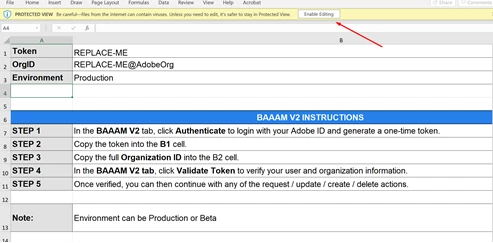
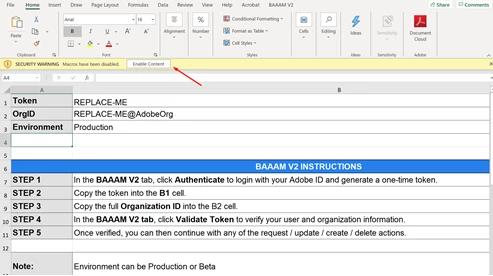
Open this Excel file and enable “Editing” + “Macros” 


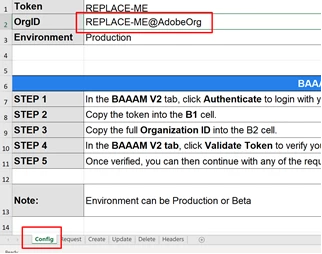
Now, in “Config” worksheet enter IMS ORGID. 


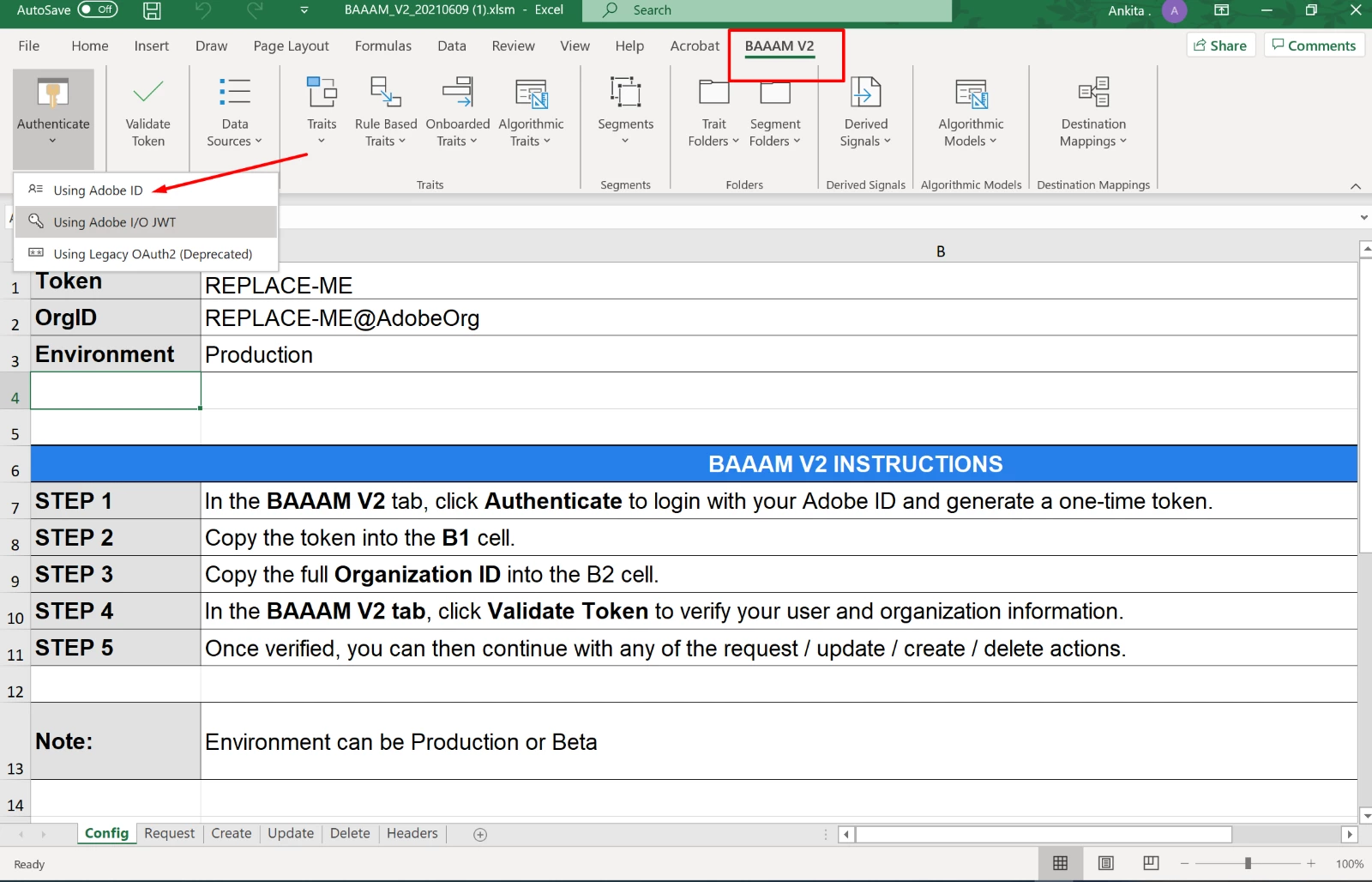
Go to “BAAAM” Tab and click on the authentication option which you would like to proceed with. Easy one is “Adobe ID” 


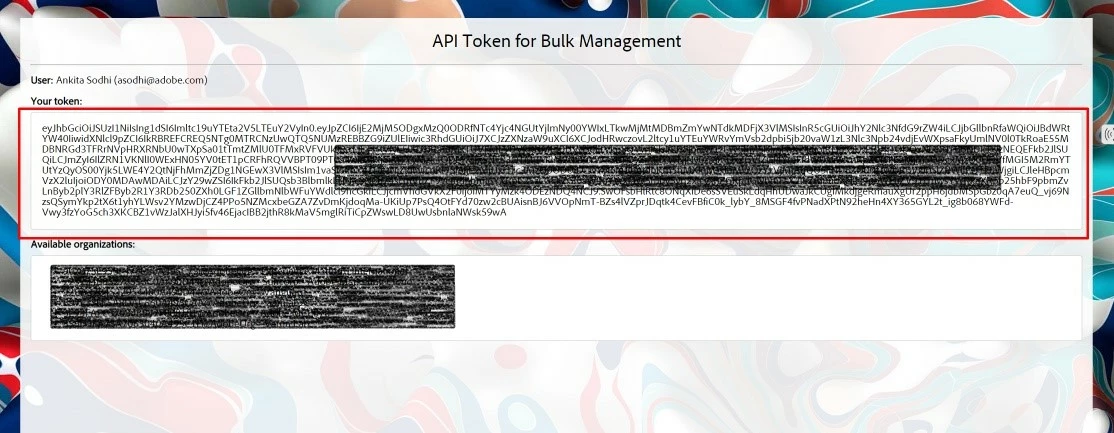
You will be redirected to your Experience Login page where you can login and get one token for yourself. Copy this token and paste it in token field. 


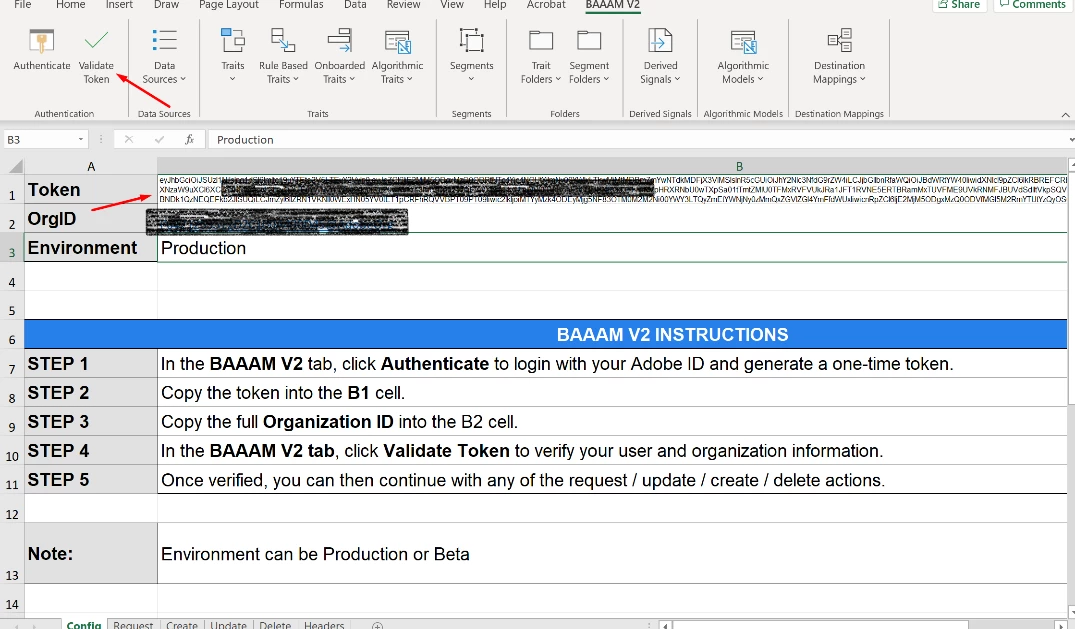
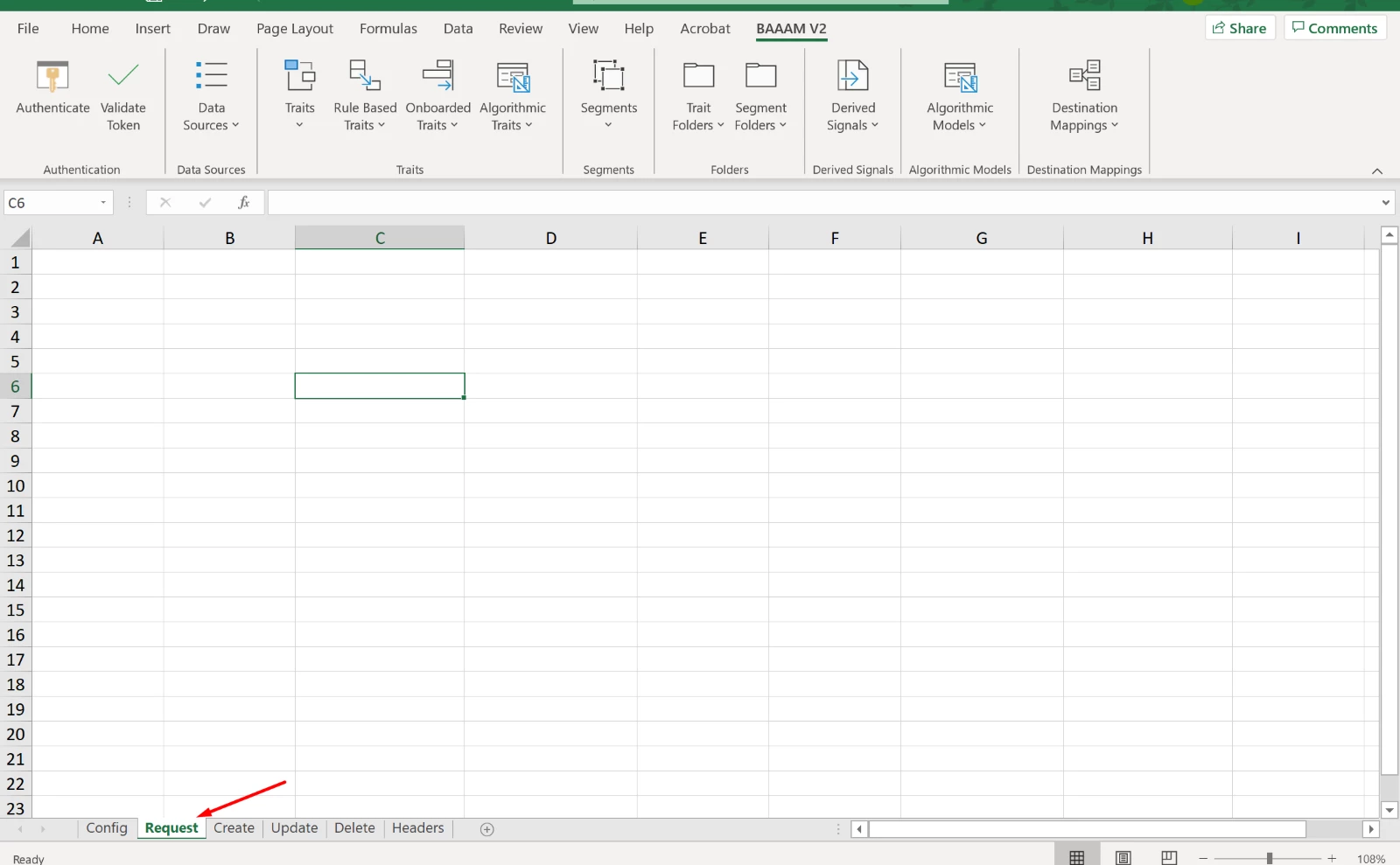
Once the validate token step is complete, switch to “Request” worksheet. 


At this point, we will fire an API call to pull a complete list of segments with their details. 

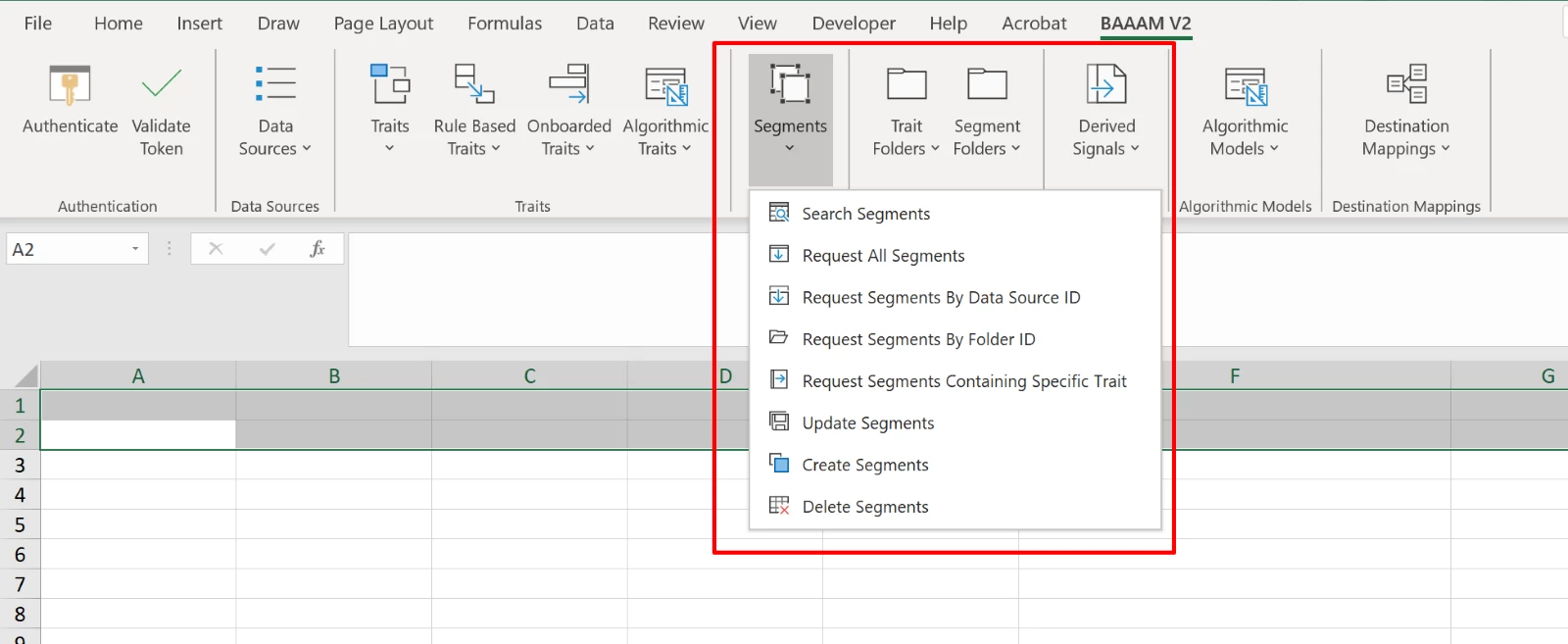
Click on “Segments” and see the below menu: 


As per your requirement, you work with “Request All Segments”.


I hope this helps, please let me know if you have any additional questions.


Regards

Ankita Sodhi

2 replies

Kishore_Reddy
Community Advisor
Community Advisor
January 24, 2022

Just checking, have you tried pulling specific segments through integration code?


dbonomoAuthor
New Member
January 25, 2022

Yes, and specific segments work ok. We just need a way to get all of the segments at once as well.

Ankita_Sodhi
Adobe Employee
Ankita_SodhiAdobe EmployeeAccepted solution
Adobe Employee
March 16, 2022

Hello @dbonomo ,


With https://aam.adobe.io/v1 domain, you need to pass:

x-api-key , your client ID

x-gw-ims-org-id. , your company's IMS OrgID


The call should get you all the segments.


If this doesn't work then you have BAAAM Tool to pull that information. Please follow the below steps:


Download BAAM Tool from here. 

Open this Excel file and enable “Editing” + “Macros” 


Now, in “Config” worksheet enter IMS ORGID. 


Go to “BAAAM” Tab and click on the authentication option which you would like to proceed with. Easy one is “Adobe ID” 


You will be redirected to your Experience Login page where you can login and get one token for yourself. Copy this token and paste it in token field. 


Once the validate token step is complete, switch to “Request” worksheet. 


At this point, we will fire an API call to pull a complete list of segments with their details. 

Click on “Segments” and see the below menu: 


As per your requirement, you work with “Request All Segments”.


I hope this helps, please let me know if you have any additional questions.


Regards

Ankita Sodhi

Kishore_Reddy
Community Advisor
Community Advisor
March 16, 2022

Very useful! Thank you, @ankita_sodhi