adobe target audience setup for mobile app alone | Community
Skip to main content
March 21, 2024
Question

adobe target audience setup for mobile app alone

  • March 21, 2024
  • 1 reply
  • 1448 views

Hi 
Just confused about this audience for mobile app, Need to assign audience only for the mobile apps and which should not include the mobile browsers..i have a script added in the pageload event at the experience tab in the activity, 
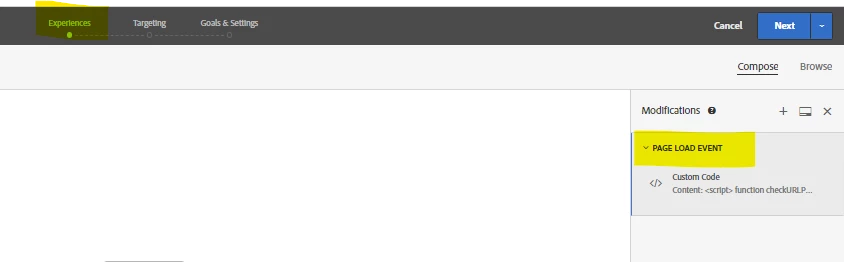
Now i need to assign audience at the targeting tab, how can i target only to the mobile app users,and need not include the mobile browser ones.

Can anybody suggest a solution for this..


Thanks,

Vaishnavi


This post is no longer active and is closed to new replies. Need help? Start a new post to ask your question.

1 reply

pradnya_balvir
Community Advisor
Community Advisor
May 30, 2024

Hi @vaishnavi_selva ,

For Mobile App, you need to create separate activity for mobile. It will capture only mobile app visitors not mobile browser.


Create an A/B Test

There are many types of activities you can create in Adobe Target and implement in a mobile app. For this lesson, you will implement an A/B test.

  1. In the Target UI, select Activities from the top bar.

  2. Select Create Activity and A/B Test from the context menu.

  3. In the Create A/B Test Activity dialog, select Mobile as the Type, select a workspace from the Choose Workspace list, and select your property from the Choose property list if you are a Target Premium customer and specified a property token in the datastream.

  4. Select Create

    For information on Mobile SDK tracking and implentation, refer below document:

    https://experienceleague.adobe.com/en/docs/platform-learn/implement-mobile-sdk/experience-cloud/target