Workspace break down all rows and then breakdown all breakdowns | Community
Skip to main content
Level 2
September 13, 2018
Solved

Workspace break down all rows and then breakdown all breakdowns

  • September 13, 2018
  • 5 replies
  • 14944 views

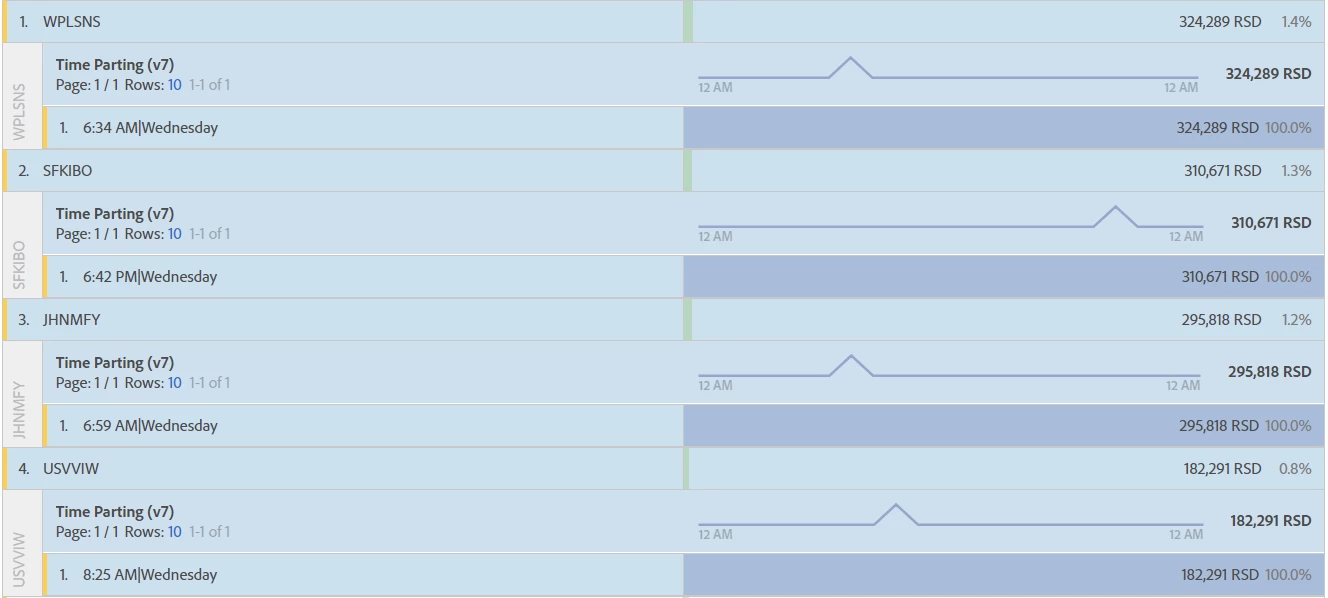
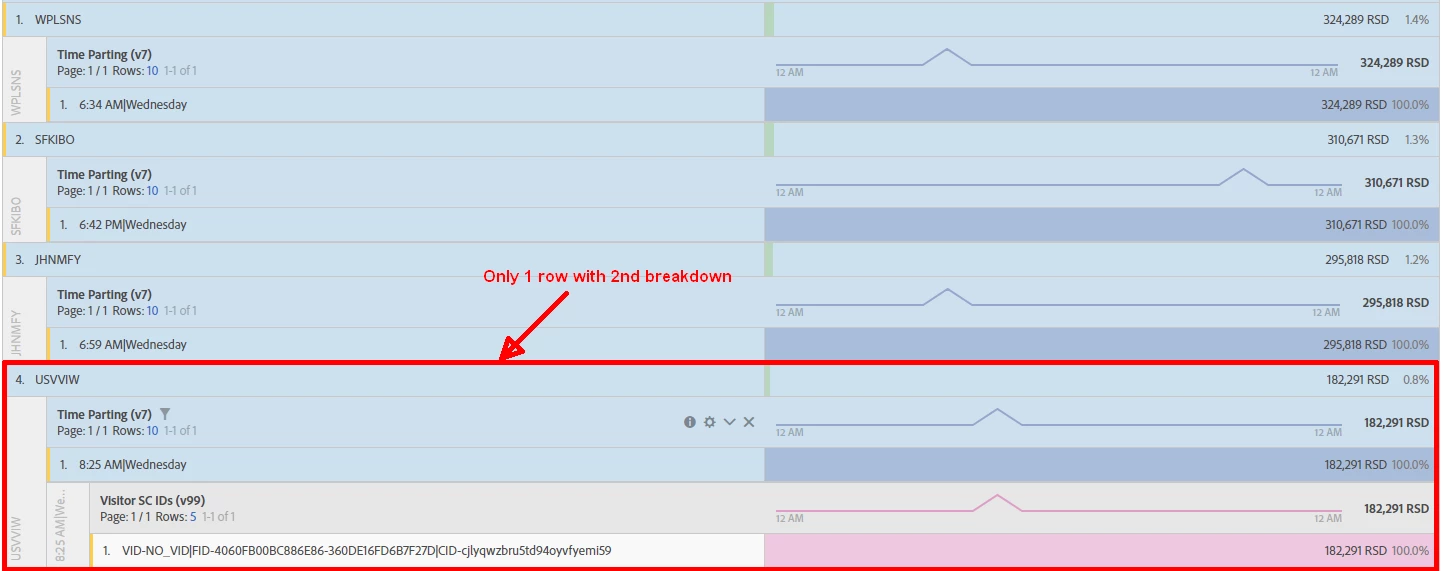
I have a work space with multiple rows (200+) of values for an eVar. I want to breakdown all 200 rows by another eVar and then I want to breakdown each of those breakdown rows by a 3rd eVar so that each of the orignal 200+ eVars has 2 breakdown rows. I can get the first breakdown done for all rows by selecting all the rows of the first eVar. But when I then select all the rows with their breakdown and try to add the 3rd breakdown all I get is the last row selected to have the original eVar with its breakdown and the breakdown with its breakdown. All the other rows stay static with the single original breakdown. Screen shots attached
This post is no longer active and is closed to new replies. Need help? Start a new post to ask your question.
Best answer by Gigazelle

What you're trying to do isn't yet available in workspace. I'd recommend doing this in Ad Hoc, then once we've introduced table builder into workspace, you can make the transition.

This is one of the reasons why Ad Hoc isn't going away until late next year

5 replies

Andrey_Osadchuk
Level 10
September 17, 2018

Ecommerce Analytics​, it seem you are trying to prepare an export rather than to conduct data analysis. If so, why not to use a Data Warehouse or Report Builder?

Level 2
September 17, 2018

I was actually trying to set this up as an ongoing report in Report Builder but for some reason it wont let me add additional eVar dimensions after I add the first two. I was hoping workspace would work (so I could schedule it) like Ad Hoc (especially given workspace is replacing Ad Hoc)  where I can set it all up in one step and add many break down dimensions and set the number of unique to show and the number of elements to break down.

In this case I would set it up to show 1000 of the primary eVar (there will never be more than that), Breakdown of primary set to 1000, add the 2nd eVar and have it show 1 and breakdown 1. Add the 3rd eVar and show 1 and breakdown 0. Ad hoc will then add the breakdowns to all of the primary and add the breakdown to every breakdown.

Seems like this is something workspace should be able to do, for my analysis its very common to have layers of breakdowns for several primary dimension elements and its tedious and time consuming to have to go in and add them all individually one at a time to each row

Gigazelle
Adobe Employee
GigazelleAdobe EmployeeAccepted solution
Adobe Employee
September 18, 2018

What you're trying to do isn't yet available in workspace. I'd recommend doing this in Ad Hoc, then once we've introduced table builder into workspace, you can make the transition.

This is one of the reasons why Ad Hoc isn't going away until late next year

Level 2
September 19, 2018

Thanks Gigazelle,

What about the Adobe documentation for scheduled reports that states "Important: Ad Hoc Analysis lets you quickly define and schedule reports for specific, timely, ad hoc reporting needs. It is not designed for full exports of data with a massive number or rows, columns, metric evaluations, or extensive breakdowns using data extracts."

That sounds like the type of report I am needed to schedule on a daily basis. And can you confirm the delivery time for a daily report from ad hoc will be random or does it occurr at a specific time and to what time zone is it synced the report suite the report is being pulled from?

Gigazelle
Adobe Employee
Adobe Employee
September 19, 2018

200 rows with a few breakdowns is pretty tame. Ad Hoc should be able to comfortably handle that until you start getting into the 50K+ row range.

Delivery time can occasionally fluctuate an hour or two, but for the most part it's pretty consistent with the hour you specify. It is based on the time zone of the report suite.