
Report Builder clears Excel tables instances? | Community
Skip to main content
Sergei_Kalinichenko
Level 3
June 11, 2026
Solved

Report Builder clears Excel tables instances?

  • June 11, 2026
  • 2 replies
  • 98 views

Hi there!

I have a feeling some update happened to report builder in May?

Today I tried to perform one of my monthly operations, and noticed that Report Builder wiped out Excel tables instance.


Long story short: I pull the data with Report Builder and do some Power Query processing on the next stage. For Power Query to work the easiest way is to refer to table instance, named ranges. 

Today after the update Power Query broke and I noticed flat data instead of table instance is there.


I tried to find corresponding feature in documentation or in setup and failed. Wondering if I can here get some feedback from Dev team why? Anyone except of me is affected by that?


For the reference. 

Before
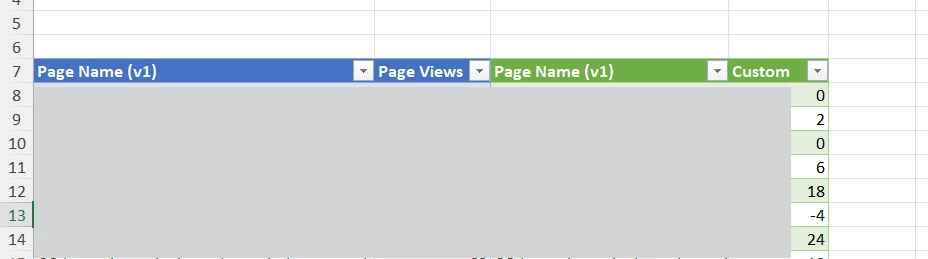
 

Now

 

Best answer by Sergei_Kalinichenko

@Jennifer_Dungan according to Adobe support they did not make any changes recently, thus I think we can state that there were some changes on MS office side.

In both cases, the most balanced solution is to move ARB table to a separate sheet and then refer it in Power Query.


2 replies

MandyGeorge
Community Advisor and Adobe Champion
June 11, 2026

Is this the first time you’ve refreshed/pulled the data since creating it or has it worked previously? 

Sergei_Kalinichenko
Level 3
June 11, 2026

Hi Mandy,

On May 6th it worked, and before I was doing the same on a monthly basis for the last year with this specific report.


Jennifer_Dungan
Community Advisor and Adobe Champion
June 11, 2026

hmmm.. do you use report builder directly into the Excel table?


I’ve never tried, but I have noticed in the past that formatting can sometimes get wiped so for many years now, I will load Report Builder into Raw Data tabs (it can do whatever formatting it wants), then I use Excel features to pull the data from the Raw into the “final form” tabs… It’s a bit more work, but less likely to break.


First, you should definitely open a client care ticket about this.. I imagine someone else out there is (or is about to have) the same issue… and if it used to work, it should continue to work.


Next, as I assume you probably can’t wait for the issue to be fixed, you may need to re-work your report to use the “Raw Data” approach and try to make your report a bit more robust 😔


Good Luck

Sergei_Kalinichenko
Level 3
June 12, 2026

Yeah, I found it works with named ranges few years ago, and successfully used it. Indeed it is possible to put every report builder extraction to a separate sheet and refer Power Query in that way..

I opened a ticket, now preparing a reply for customer care..

Jennifer_Dungan
Community Advisor and Adobe Champion
June 12, 2026

Let us know how it turns out! I hope the fix is simple and it’s back up and running for you soon.