Level 2
April 9, 2026
Solved

Workfront Share Proof link not working

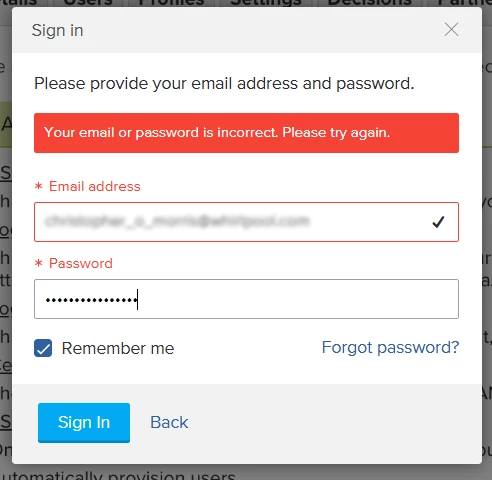
Issue: Registered Workfront users cannot access proofs via shareable links.

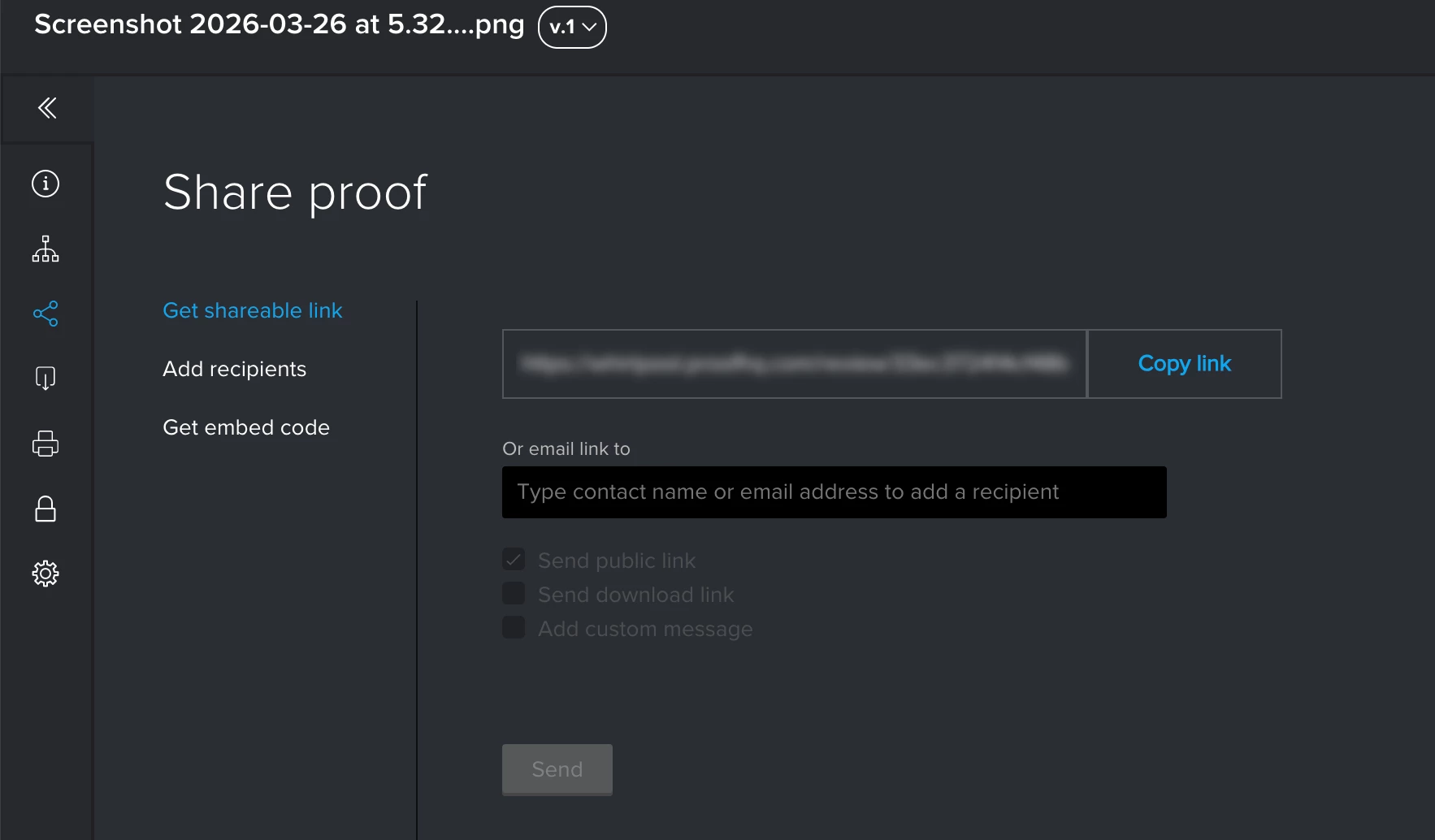
  • Steps to Reproduce: Copy link from "Get Shareable Link" within proof > Send to reviewer > Reviewer attempts to sign in.

  • Error: “Your email or password is incorrect. Please try again.”

  • Troubleshooting: Tested with multiple registered users; all are blocked by the same login error.

How can I resolve this authentication loop?


This post is no longer active and is closed to new replies. Need help? Start a new post to ask your question.
SalzAccepted solution
Level 2
April 9, 2026

I decided on using the work around, sending the browser URL. 

4 replies

skyehansen
Adobe Champion and Community Advisor
April 9, 2026

this is potentially a result of configuring the proof requirements which can be done on a proof by proof basis in the proofHQ area, or in the setup area in workfront. I’ve seen this kind of popup occur when users lock down their proofs to require a password for example. They think this requires the Workfront password but in actuality it requires the proofHQ password which no one normally has.


Is it possible that you or your users have been trying to lock down your proofs? 

Translate
SalzAuthor
Level 2
April 9, 2026

Thank you for your response. We do not require login. This is our default settings during  proof creation and we do not change these. Users rarely utilize proofHQ, they rely on email notifications. To nudge late reviewers, I’d like to msg them a proof link but it does not work, hence my issue. 

Translate
skyehansen
Adobe Champion and Community Advisor
April 9, 2026

great, thank you for confirming. I feel like this happened to one of my instances a year or two ago, and I had to submit a case to Support to resolve it. Have you checked in with the Workfront Support team yet?

Translate
SalzAuthorAccepted solution
Level 2
April 9, 2026

I decided on using the work around, sending the browser URL. 

Translate