The link generated in the "Share Link" button in the Request Queue Page no longer works
Hi,
I am hoping somebody can provide some light.
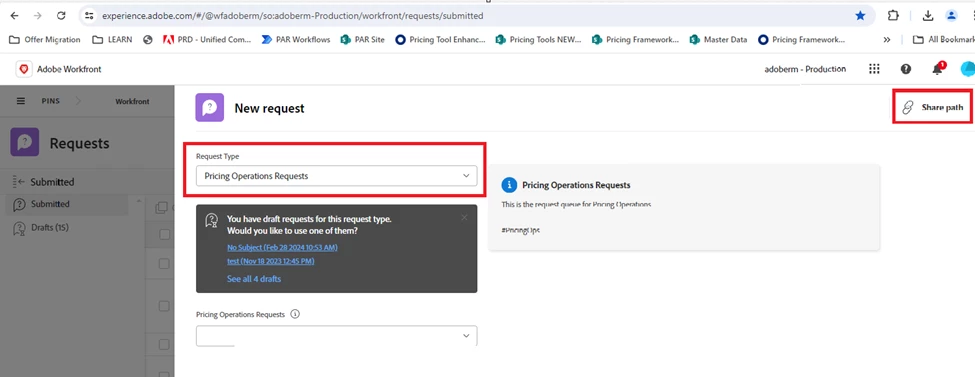
1.Before, from this “New Request” form shown below, with “Pricing Operations Requests” already selected, we can get the link by clicking the “Share Path” button on the top right of the form and be able to share that link to others and the link will get them to this exact form, shown below where “Pricing Operations Request” already selected. See Figure 1
The link above just effectively gets us to: https://experience.adobe.com/#/@wfadoberm/so:adoberm-Production/workfront/requests/submitted
Figure 1
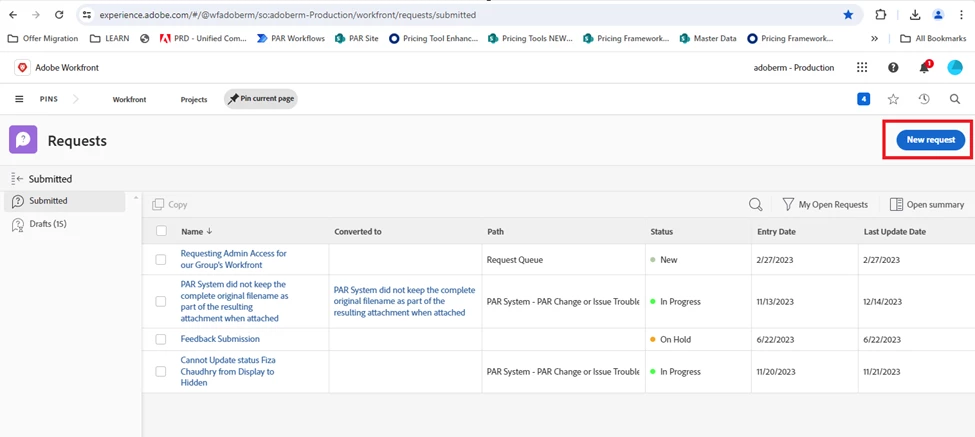
2.Now the link just gets us to the Requests Reports, then we still have to click the “New Request” button (See Figure 2) and then select “Pricing Operations Requests” in the ensuing page to get to the desired page. We are trying to save on unnecessary clicks for velocity.
Question: Has this changed in Workfront recently or is this a recent bug?