Level 2
Dec 21, 2020 9:40 PM UTC
Solved

See history or archive of all messages sent to reviewers on a proof?

Is there a way to see a history or archive of all messages sent to reviewers on a proof?

This post is no longer active and is closed to new replies. Need help? Start a new post to ask your question.
Richard_Le_
Richard_Le_Accepted solution
Community Advisor
Dec 21, 2020 10:22 PM UTC

Hi Amanda,

Yes, you can see all historic messages sent to proof reviewers (or any other role for that matter) within Workfront. Assuming that you are using the integrated version of Workfront Proof . . . . The way that you get to the message history is slightly different depending if you are in NWE or Classic.

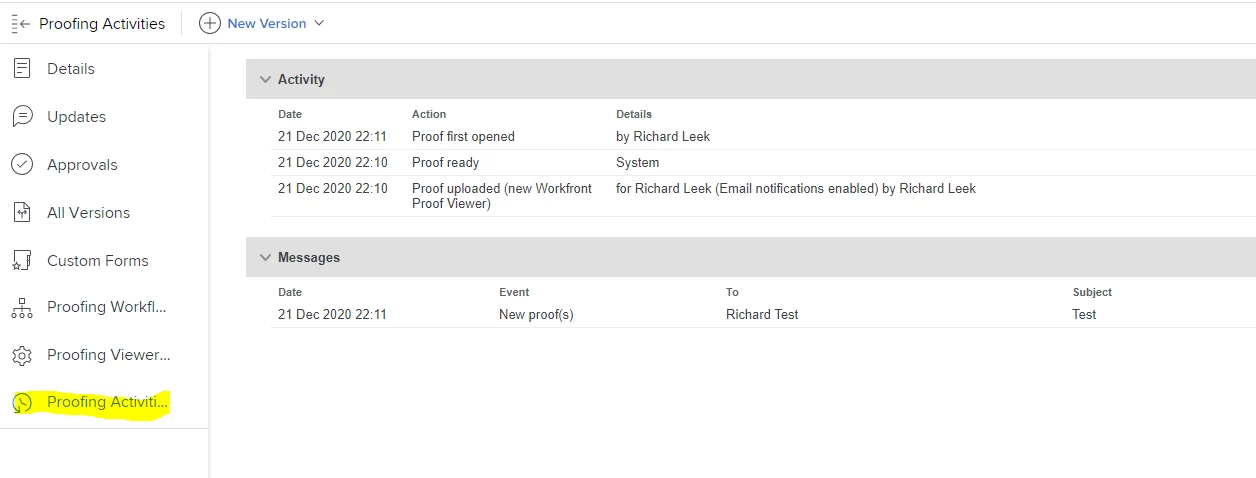
If you are using the NWE, go to the documents tab where your proof is located,click on the document and then document details. You will then be presented with a screen like the below screen shot. Then click on Proofing Activities where you will be able to see the full audit trail of all actions and messages that have happened on that proof.
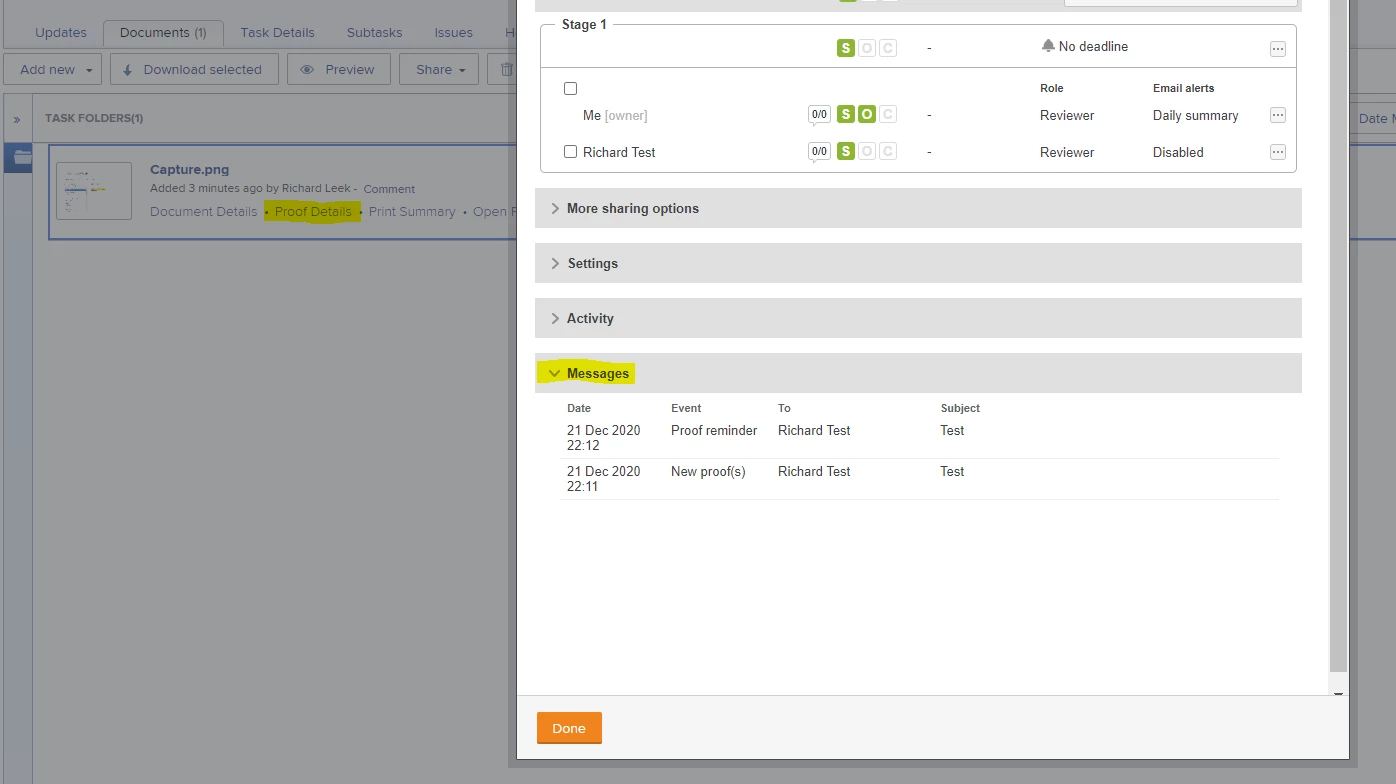
If you are using Workfront Classic, go to the documents tab where your proof is located, click on the document and then proofing details. A pop up window will appear (that looks like the below screen shot) where you can also see the full audit trail of everything that happended on that proof.
Best Regards,

Rich.

3 replies

Richard_Le_
Community Advisor
Richard_Le_Community AdvisorAccepted solution
Community Advisor
Dec 21, 2020 10:22 PM UTC

Hi Amanda,

Yes, you can see all historic messages sent to proof reviewers (or any other role for that matter) within Workfront. Assuming that you are using the integrated version of Workfront Proof . . . . The way that you get to the message history is slightly different depending if you are in NWE or Classic.

If you are using the NWE, go to the documents tab where your proof is located,click on the document and then document details. You will then be presented with a screen like the below screen shot. Then click on Proofing Activities where you will be able to see the full audit trail of all actions and messages that have happened on that proof.

If you are using Workfront Classic, go to the documents tab where your proof is located, click on the document and then proofing details. A pop up window will appear (that looks like the below screen shot) where you can also see the full audit trail of everything that happended on that proof.

Best Regards,

Rich.

Translate
Level 2
Dec 22, 2020 1:35 PM UTC

Hi Rich-

Thanks so much for your quick reply. This is valuable info and just what I was looking for. Thanks again!

Translate