JohnJOSullivan
Level 6
May 12, 2025 7:58 PM UTC
Solved

Re: Validation Logic in custom forms

I must be doing something stupid because my use case is very simple. I have a single-select dropdown on a form. And if someone selects "pods" from this field, I want a message stating that Pods-based materials cannot use that queue. (This is my intended workaround against being able to hide some options on one form.)


I used this simple if statement, but it doesn't work:


IF({DE:Who is creating your communication?}="pods","Pods-based materials cannot be reviewed in this queue.")
 
Is this possible?

This post is no longer active and is closed to new replies. Need help? Start a new post to ask your question.
KatherineLa
KatherineLaAccepted solution
Community Advisor
May 13, 2025 1:45 PM UTC

The thing is that it's doing nothing. 😄

The hope: The validation error will occur if someone chooses one of the choices in a single-select dropdown list.

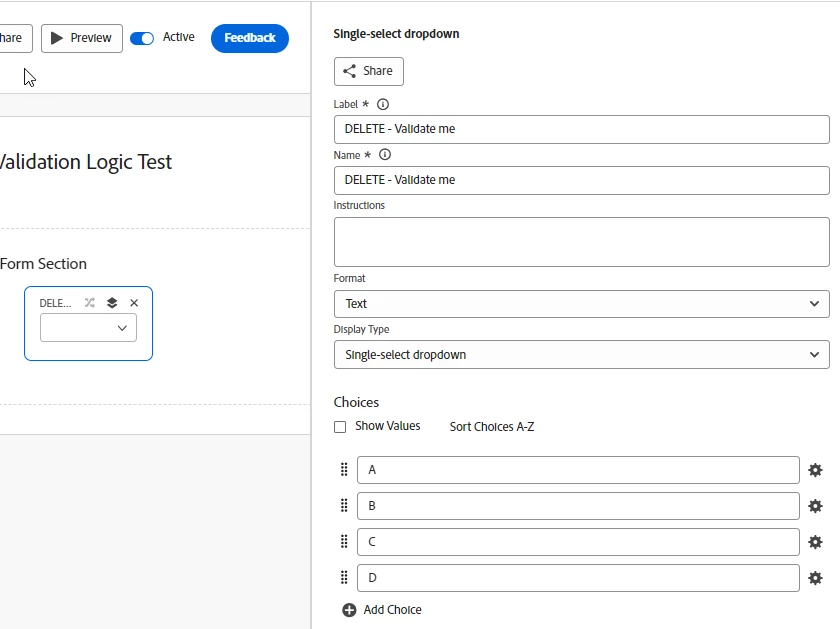
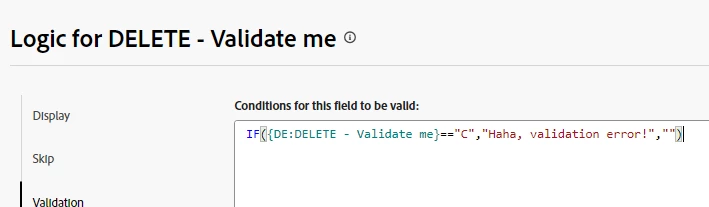
I did a test field with four dropdown values. In this test, I want "C" to elicit the validation error:


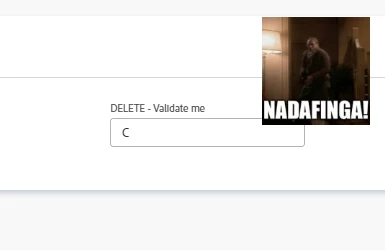
I tried that with two equal signs, one equal sign, an "else" comma, no "else" comma. And when I test:

I've tried other examples listed here to validate that the general validation feature exists and works elsewhere...and they do.


When you say 'it's doing nothing' - WHERE is it doing nothing? When you try and test in Preview via the form designer? Or when you actually go to a record with that form/field attached and test there? If you're trying to see it work in Preview, then that's the actual issue. The logic doesn't fire in Preview, only on a live record. Your syntax is 100% correct, you'd be getting an error in the formula pane if it were invalid somehow.

8 replies

KatherineLa
Community Advisor
Community Advisor
May 12, 2025 8:04 PM UTC

You're very close I think. Give this edit a try to start. You have to at least give if the 'false' criteria for sure.


IF({DE:Who is creating your communication?}="pods","Pods-based materials cannot be reviewed in this queue.","")


If that still doesn't work, check:

1. Case sensitivity - Is the drop-down option 'pods' or 'Pods'?

2. Custom field name - Is that exactly the syntax/capitalization/punctuation in the 'Name' of the field? (as it can be different from the 'Label' that's shown on the form.

Translate
JohnJOSullivan
Level 6
May 12, 2025 8:21 PM UTC

Everything is as it needs to be. Field name is used, the value for the field is lower-case-p "pods." The only thing I didn't include in my example is the else you added with the comma...which I tried before. 


That's what's killing me. It's so simple and there has to be something off.  

Translate
KatherineLa
Community Advisor
Community Advisor
May 12, 2025 8:32 PM UTC

In the example HERE, it shows the equals comparison as a double sign. Have you tried that one yet? I know I have some with '!=' working as expected.


Translate