Thank you Anthony,
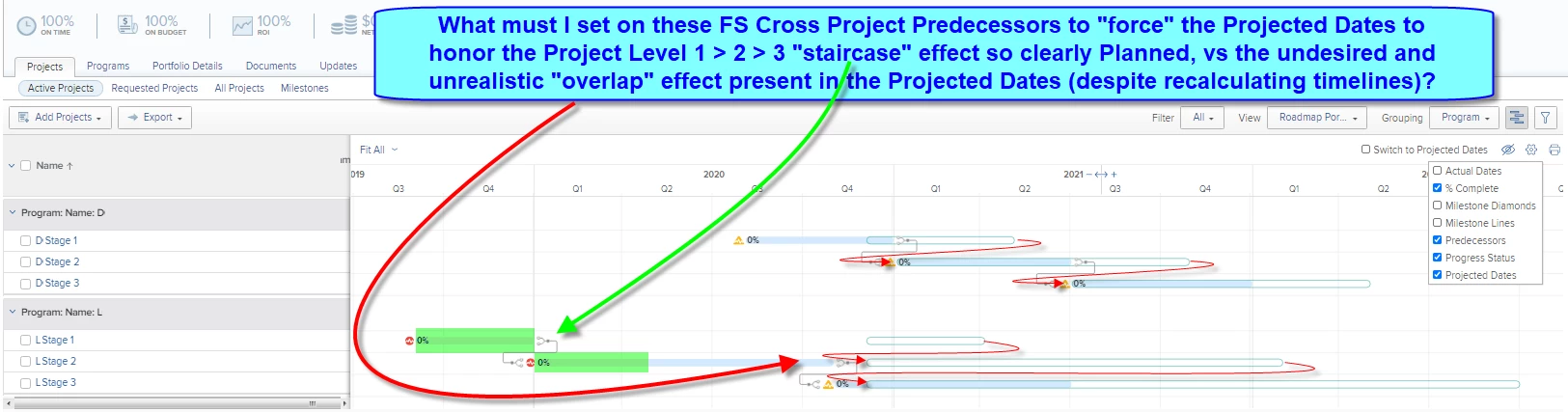
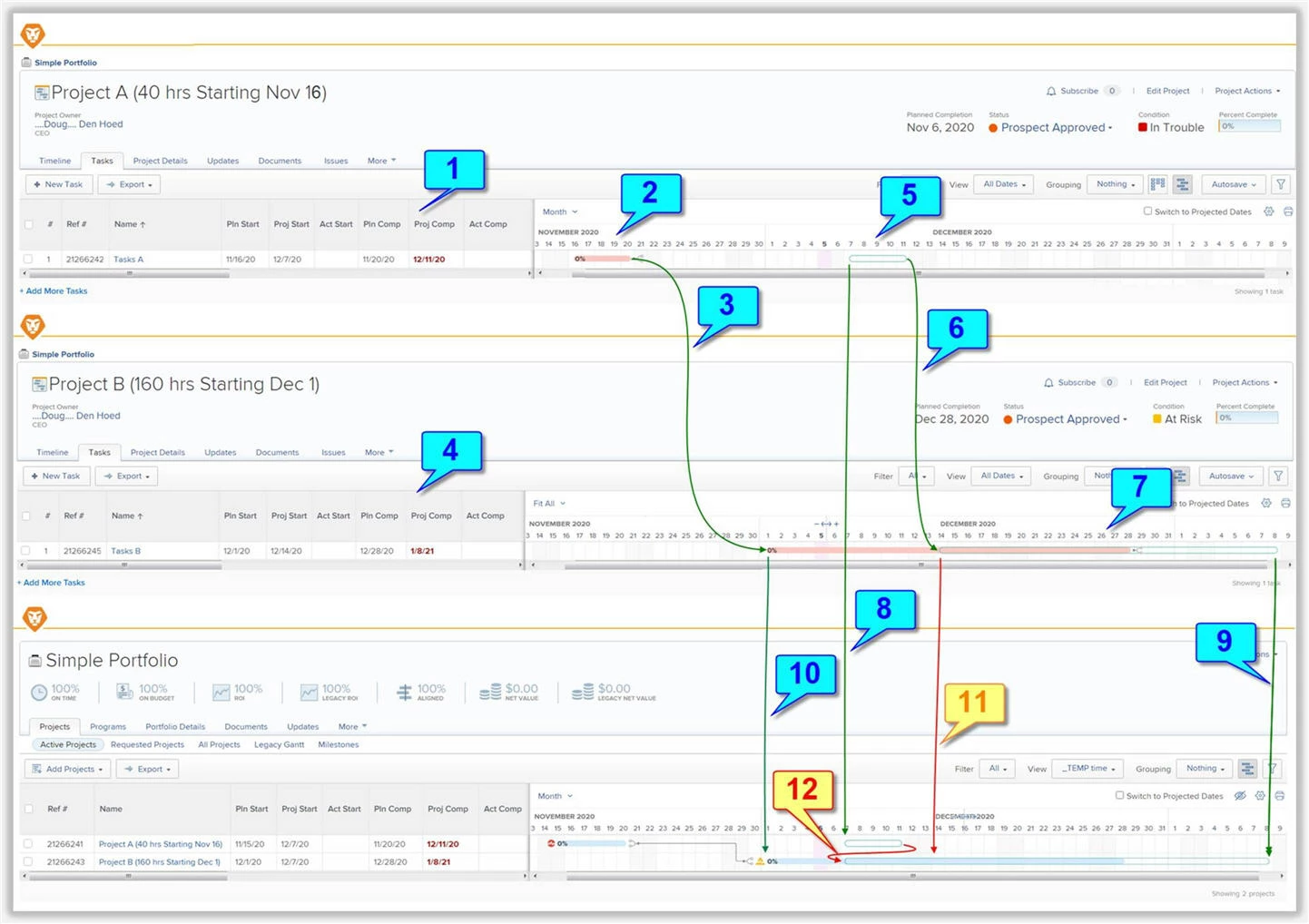
I concur that it is misleading, and as per the screenshot and notes below, conducted a detailed test that now explains the Good (blue), the Bad (Orange), and the Ugly (Red)...the latter being my original "overlap" concern.
THE GOOD:
- (1) Project A has a single 40 hour Task A with a Planned Start Date of Nov 16
- (2) The Gantt chart correctly shows the Planned footprint of Project A from Nov 16 to 20
- (3) Project A is a Cross Project Predecessor to Project B
- (4) Project B has a single 160 hour Task B with a Planned Start Date of Dec 1
- (5) Since (intentionally) none of these Tasks have an Actual Start Date, the Gantt chart correctly shows the Projected footprint of Project A from Dec 7 (next Monday, since today is Saturday Dec 5, and the Project Schedule excludes weekends) to Dec 11
- (6) The Cross Project Predecessor is also correctly honored, pushing the Projected Start Date of Project B to Dec 14 (the Monday following Project A's Friday Dec 11 Projected Completion Date), and noting that the original Planned gap between Project A and Project B was "eaten" during the process just as it should be (and, alternatively, could be "baked in" by adding a Lag to the Cross Process Predecessor, if desired)
- (7) Accordingly, the Gantt chart correctly shows the Projected footprint of Project B from Dec 14 to Jan 8
- (8) Moving up to the Portfolio (or Program) level Gantt Chart, the Gantt Chart correctly shows the Projected footprint of Project A from Dec 7 to Dec 11, and
- (9) Correctly shows the Projected End Date of Project B as Jan 8, and
- (10) Correctly shows the Planned Start Date of Project B of Dec 1, but
THE BAD:
- (11) Because the Portfolio Gantt is at a higher level, it does not reveal the Projected Start Date of Project B as Dec 14, and worse...
THE UGLY:
- (12) The Portfolio Gantt shows the Projected Start for Project B as Dec 7 for some As Designed reason I cannot imagine (or, I suspect, a coding error, such as aligning Start-To-Start with Project A), which then results in the red arrow "overlap" as I reported in my original post
CONCLUSION:
So! Now that I know, my "duress" workaround above is not as important for the particular case I was concerned about, since it is the Task level projected dates that are being scrutinized. However: I will also be sure to educate those (closer to the details) who might also look at the Project level projected dates that the latter might be misleading.
Regards,
Doug
Learn more at www.atappstore.com, email doug.denhoed@atappstore.com, or tag me here @Doug_Den_Hoed_AtAppStore.