June 17, 2024
解決済み

Personalising communications from Accouchements Area

  • June 17, 2024
  • 2 の返信
  • 529 ビュー

Hi,

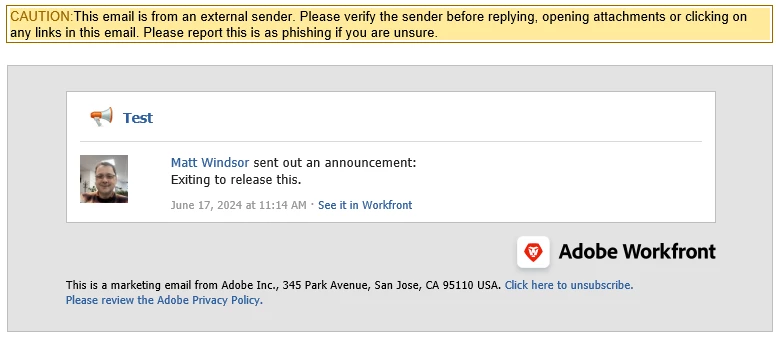
Is it possible to amend the formats when sending communications from the Announcements Area? Ideally, I'd like to add a Logo and/or background, and certainly remove the wording around it being a marketing email from Adobe Inc and how to unsubscribe. I want it to look like it's an internal message.

Thanks

Matt
 

このトピックへの返信は締め切られました。
ベストアンサー Madalyn_Destafney

Hi Matt,


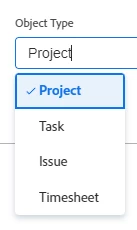
You cannot customize announcements other than the general formatting provided within drafting the announcement like bold/italic. To get around the external sender warnings, have you confirmed the email from address has been whitelisted by your org? You can make custom email templates for other event notifications, but only for those objects listed below. I think it would be a good Idea for you to submit to add Announcements!


2 の返信

Madalyn_Destafney
Community Advisor
Community Advisor
June 17, 2024

Hi Matt,


You cannot customize announcements other than the general formatting provided within drafting the announcement like bold/italic. To get around the external sender warnings, have you confirmed the email from address has been whitelisted by your org? You can make custom email templates for other event notifications, but only for those objects listed below. I think it would be a good Idea for you to submit to add Announcements!


If this helped you, please mark correct to help others : )
June 17, 2024

Thanks Madalyn, I thought I was clutching at straws. I'll get onto IT about the whitelisting.

It seems strange to have the Adobe opt-out option when it's sent from an internal WF company source.

Thanks, Matt