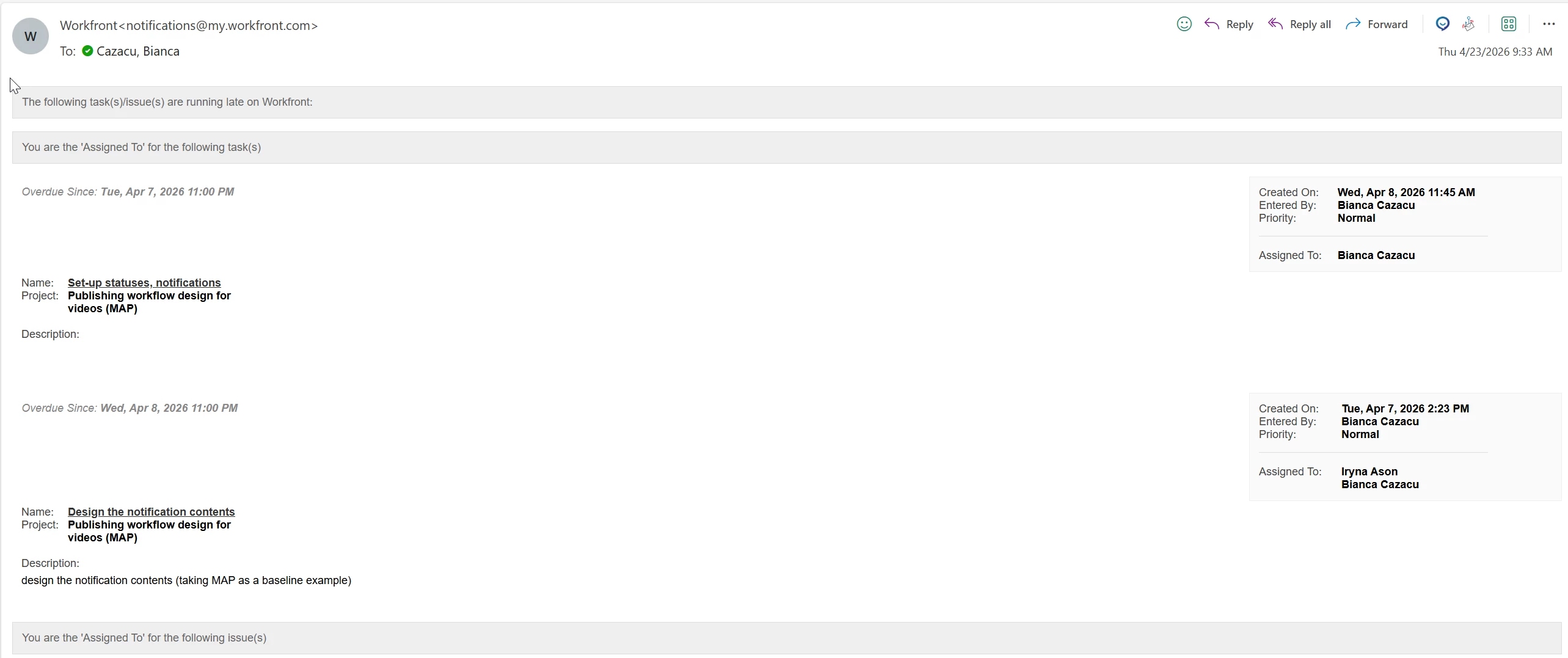
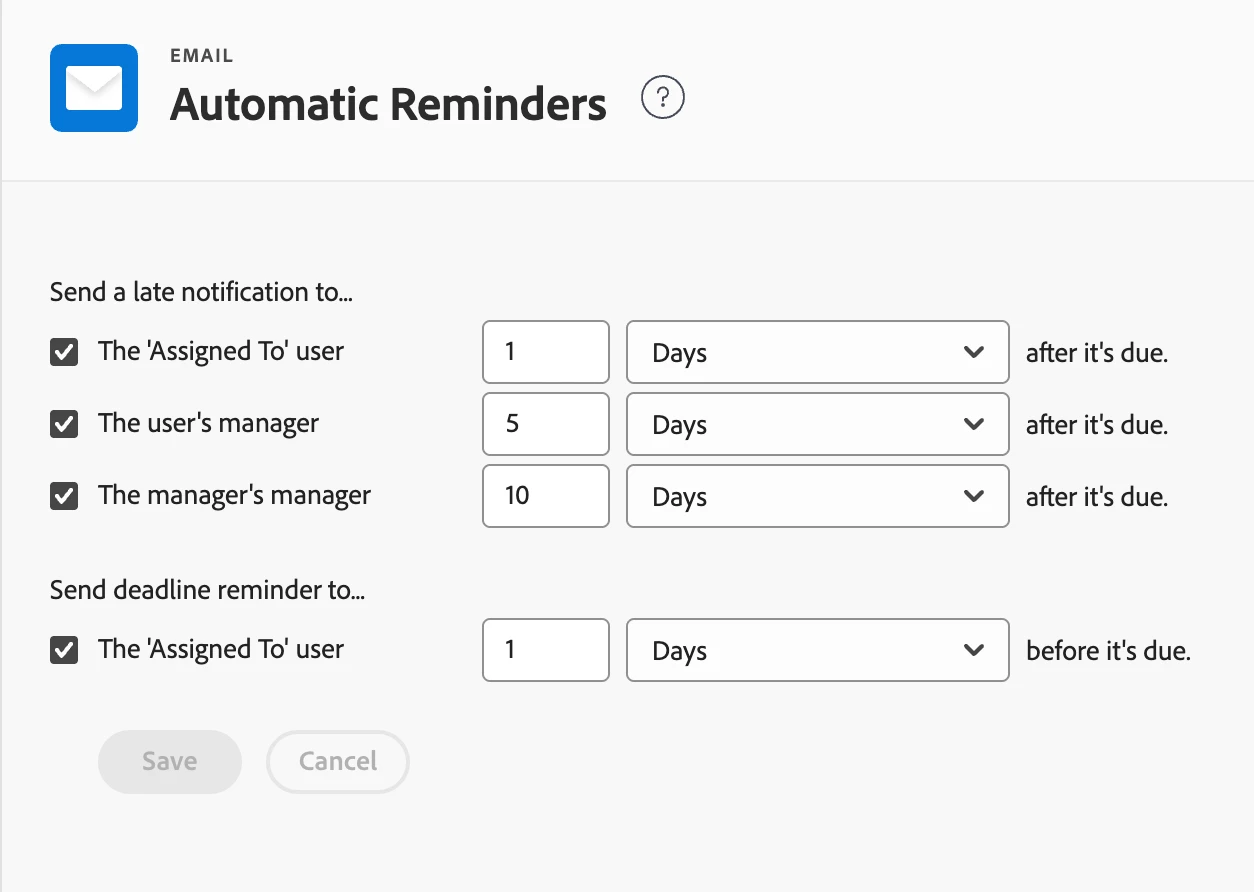
If you’ve already checked both Setup and your user profile, and you’re still receiving overdue emails, it’s very likely coming from Automatic Reminders at the system level.
These are configured under Setup → Email → Automatic Reminders and will continue to send notifications (e.g. 1 day after due, 5 days, etc.) regardless of individual user notification settings. So even if everything is turned off in your profile, those emails will still go out if Automatic Reminders are enabled.
Based on what you’re seeing, I’d double-check:
Whether Automatic Reminders are active for tasks/issues
If there are multiple reminder rules configured (for different time intervals or object types)
Any Reminder Notifications or Event Notifications layered on top
So in short, if those emails are coming from Automatic Reminders, they would need to be adjusted or disabled at the admin level rather than in user settings.
Hope that helps!
Patrick Heinzelmann | 11x Adobe certified | I blog on https://www.antegma.com/en/blog/
If you’ve already checked both Setup and your user profile, and you’re still receiving overdue emails, it’s very likely coming from Automatic Reminders at the system level.
These are configured under Setup → Email → Automatic Reminders and will continue to send notifications (e.g. 1 day after due, 5 days, etc.) regardless of individual user notification settings. So even if everything is turned off in your profile, those emails will still go out if Automatic Reminders are enabled.
Based on what you’re seeing, I’d double-check:
Whether Automatic Reminders are active for tasks/issues
If there are multiple reminder rules configured (for different time intervals or object types)
Any Reminder Notifications or Event Notifications layered on top
So in short, if those emails are coming from Automatic Reminders, they would need to be adjusted or disabled at the admin level rather than in user settings.
Hope that helps!
Translate
Patrick Heinzelmann | 11x Adobe certified | I blog on https://www.antegma.com/en/blog/