Make the Workload Balancer in User Profile editable (for direct managers) + allow managers to view reportees’ workload
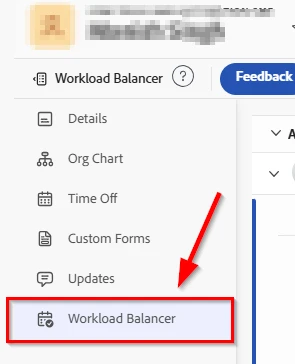
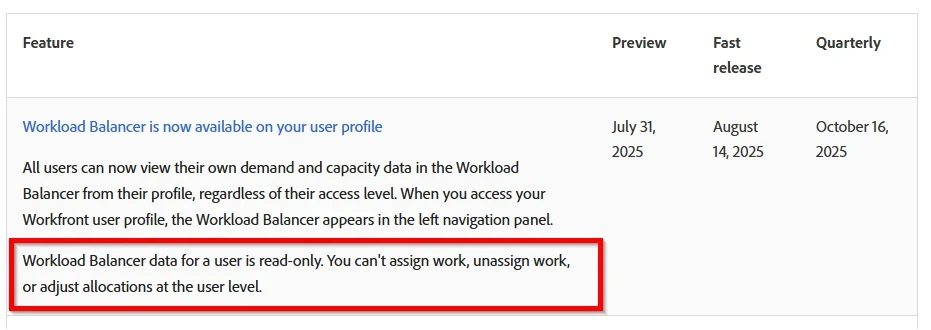
The Workload Balancer view in the User Profile is extremely useful for visibility, but it’s currently read-only and only visible to the user themselves. It would be a big improvement if direct managers could (1) view their reportees’ Workload Balancer from the reportee’s profile and (2) edit allocations directly from that page.
Current limitation
-
In the User Profile, the Workload Balancer is read-only.
-
Managers currently cannot view their reportees’ Workload Balancer via the reportee profile (even though they can already see tasks/issues assignments via timesheets).
Proposed enhancement
-
Visibility: Allow a user’s direct manager (and optionally users with a specific access level permission) to see the Workload Balancer section on that user’s profile.
-
Edit capability: Enable editing planned hour from the profile Workload Balancer page.
-
Permission-aware behavior: Editing should respect existing Workfront permissions—i.e., managers can only edit allocations for work items (tasks/issues) where they already have edit/manage rights.
Use case (real world)
In our organization, direct managers are responsible for assigning tasks and managing capacity for their teams. They already have edit access to the projects/tasks their reportees are assigned to. Being able to manage allocations from the reportee’s profile would streamline day-to-day resourcing and improve adoption.
Acceptance criteria (suggested)
-
Direct manager can open a reportee’s profile and view the Workload Balancer.
-
If the manager has the correct rights on the underlying work items, they can edit allocations directly from that page.
-
If they don’t have rights, the UI remains read-only (or shows a clear permission message).