JustinWa2
Level 4
Oct 20, 2022 5:24 PM UTC
Solved

Icons next to report/dashboard names

There are a few reports/dashboards we have that include either the US or Mexican flag next to the name of the report/dashboard to help easily identify which market the report/dashboard is for.  I can't figure out how the little flags were added.  Anyone know how to do that?

This post is no longer active and is closed to new replies. Need help? Start a new post to ask your question.
Doug_Den_Hoed_AtAppStore
Doug_Den_Hoed_AtAppStoreAccepted solution
Community Advisor
Oct 20, 2022 8:12 PM UTC

Hi @justinwa2,


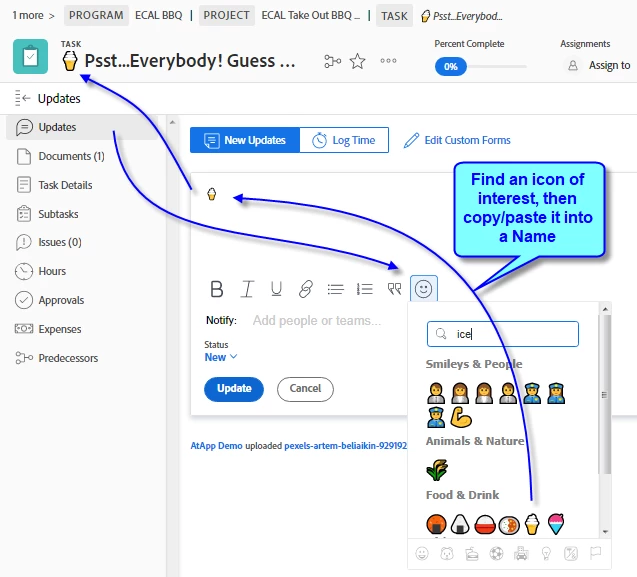
I suspect the author of the report simply copy/pasted the icons into the description, so have pasted a quick cheat sheet below. Have fun decorating!


Regards,

Doug


Learn more at www.atappstore.com, email doug.denhoed@atappstore.com, or tag me here @Doug_Den_Hoed_AtAppStore.

2 replies

Doug_Den_Hoed_AtAppStore
Community Advisor
Doug_Den_Hoed_AtAppStoreCommunity AdvisorAccepted solution
Community Advisor
Oct 20, 2022 8:12 PM UTC

Hi @justinwa2,


I suspect the author of the report simply copy/pasted the icons into the description, so have pasted a quick cheat sheet below. Have fun decorating!


Regards,

Doug


Translate
Learn more at www.atappstore.com, email doug.denhoed@atappstore.com, or tag me here @Doug_Den_Hoed_AtAppStore.
JustinWa2
JustinWa2Author
Level 4
Oct 20, 2022 9:50 PM UTC

Worked great, thank you!

Translate