How to make input for two decimal digits? | Adobe Higher Education
Skip to main content
Kundanism
Level 10
March 7, 2023
Risolto

How to make input for two decimal digits?

  • March 7, 2023
  • 2 risposte
  • 1018 visualizzazioni

HI,

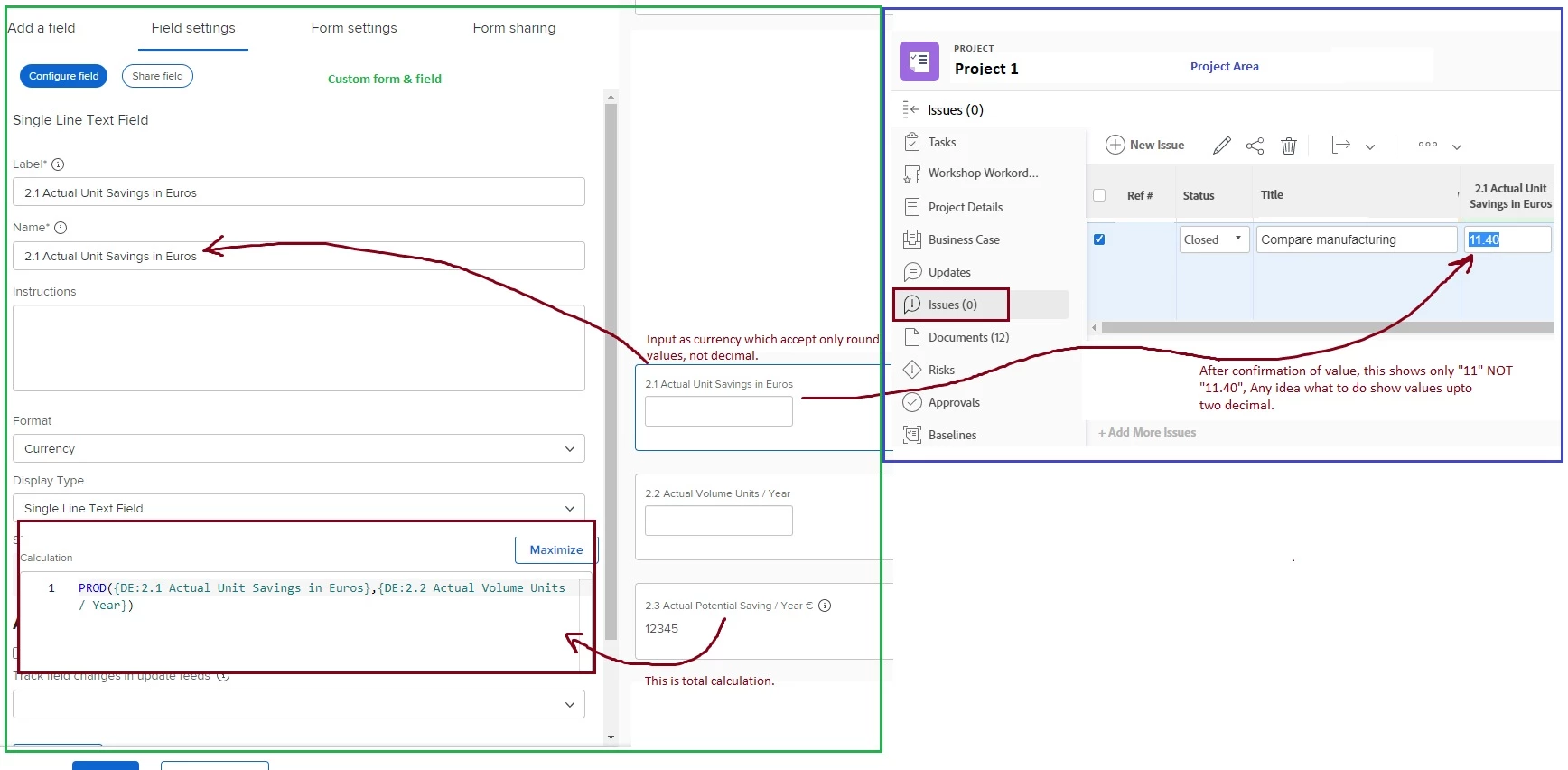
Looking your input about how to make input value acceptable upto 2 decimals.

Basically, a custom field created with type currency.

Calculation field formula: 

PROD({DE:2.1 Actual Unit Savings in Euros},{DE:2.2 Actual Volume Units / Year})
 
Appreciate any recommendation.
Questo argomento è stato chiuso alle risposte.
Migliore risposta di Richard_Le_

Hi Kundan,


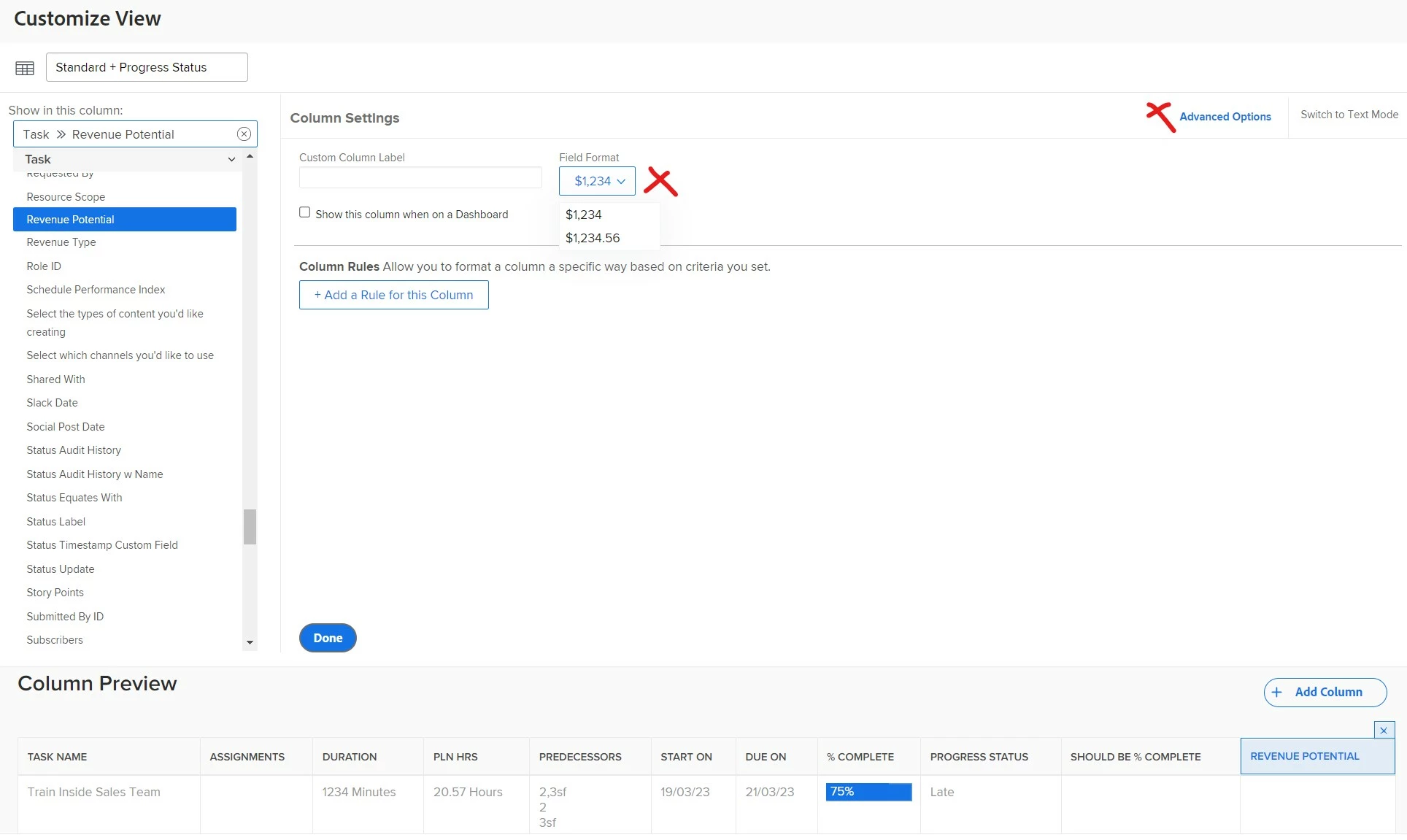
The number of decimal places displayed is configured in your view settings.


If you go to your report/view editor, click on the currency column you want to display with 2 decimal places, then click advanced options. You can update the field format accordingly. See below example. 


Best Regards,

Rich. 

2 risposte

Richard_Le_
Community Advisor
Richard_Le_Community AdvisorRisposta
Community Advisor
March 7, 2023

Hi Kundan,


The number of decimal places displayed is configured in your view settings.


If you go to your report/view editor, click on the currency column you want to display with 2 decimal places, then click advanced options. You can update the field format accordingly. See below example. 


Best Regards,

Rich. 

Kundanism
KundanismAutore
Level 10
March 8, 2023

Excellent @richard_le_ 

Sometimes the possibility is in front of us, but we are not able to see it.

😉