Level 2
Dec 27, 2023 8:52 AM UTC
Solved

How to filter out/shorten the destination project list for selection when converting request/issue to project task?

Hello, I need help for professionals!

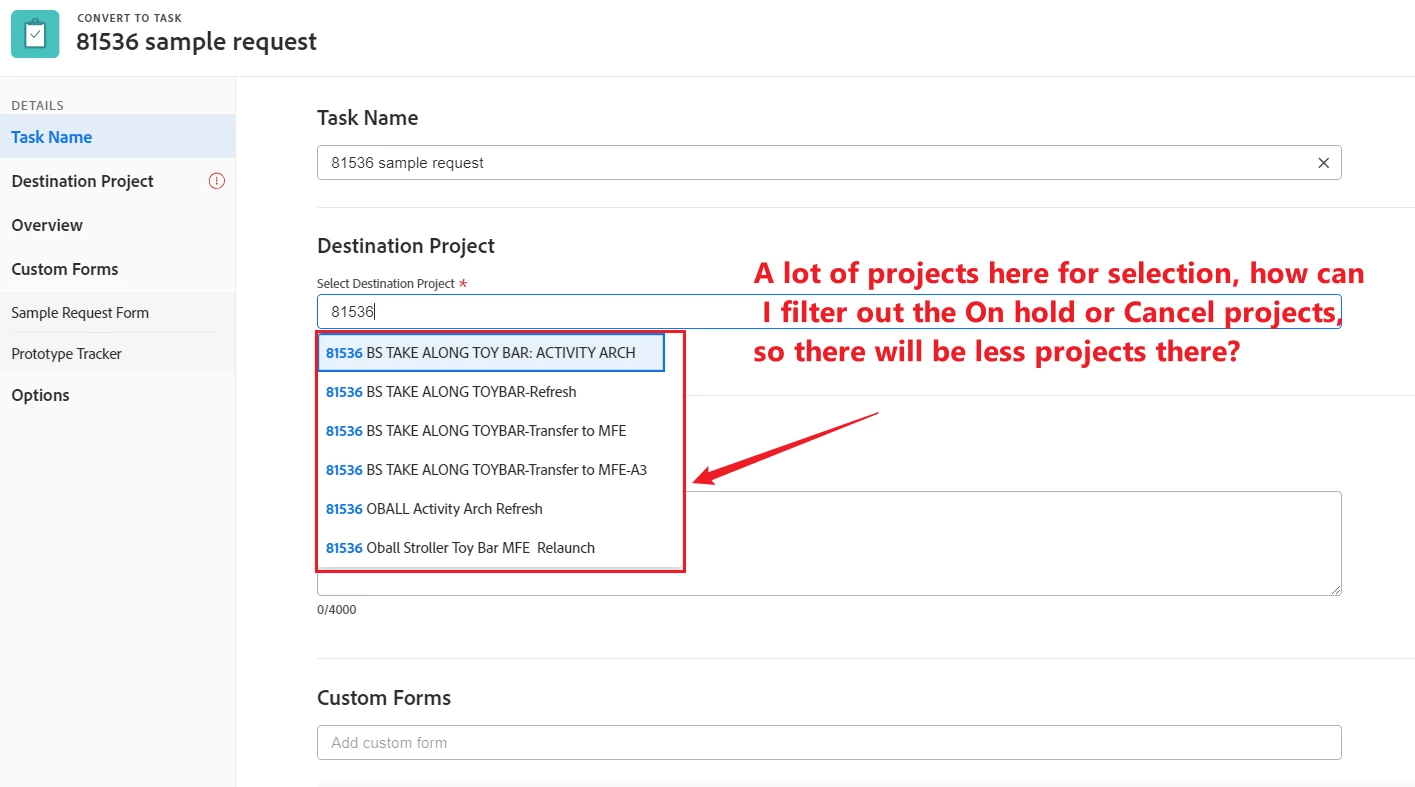
I wanted to convert a request to project task, but when I selected the destination project, there are a lot of old projects for selection, but actually some of the projects were "on hold" or "cancel", how can I filter out the "on hold" or "cancel" projects, so that there will be only the active project there for selection? example as below:-

 

This post is no longer active and is closed to new replies. Need help? Start a new post to ask your question.
skyehansen
skyehansenAccepted solution
Dec 27, 2023 10:36 PM UTC

There's not a way to in-general filter out a whole bunch of projects. The best workaround would be to open up the project you want to put that task into, and copy the project GUID to paste into that field -- that should ensure you only have one project to select from.

2 replies

skyehansen
Adobe Champion and Community Advisor
skyehansenAdobe Champion and Community AdvisorAccepted solution
Dec 27, 2023 10:36 PM UTC

There's not a way to in-general filter out a whole bunch of projects. The best workaround would be to open up the project you want to put that task into, and copy the project GUID to paste into that field -- that should ensure you only have one project to select from.

Translate
KellieGardner
Community Advisor
Community Advisor
Jan 2, 2024 8:12 PM UTC

The only way I've found to filter out complete, dead, on-hold etc. is to unshare the objects with users who no longer need access. For instance, we have a status called "archive" and those are unshared with our general users so they won't show up in places.

Translate