Level 9
December 30, 2021
Solved

How to delete a Fusion module filter

Hi WF Community,

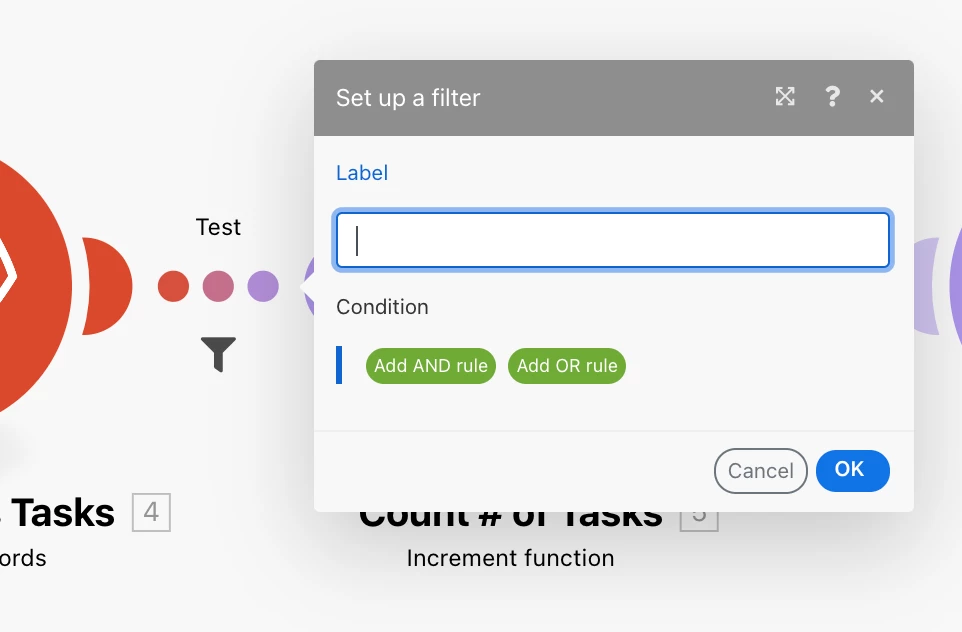
Does anyone know how to delete a filter set up between 2 modules in Fusion?

Thanks,

Nick

This post is no longer active and is closed to new replies. Need help? Start a new post to ask your question.
ChloeRoAccepted solution
Level 4
December 30, 2021

I've always done it by opening the filter and deleting the conditions and the name of the filter. Then click "OK".

Not sure if there's a better or faster way, but I know that will work.

4 replies

ChloeRoAccepted solution
Level 4
December 30, 2021

I've always done it by opening the filter and deleting the conditions and the name of the filter. Then click "OK".

Not sure if there's a better or faster way, but I know that will work.

Translate
NickVa7Author
Level 9
December 30, 2021

Hey, Chloe! I did the same thing, but it felt a little odd and incomplete, so wasn't sure if there was an official way to delete it. Thanks.

Translate
CrisDonaldson
Level 3
January 14, 2022

The way that Chloe detailed is the only way to delete the filters.

Translate
RandyRoberts
Community Advisor
Community Advisor
January 21, 2022

It is odd that there is no right click and delete function but this still works fine.

Translate