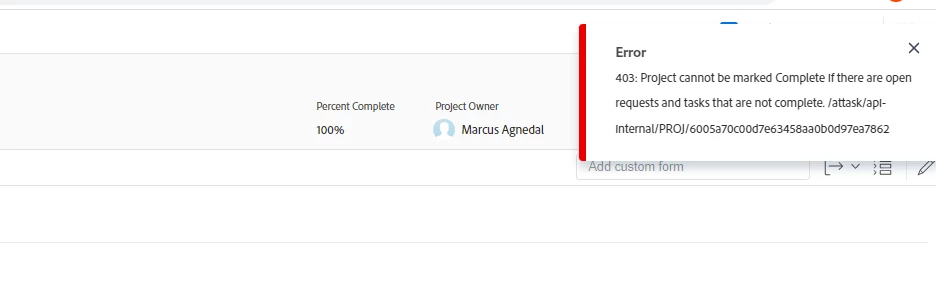
If you don't see any "open" tasks or issues/requests on your project, add a column for Status to your task and issue list views. You may have a task or issue that is marked 100% but has a status of Complete - Pending Approval.
Can also be cause by date conflicts (as we just found out): make sure the end date of a task is after the start date (and also not the exact same time).
Another cause is if a parent task was originally a child task and for whatever reason had time against it, assignements, or is maybe just gitchy. Recalculate usually fixes these.
Also make sure all parent tasks are aggregating properly: that all child tasks being 100% also causes the parent to be 100%.
We've been running into these more frequently lately. We don't know if these are new habits, or the system being pickier now about bad existing habits.
If you don't see any "open" tasks or issues/requests on your project, add a column for Status to your task and issue list views. You may have a task or issue that is marked 100% but has a status of Complete - Pending Approval.