Level 1
May 20, 2026
Solved

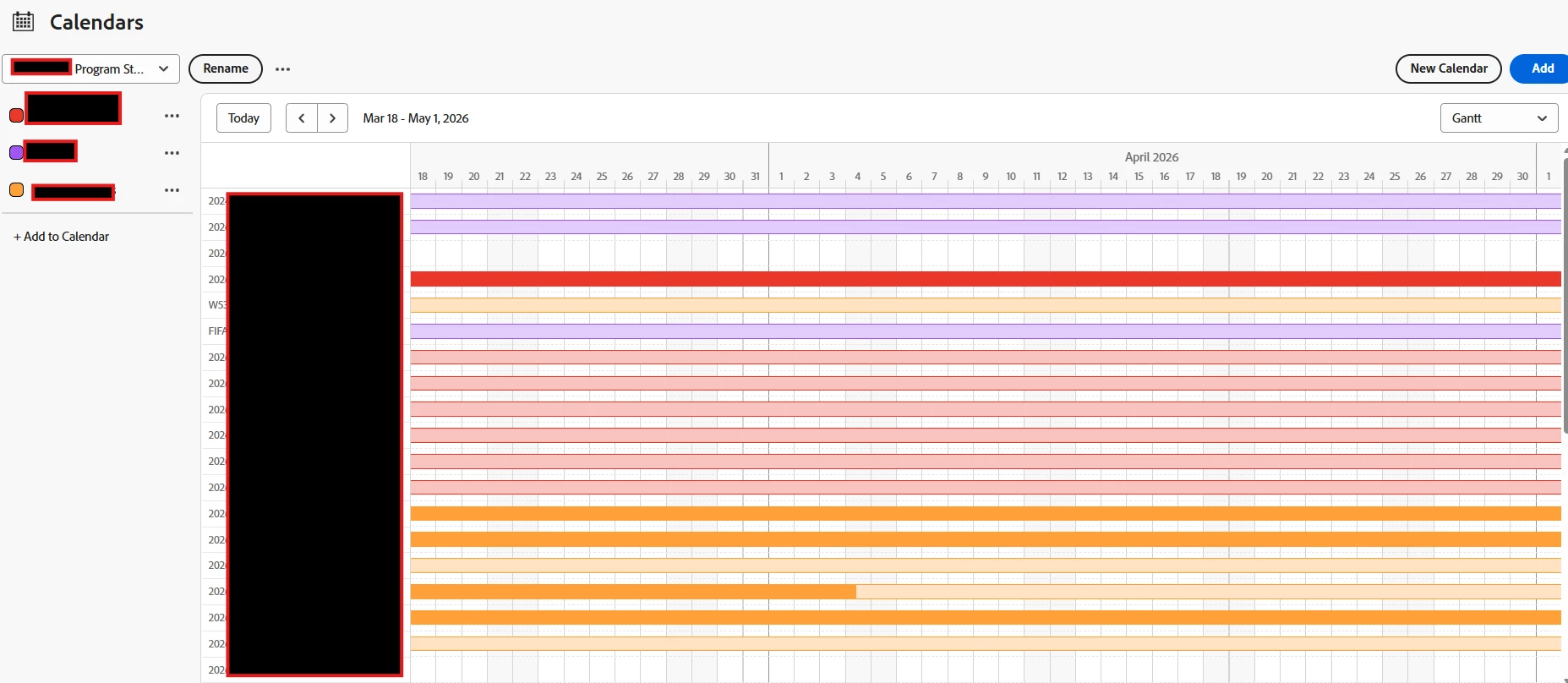
Calendars>Gantt View Can there be any customization with this?

Is there any hack to be able to show a calendar at the gantt view level to not show everyday in the month and just consolidate to a week or even a month view? This gantt view is not helpful to me because you have to dooms scroll to see how and where they overlap for a multi month program. the visual is not great.

 

RowvillBh1
RowvillBh1Accepted solution
User Group Leader
May 21, 2026

If your dates tie back to the project level, I would use the Gantt view when you go to projects from the main menu. You can use the ± dragger (for the lack of a better word) highlighted in the screenshot. Its works pretty great IMO to adjust the gantt view as per your liking


3 replies

KierstenKollins
Adobe Champion, Community Advisor, UG Leader
May 20, 2026

Currently, there is not a way to adjust the Gantt view in calendars. I recommend submitting a new idea with your use case/needs.

Translate
RowvillBh1
User Group Leader
RowvillBh1User Group LeaderAccepted solution
User Group Leader
May 21, 2026

If your dates tie back to the project level, I would use the Gantt view when you go to projects from the main menu. You can use the ± dragger (for the lack of a better word) highlighted in the screenshot. Its works pretty great IMO to adjust the gantt view as per your liking


Translate
HannahRi3Author
Level 1
May 21, 2026

Thank you! yes it works at the project level for me and ive explored that option, but the calendar view is a little prettier. I wish the same gannt views was available in the calendars.

Translate
