
Adding or conditions when triggering automation in Workfront Planning
Current state, only AND condition available
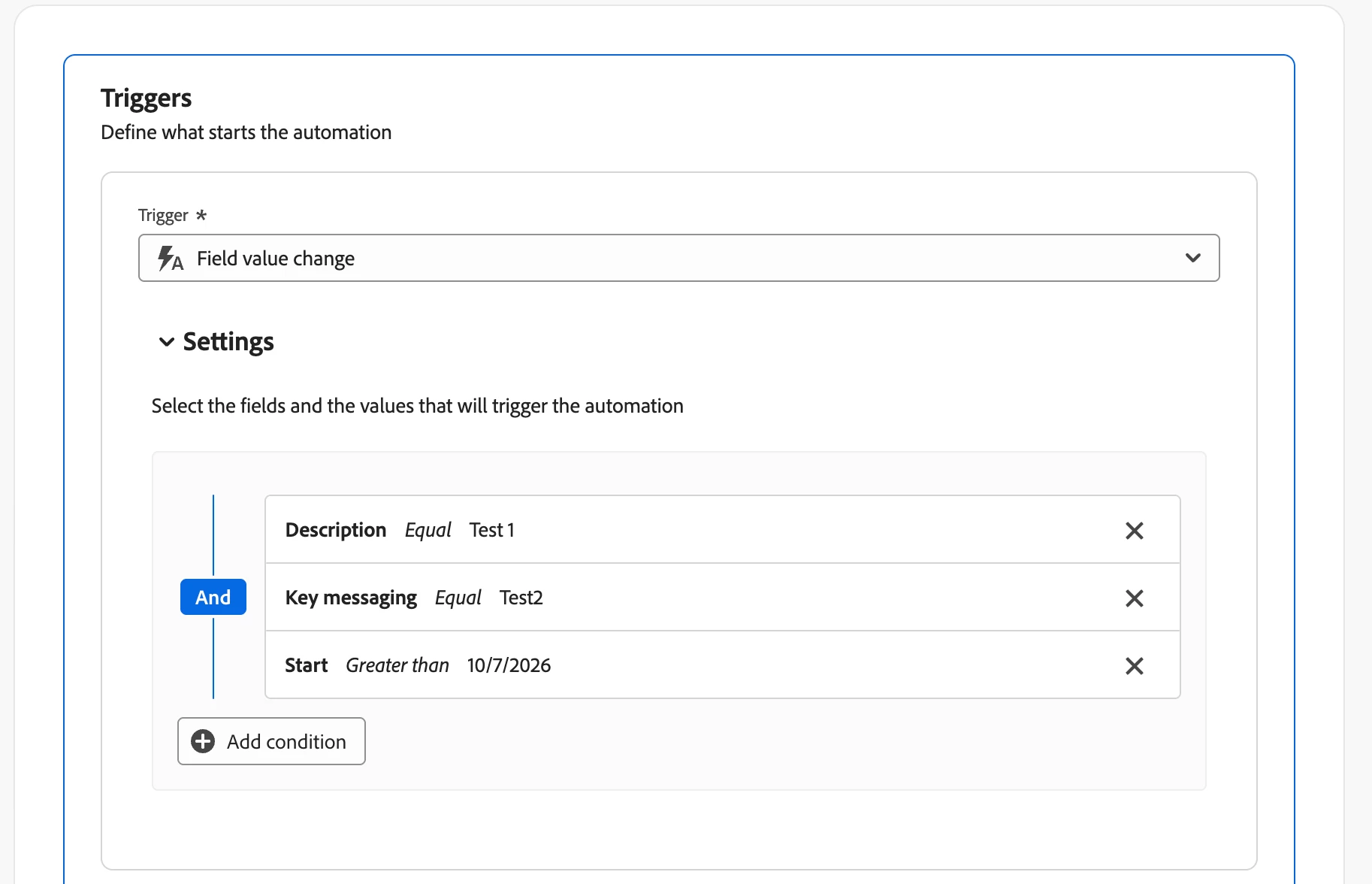
Idea:
Currently, when building automations in Workfront Planning, trigger conditions across multiple fields only support AND logic. This means all conditions must be met before the automation runs.
It would be extremely valuable to have the ability to use OR conditions as well.
Example: Trigger an automation when:
- Status = Approved OR
- Priority = High OR
- Type = Urgent Request
Today, the only option is to use AND logic, which significantly limits flexibility and often requires creating additional automations or workarounds to achieve the desired outcome.
Business Value:
- Reduces the need for duplicate automations
- Simplifies Planning configurations
- Supports more real-world business use cases
- Makes automations easier to maintain and scale
As organizations start adopting more complex Planning setups, OR logic would make automation capabilities much more powerful while keeping configurations simple and intuitive.
Use Case: A marketing operations team wants to automatically notify stakeholders whenever a record becomes critical. The trigger should fire if any of several fields indicate urgency, rather than requiring every condition to be true at the same time.
This enhancement would bring much-needed flexibility to Workfront Planning automations and help teams build more efficient workflows.
Best regards,
Ivan