Level 1
September 2, 2026
Solved

Adding Images to Notes Section (Tasks)

  • September 2, 2026
  • 3 replies
  • 32 views

Hi all, 

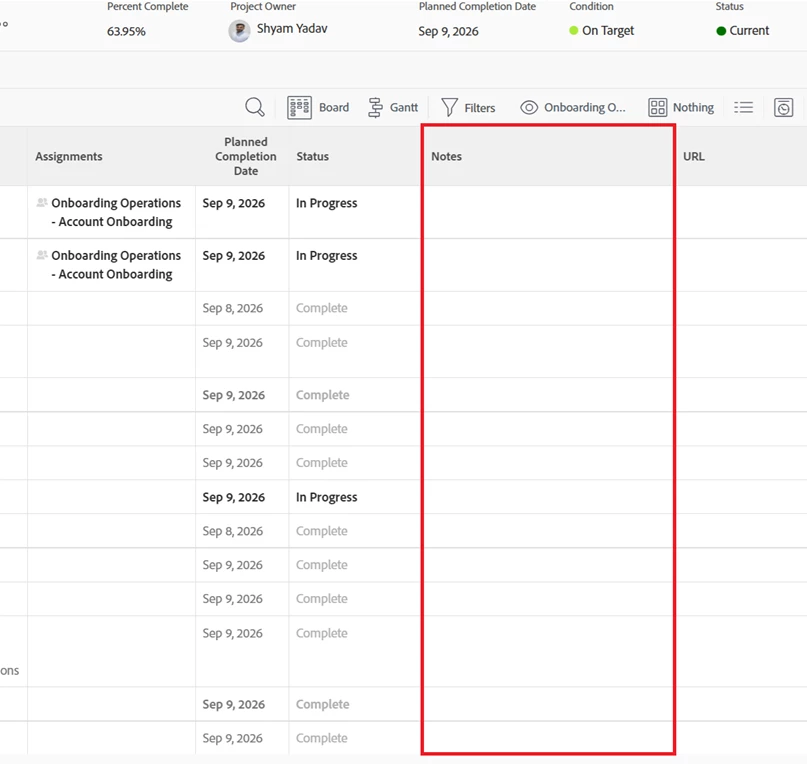
Does anyone know if we’re able to add an image within the notes section of a specific task?


I have a list on onboarding tasks which need to be completed and would like to save evidence for each task once the item has been actioned.  
 

Best answer by MaryMa3

I don’t know how to add an image directly, however a couple possible workarounds:

  • Save image to SharePoint and paste sharing link in Update log
  • Upload image to Documents tab, then add Task:Has Documents to your Onboarding view.

Best of luck!

3 replies

MaryMa3Accepted solution
Level 2
September 2, 2026

I don’t know how to add an image directly, however a couple possible workarounds:

  • Save image to SharePoint and paste sharing link in Update log
  • Upload image to Documents tab, then add Task:Has Documents to your Onboarding view.

Best of luck!

Lyndsy-Denk
Community Advisor
Community Advisor
September 2, 2026

Is Notes a custom field? If it’s a native field, which one?

Either way, I’m struggling to think of a field that will accommodate a pasted image. I know Updates can accept images, but they’re accommodated more like attachments. Plus another Update will bump down your list.

SYadavAuthor
Level 1
September 3, 2026

Yes, notes its a custom field that has been added to the template with the aim for us to track material updates of each task for team members to view. I like the idea of using sharepoint to save down the images and then pasting the link - Thank you for the help!