Workfront Planning - Connecting Project Record | Community
Skip to main content
Level 1
March 4, 2026
Question

Workfront Planning - Connecting Project Record

  • March 4, 2026
  • 1 reply
  • 20 views

Hello,

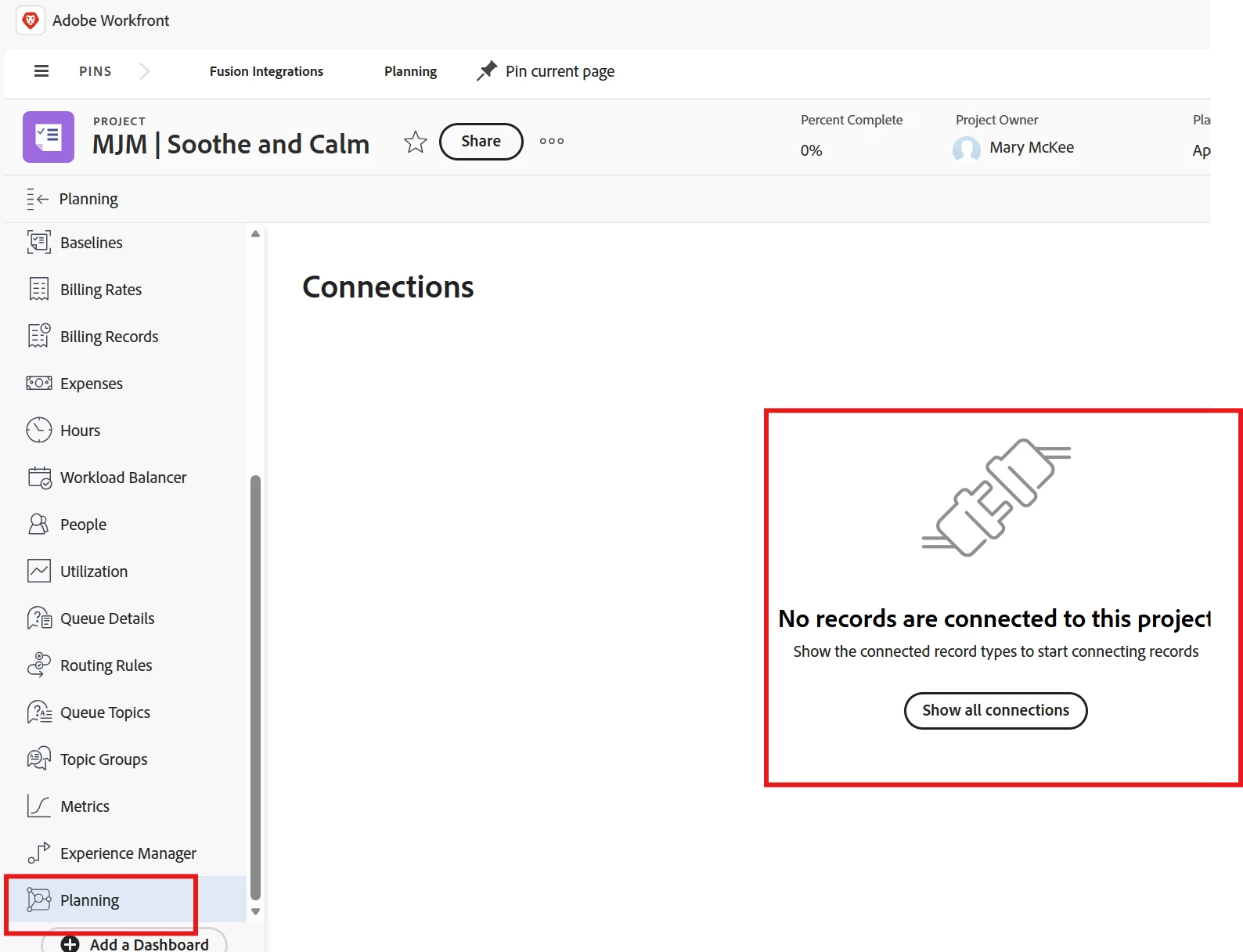
I’ve recently created an automation in Workfront Planning to create a project in Workfront which seems to be working as a project is created, but I’ve noticed that in the Workfront Project>Planning menu, the connection isn’t automatically populating. Is there a step I’m missing? I can show all connections in the Workfront Project>Planning page and manually select the Planning Workspace but I thought it would populate since the relationship is reflected in Planning. Any insights appreciated!
Mary

1 reply

Patrick-antegma
Level 4
March 4, 2026

Hi ​@MaryMc13,


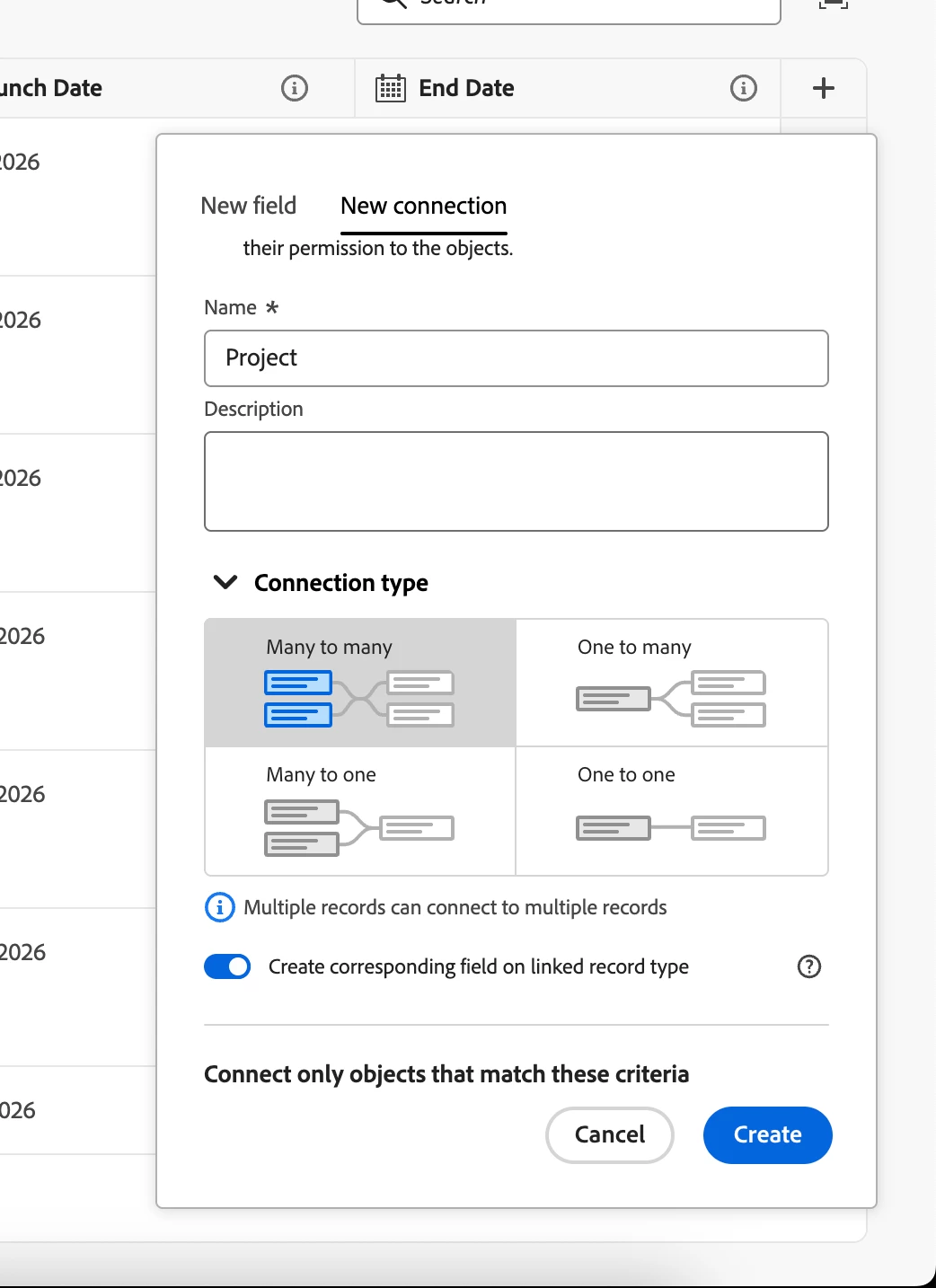
you need to activate the following checkbox during the creation of connection below Connection Type:

Create corresponding field on linked record type: true


Then you should select how you relationship: Many to many, One to many….


Without the creation of the linked recorded, only planning knows about the relationship. In this case, Workfront can’t display the connection.


Hope this helps.


MaryMc13Author
Level 1
March 5, 2026

Hi ​@Patrick-antegma,

Ah, got it! I guess I’ll have to make that my first step if I think I’m going to connect Workfront objects to Planning. You would think that connection would happen if you have a Workfront Project Name in the Connected project column in a Planning record. 


Question, do you know if you can edit a connection after it’s made? For example, I see you can add fields from WF you want to appear in Planning but what if you don’t select a field during initial connection set up, can you edit the connection and add more fields? 


And do you know if there’s a way when you’re making a connection to only show the fields in the form you designated when setting up the connection?


Thank you!
Mary