Converted Issue Date to Task Completion Date Difference | Community
Skip to main content
Level 3
May 22, 2024
Solved

Converted Issue Date to Task Completion Date Difference

  • May 22, 2024
  • 1 reply
  • 951 views

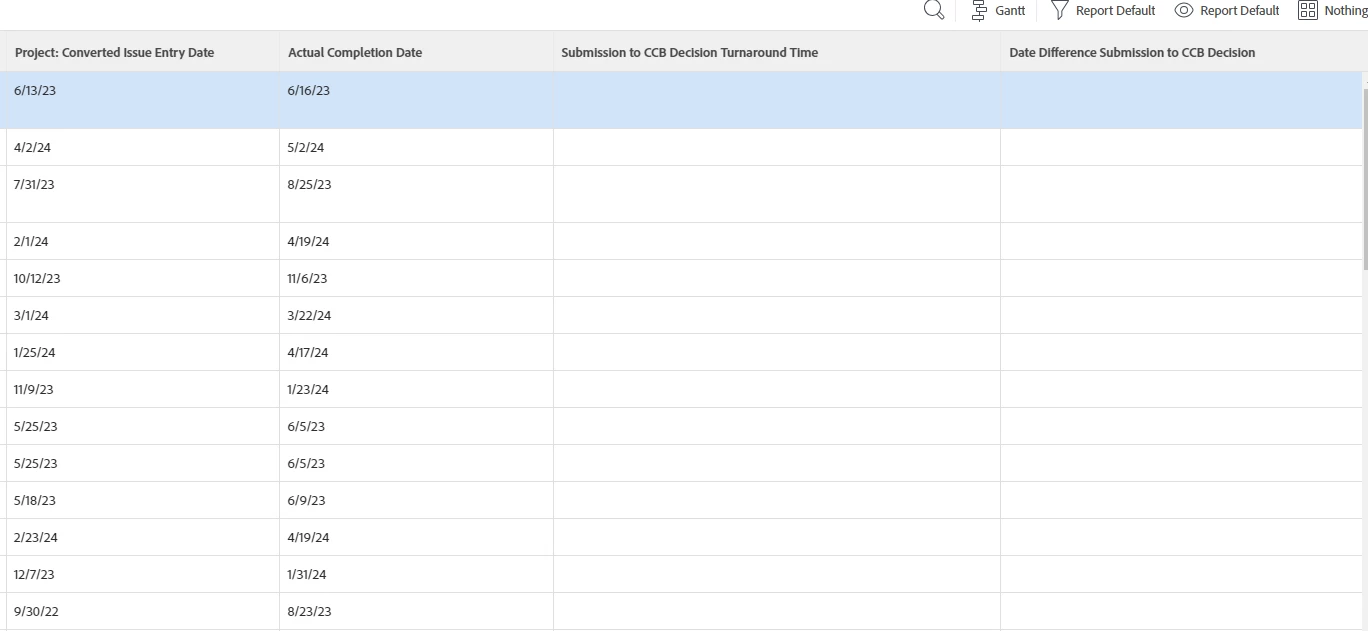
I have seen a few older posts about this but it is not working on a report I am doing. It is in a task report and is filtered to look at a specific task completion. I have tried custom column:
displayname=Submission to CCB Decision Turnaround Time
textmode=true
valueexpression=WEEKDAYDIFF({convertedOpTaskEntryDate},{actualCompletionDate})
valueformat=HTML

and a calculated field:

WEEKDAYDIFF({convertedOpTaskEntryDate},{actualCompletionDate})

Neither is pulling any data. Any help or suggestions appreciated.
 

This post is no longer active and is closed to new replies. Need help? Start a new post to ask your question.
Best answer by skyehansen

when you're in a task report and calling out information from the project, always tack on that location. So with the fields I mentioned above, you'll get workfront calculating a difference between a task's actual completion date (we didn't have to mention "task" because it's a task report) and its project originating issue entry date.

1 reply

skyehansen
Community Advisor and Adobe Champion
May 22, 2024

I like your screenshot. You mentioned the converted optask entry date, but what you don't mention is that the optask was converted to a project. If that's the case, I would think you would be looking at a date diff between {project}.{convertedOpTaskEntryDate} and {actualCompletionDate}. Can you clarify if that's what's going on?

Level 3
May 22, 2024

Oh yes. Good call out. These were converted into projects.

skyehansen
Community Advisor and Adobe Champion
skyehansenCommunity Advisor and Adobe ChampionAccepted solution
May 22, 2024

when you're in a task report and calling out information from the project, always tack on that location. So with the fields I mentioned above, you'll get workfront calculating a difference between a task's actual completion date (we didn't have to mention "task" because it's a task report) and its project originating issue entry date.