When saving the activity but got "ERROR: Has invalid fields" message | Community
Skip to main content
Level 2
November 1, 2024
Solved

When saving the activity but got "ERROR: Has invalid fields" message

  • November 1, 2024
  • 2 replies
  • 1162 views

Hi all, 


Does anyone know possible reasons for getting "Error: Has Invalid Fields" message when you saved the activity? I have cross checked multiple times that all required field has been filled. 
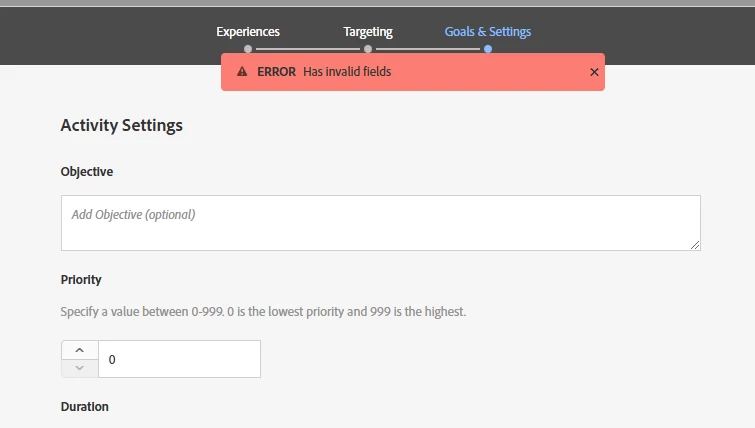
 

Thanks for your help.
Matt


This post is no longer active and is closed to new replies. Need help? Start a new post to ask your question.
Best answer by SarthakBh

You are definitely missing something maybe the success metric maybe a missing report suite or something else. Please raise a ticket and we will look into it. 

2 replies

Adobe Employee
November 1, 2024

Is the activity syncing correctly, can you save the activity?

Matt167Author
Level 2
November 1, 2024

What does syncing correctly means? How can i check that?
I can save when I created the activity. Then I need to edit something (add few more additional pages in the experience group). After that I can't save with getting that error message.
Thanks for your reply 🙂

Gokul_Agiwal
Community Advisor
Community Advisor
November 4, 2024

Hi @matt167 

Are you still facing this issues? If so, can you please let us know at which stage you're getting the error? 

In case if you're seeing this alert message at Experiences stage then probably some issues with your modifications, 

In case if you're seeing this message at Targeting stage, check you've chosen the right audience and have added correct number for traffic allocation. 

In case if you're seeing this message at Goals and Setting stage, then check all the mandatory fields including your duration setting, Reporting setting - Goal metric, chose right success metric ( Conversion, Revenue, Engagement) then chose right action and correct mbox from the drop down list. 

Hope this helps. 

SarthakBhAdobe EmployeeAccepted solution
Adobe Employee
November 1, 2024

You are definitely missing something maybe the success metric maybe a missing report suite or something else. Please raise a ticket and we will look into it.